We're using a commercial font called "Campton" in our RevenueCat paywall. We're occasionally seeing characters in certain languages render incorrectly (please see the attached screenshot).
One thing we found odd is that if we change the device's system language to that language and reopen the paywall, the characters that were previously broken now display correctly.
For example, with the device language set to Korean, some characters were broken when viewing the Vietnamese paywall. After changing the device language to Vietnamese, those same characters rendered properly.
Because of this, we'd like to understand how fonts are applied to paywalls. For instance, when the configured font doesn't support certain characters, is there any fallback logic — such as falling back to the system font?
Thanks in advance for your help.
Best answer by alejandra-wetsch
Hey @inout-4dd00c,
Thank you for reaching out and for the details provided!
This appears to be a limitation in how the OS falls back when a character is not found for the current locale. RevenueCat relies on the OS for Paywall character rendering per locale.
In your example, since the device is configured for Korean, the OS doesn’t know how to render certain Vietnamese characters, so a fallback character is displayed instead. That would explain why, when you switch your device's language to Vietnamese, the text displays correctly.
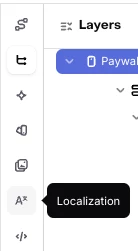
After checking your configuration, I see that you have one Paywall per locale. What you can do instead is have a single Paywall localized for all languages you support. This will prevent the fallback characters from appearing for languages that don’t support other language’s characters. So a device with the Korean language configured will see the Paywall localized in Korean, and so on. You can configure this by checking the Localization menu of the Paywall Editor.
Thank you for reaching out and for the details provided!
This appears to be a limitation in how the OS falls back when a character is not found for the current locale. RevenueCat relies on the OS for Paywall character rendering per locale.
In your example, since the device is configured for Korean, the OS doesn’t know how to render certain Vietnamese characters, so a fallback character is displayed instead. That would explain why, when you switch your device's language to Vietnamese, the text displays correctly.
After checking your configuration, I see that you have one Paywall per locale. What you can do instead is have a single Paywall localized for all languages you support. This will prevent the fallback characters from appearing for languages that don’t support other language’s characters. So a device with the Korean language configured will see the Paywall localized in Korean, and so on. You can configure this by checking the Localization menu of the Paywall Editor.
What you are observing is standard OS-level font fallback behavior rather than a bug specific to RevenueCat:
Custom Font Glyph Coverage: Commercial fonts like "Campton" typically ship with basic Western Latin character sets and lack extended diacritics (like Vietnamese compound accents) or CJK characters.
OS-Level Fallback Logic: When a requested typeface does not contain a specific glyph, RevenueCat’s UI layers rely on the native platform engine (CoreText on iOS, Skia/TextLayout on Android) to pick a fallback font.
Why Device Language Matters: The OS font-matching algorithm prioritizes fallback fonts according to the active system locale. If the system is set to Korean, Android/iOS will prioritize Korean-compatible system fonts, which may not support extended Vietnamese tone marks. Changing the system locale to Vietnamese causes the system font matcher to prioritize a native font that natively supports all Vietnamese glyph variants.
Recommended Fixes:
Subset / Extended Font Licensing: Ensure your licensed version of Campton includes the extended Latin / UTF-8 character sets required for your localized markets.
Platform-Specific Font Families: Configure your Paywall UI to use a font family stack or default system fonts for non-Latin / complex script locales where your primary custom typeface lacks full coverage.