Question

How to dynamically change CTA button text based on selected package?

  • February 17, 2026
  • 2 replies
  • 27 views

Forum|alt.badge.img

Hi everyone,

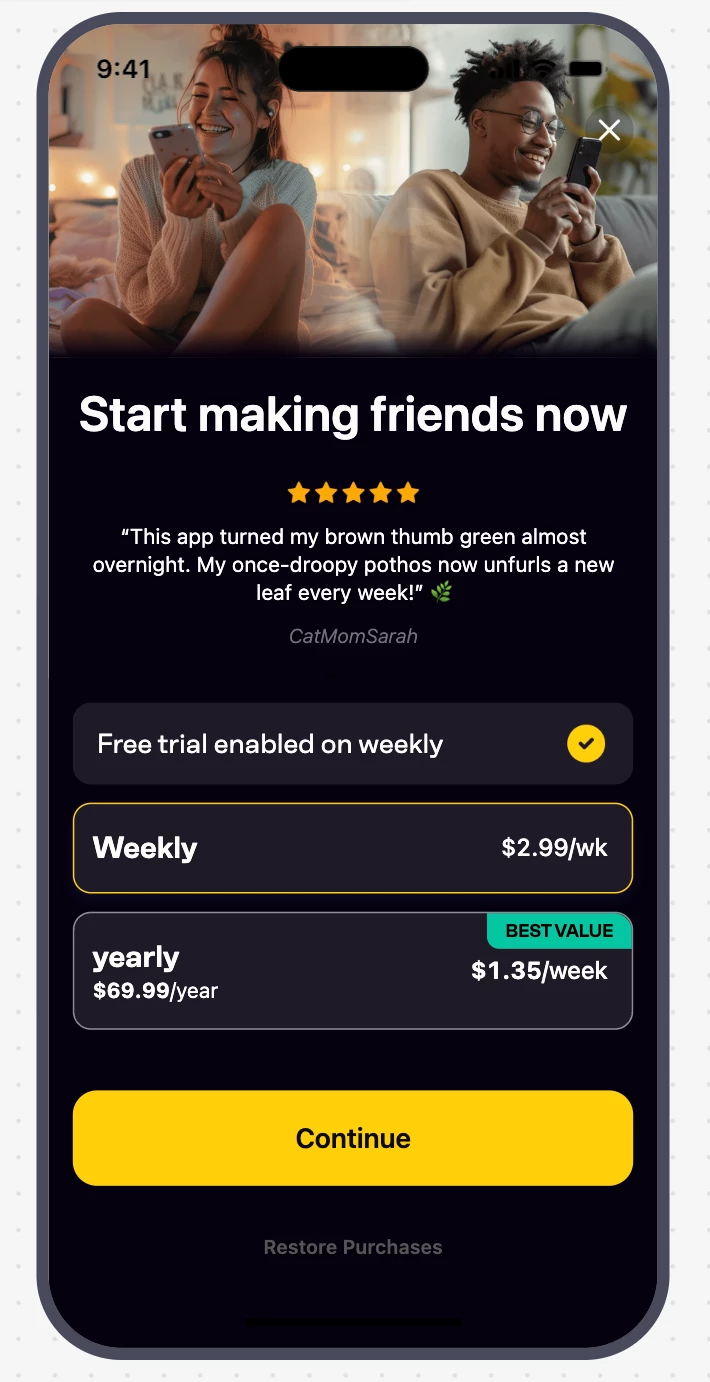
I’m looking for a way to update the main Call-to-Action (CTA) button text dynamically depending on which package the user selects. I don’t find how to do it… without the toggle

Case:

  • If the Weekly package is selected (which has a free trial enabled), I want the button to display: "Try for free".

  • If the Yearly package is selected, I want the button to display: "Continue".

Has anyone implemented this kind of conditional UI before? Any tips would be greatly appreciated!

Thanks in advance!

2 replies

Forum|alt.badge.img+2
  • New Member
  • February 17, 2026

i have same pb  now 3 days without any solution  


alejandra-wetsch
RevenueCat Staff
Forum|alt.badge.img+6

Hey ​@maeva and ​@Yassine

Thank you for reaching out, and apologies for the delay in answering!

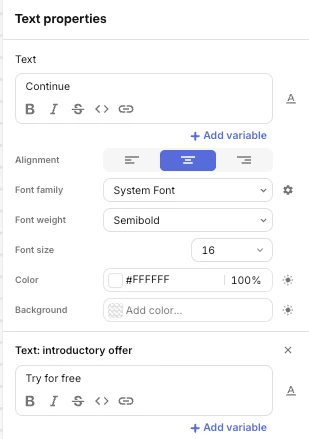
You can set this up by changing the ‘Text: introductory offer’ text field together with the regular text field of the Text component of the purchase Button.

When you set the ‘Text: introductory offer’, the SDK checks with Apple or Google whether the user is eligible for an introductory Offer for the selected package, and displays the text you set in the Paywall Editor. If the user is not eligible, the default text field text is displayed instead. An example is shown in the screenshot below.

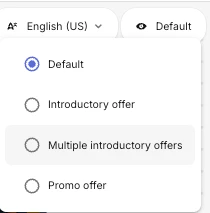
This applies to all components, not just buttons. After setting the different states, you can use the Preview modes to see how your Paywall will look for a user who is eligible for an introductory offer and for one who is not.


I hope this helps!