
The context:
This was a question previously asked which RevCat never officially answered. I came across this problem myself and solved it, wanted to share the answer, but RevCat also prevented anyone from replying in that thread so I’m sharing it here in the hopes that it might help someone in the future.
The Problem:
So the problem is that Revenue Cat tells you to get Dataset ID and Conversion API Token.
You go to Meta Events Manager as instructed.
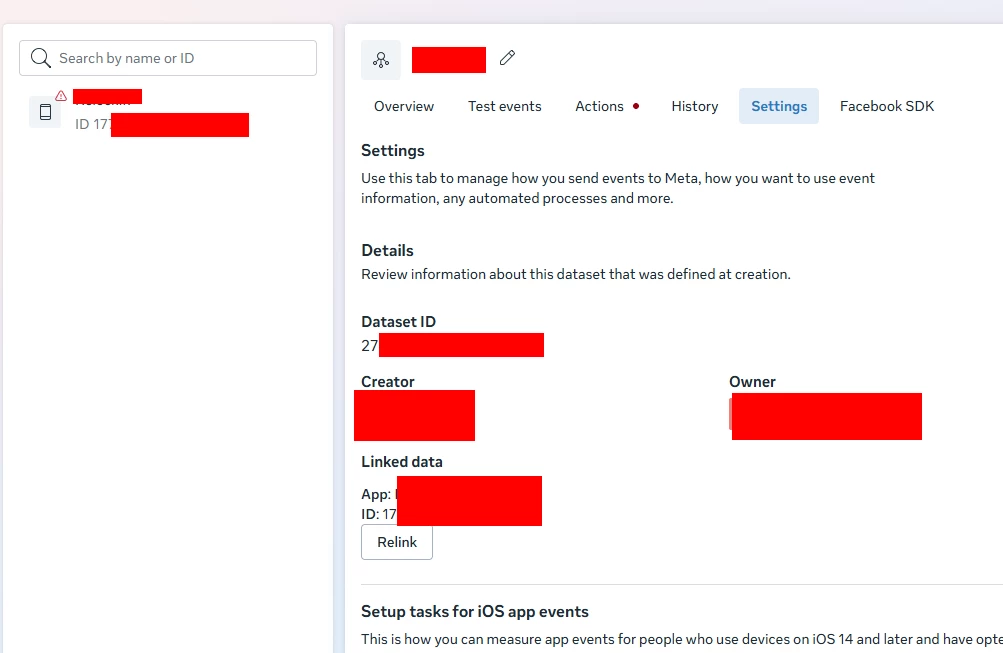
If you had previously set up your app with meta, you’ll see your app listed in Datasets. You click on that, yet there is no Dataset ID (just the meta app id) and no option to create a conversion API token in settings.
The Solution:
The instructions are missing a step.
- Go to the automatically created “Dataset” for your app
- Go to Settings
- Find the button that says something like “Link data”. Click it. (It might have been connect to dataset or something like that- can’t recall exactly, and can’t go back to double check)
- It tells you to choose between creating a new dataset for your app ID or using existing pixel. Choose create a new dataset.
- Now it’s fixed, because the dataset is actually created.
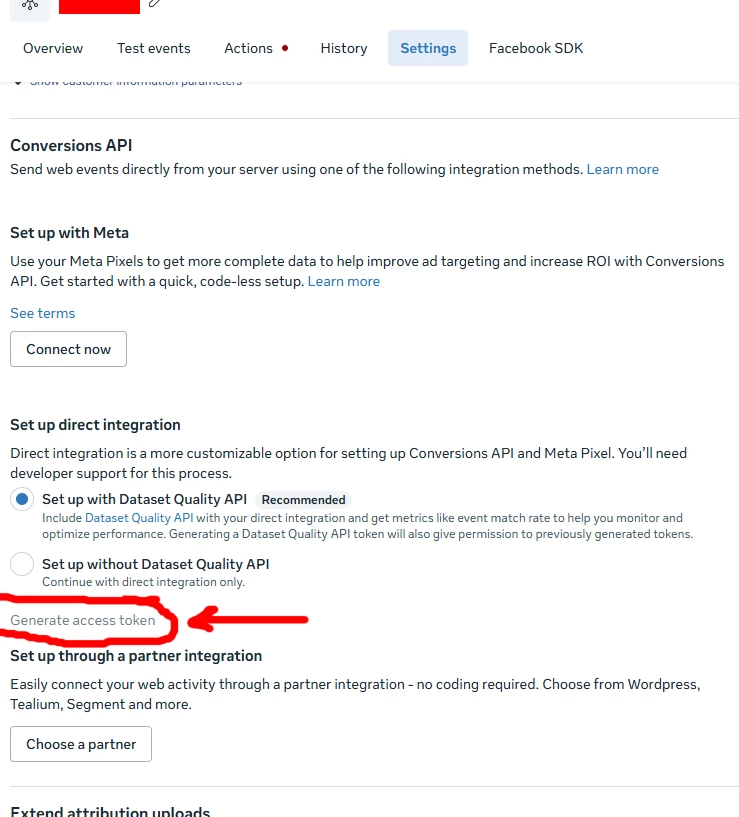
On the settings tab, you will now see a Dataset ID (different from your meta app ID) and you can scroll down and there will be a Conversions API section. If you press “Generate Access Token” you can finally get the token here. You may need to fill out legal business information first.
Apologies that my UI names aren’t precise; I’m operating off memory. Couldn’t find this documented anywhere else online. Hope this spares someone the frustration I had.