I am integrating RevenueCat Web Billing (Stripe) into my Flutter Web app, but I am running into a persistent issue where my Stripe products are not being recognized despite following all the official documentation.
[The Issue]
-
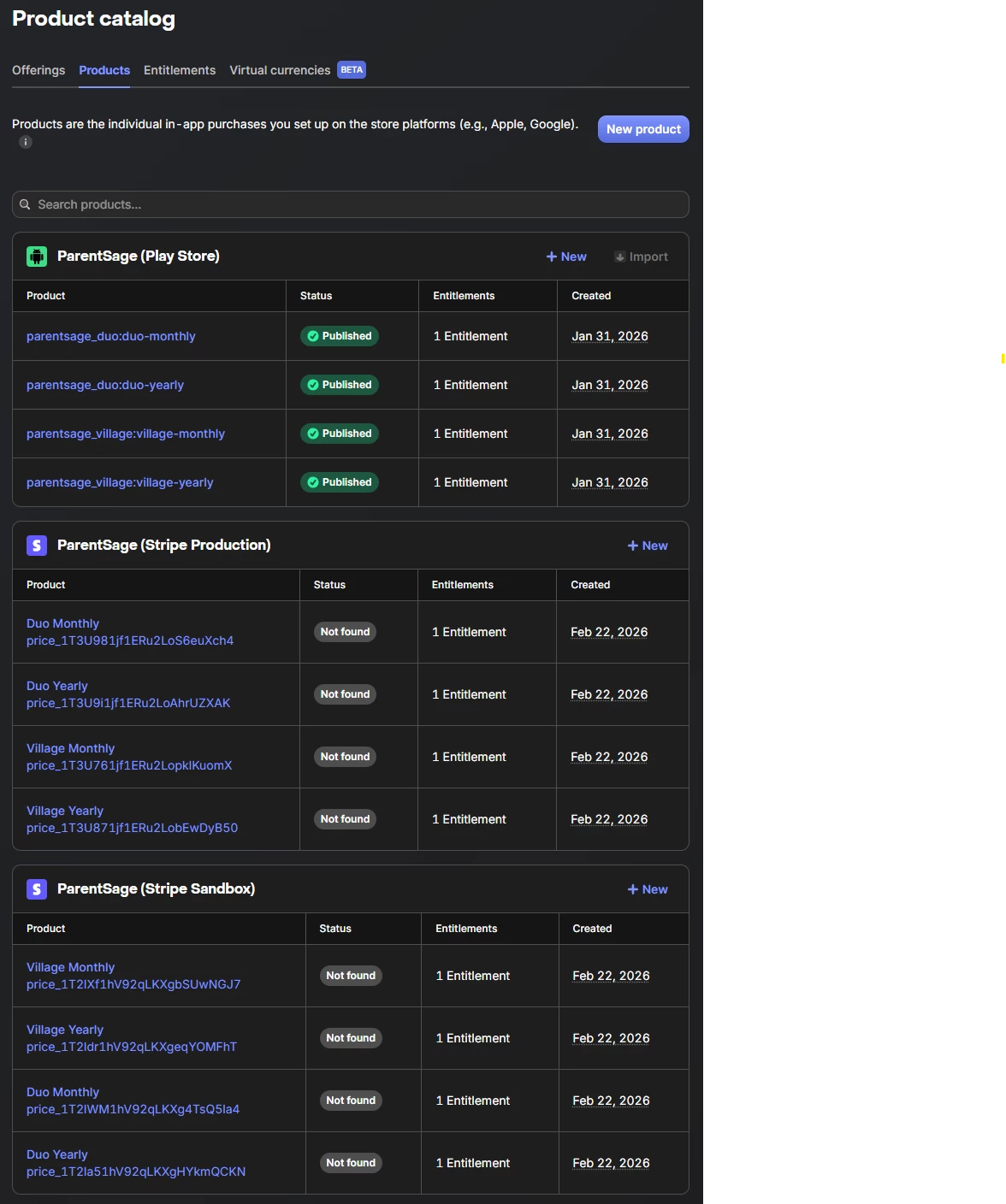
In the RevenueCat Dashboard, the Store Status for my Stripe products constantly shows as "Not found" (or "Product not found in live mode...").
-
In my Flutter Web app, when trying to fetch offerings, I get a "Configuration Error: Production not found in RevenueCat" error, and the offerings list returns empty.
[My Environment]
-
Platform: Flutter Web (
purchases_flutter) -
Integration: Stripe Web Billing (connected via the new Stripe App Marketplace OAuth method. Account:
acct_1T...) -
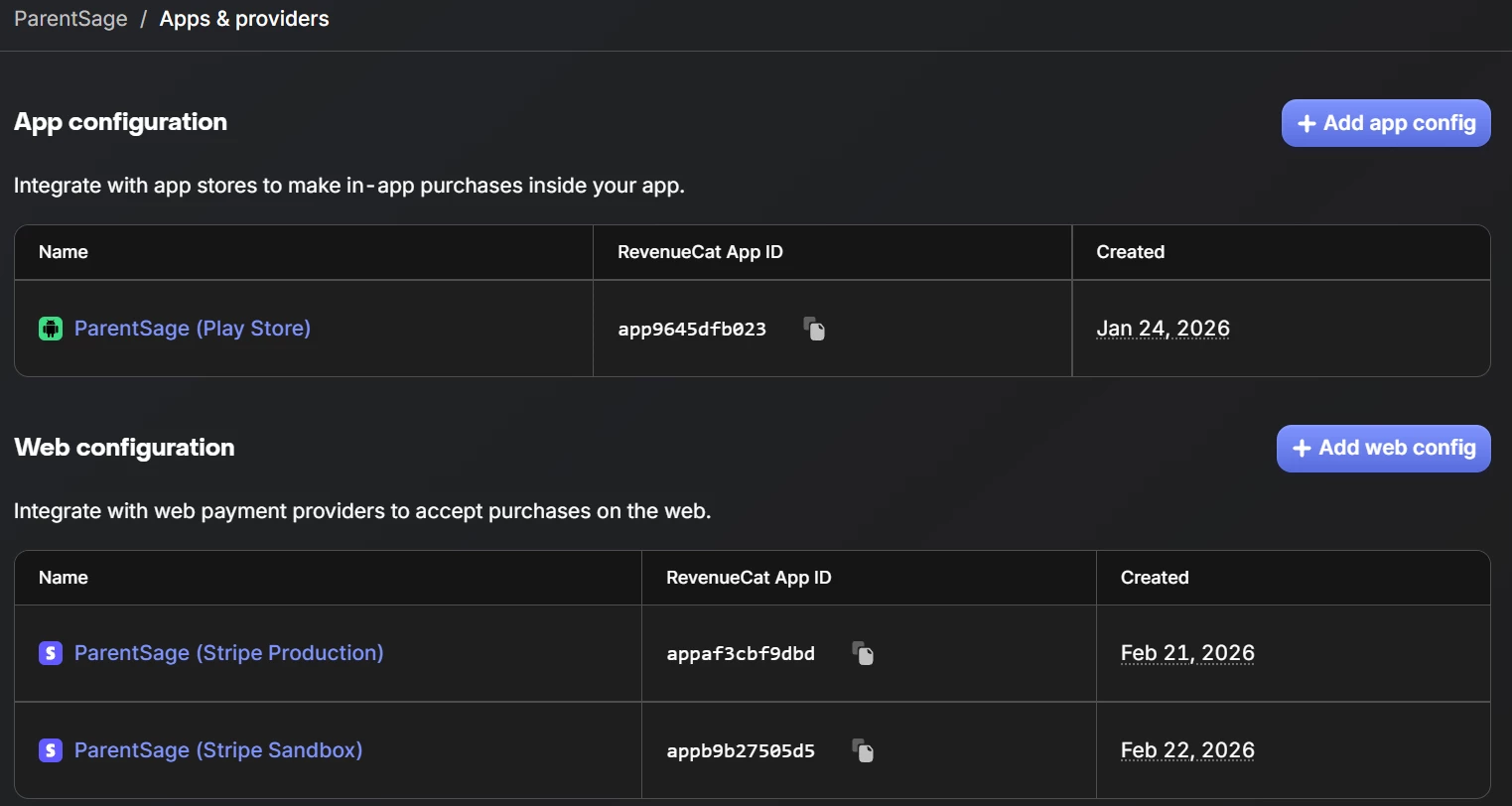
RevenueCat Apps: Configured both "ParentSage (Stripe Production)" and "ParentSage (Stripe Sandbox)"
[Steps I've Already Taken & Verified]
-
Stripe Connection: Confirmed that the Stripe account is successfully connected via the Stripe App Marketplace.
-
Price ID: I strictly used the Stripe Price ID (
price_...), not the Product ID (prod_...), as the Identifier when creating the Product in RevenueCat. -
Entitlements & Offerings: The Stripe product is correctly attached to my Entitlements (
duo_access,village_access) and included as a package in theDefaultOffering. -
API Keys: I am using either “Stripe Production” or “Stripe Sandbox” Public SDK Key generated for the Web platform in my app.
-
Webhooks: Stripe webhooks are correctly configured with all the required events (Checkout, Customer, Invoice, Subscription) pointing to the RevenueCat endpoint.
-
Flutter Web Setup: Added
window.RevenueCatWeb = {};to myindex.htmlto preventMissingPluginException, andPurchases.configure()runs successfully without crashing.
[Help Needed] Since the Price IDs and Offerings are perfectly mapped, could you please check if there is a background sync issue between my connected Stripe account and my RevenueCat project? Or is there any hidden configuration I might be missing to make the products "Active" and fetchable on the web?