

Answer

Can not complete Play Store configuration

  • August 28, 2021
  • 2 replies
  • 101 views

Forum|alt.badge.img+3

Hi RevenueCat,


I have completed the instructions to the “T” on this page:

https://docs.revenuecat.com/docs/creating-play-service-credentials


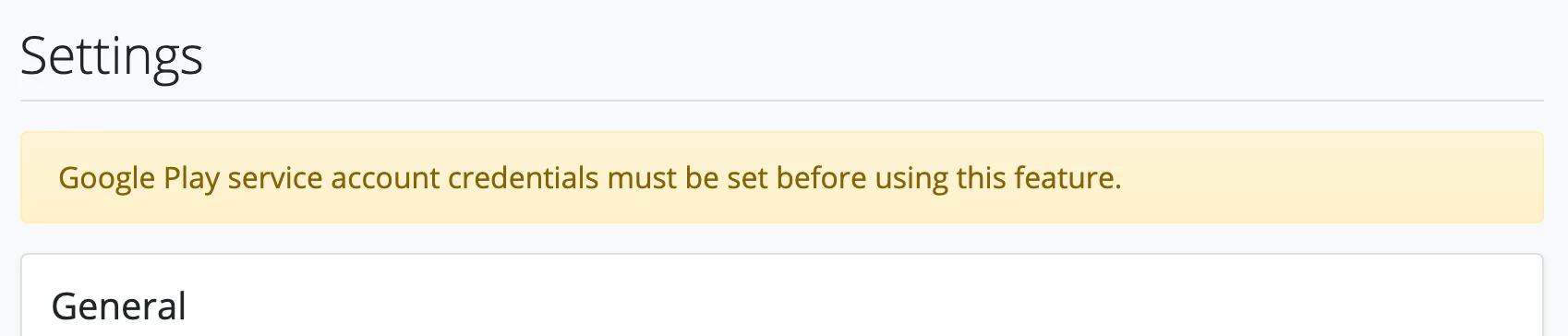
and have made a json key correctly. No matter what I do, I am still receiving an error such as the one in the image below:


My service credentials start out like this: :”my-app-service-credentials@pc-api- “

The “pc” in there is no problem, right?


What should I do now to fix the problem since the credentails are not working and seem like they have never even been created?


**This error is happening on revenueCat. I have not done anything with the android app.**


Thank you!

 

Best answer by sundeep

Hi @Developer42,

It looks like you’re hitting the Connect to Google button instead of the Update button at the bottom of the form. Connect to Google is for setting up Google platform notifications and not for updating your credentials, which is why you’re seeing that error. Try hitting Update at the bottom of the form instead.

This post has been closed for comments

2 replies

sundeep
RevenueCat Staff
Forum|alt.badge.img+8
  • RevenueCat Staff
  • Answer
  • August 28, 2021

Hi @Developer42,

It looks like you’re hitting the Connect to Google button instead of the Update button at the bottom of the form. Connect to Google is for setting up Google platform notifications and not for updating your credentials, which is why you’re seeing that error. Try hitting Update at the bottom of the form instead.


Forum|alt.badge.img+3
  • Author
  • New Member
  • August 31, 2021

I don’t know how I missed that. That worked. Thank you!


