

Answer

Using Stripe Checkout Paywall for web

  • February 17, 2025
  • 2 replies
  • 329 views

Forum|alt.badge.img

Hello!

I want to use RevenueCat to centralize subscription management (code) across different platforms (Web, Android, etc.) for the same app.

I want to get the native local Stripe products (ids) or prices (ids), and use the Stripe native checkout paywall.

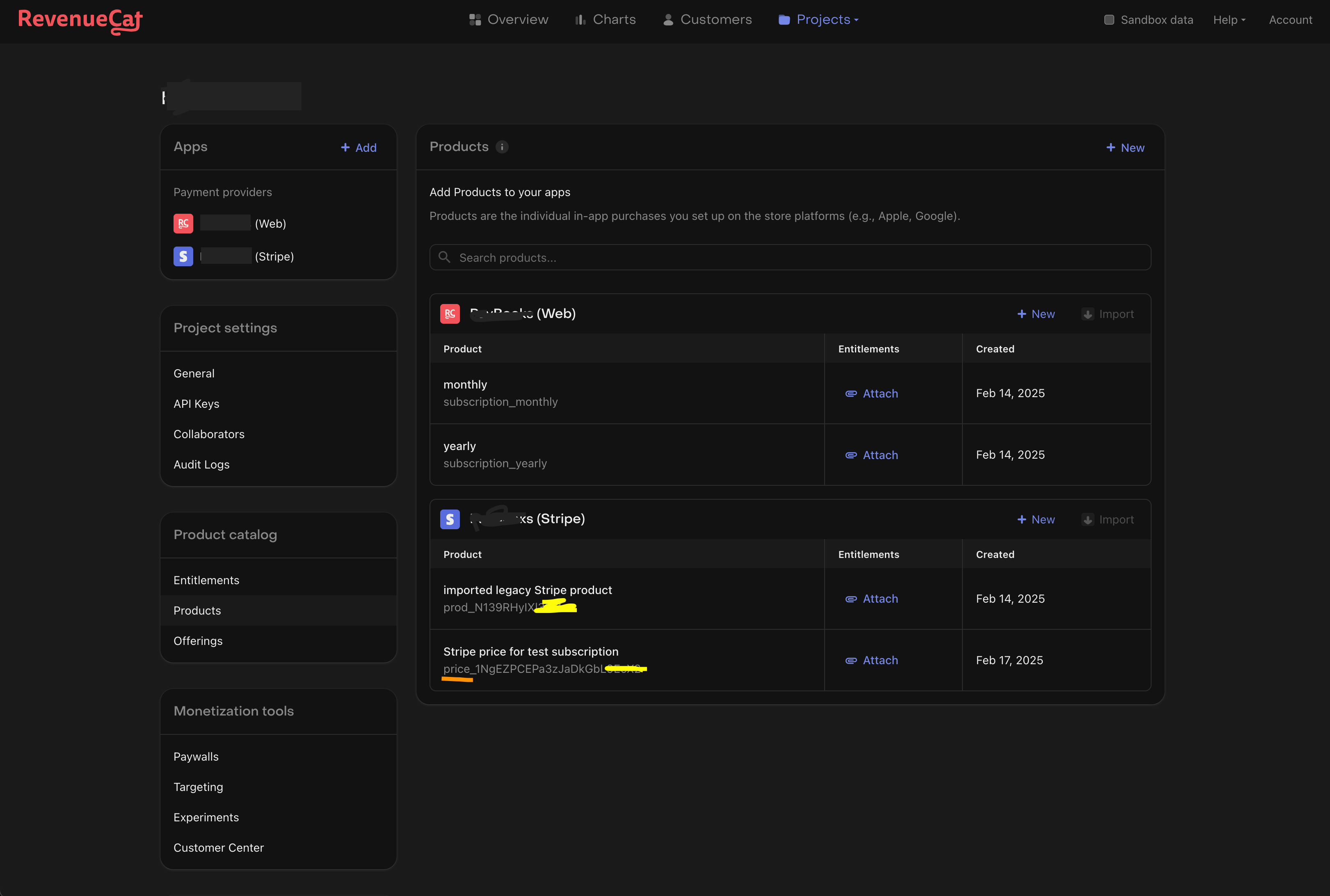
I set my native and local products for my Stripe app in the RevenueCat project setting page - see the attached screenshot below.

I can use the local Stripe product / price to generate a sessioned Stripe paywall.

Do you know how to get the Stripe products (ids) (using RevenueCat SDK or API)?
Thanks in advance for your help.


PS: Stripe features trial subscription enrollement without requesting a payment method upon; RevenueCat does not.

See more in the post at the following link: 

  

Best answer by Haley Pace

Hi, Stripe products cannot be fetched via the SDK, but you can do so via our APIv2 here: https://www.revenuecat.com/docs/api-v2#tag/Product/operation/get-product

Note that when using Stripe, the recommended way to do things with Stripe’s native paywall is to use Stripe’s API.

This post has been closed for comments

2 replies

Forum|alt.badge.img
  • Author
  • New Member
  • February 17, 2025

Let me explain what I am meaning / doing with a snippet of code:
 

import * as WebBrowser from 'expo-web-browser';
import { Platform } from 'react-native';


const Purchases = Platform.select({
// For android, IOS, Amazon
native: require('react-native-purchases').default,
// For the web
default: require('@revenuecat/purchases-js').Purchases,
});

const initAndPurchaseOnWeb = async (appUserID: string) => {
console.log("initAndPurchaseOnWeb");
try {
// Stripe API key - is not working
const revenueCatSanboxApiKey = 'rcb_sb_...';

// Revenue Cat Billing API key
const revenueCatApiKey = 'rcb_...';

// Configure SDK and identify user - on web
const purchases = Purchases.configure(revenueCatApiKey, appUserID);
console.log(purchases);

// Get offerings for sale
const offerings = await purchases.getOfferings();

// Log current offering
const currentOffering = offerings?.current;
console.log(currentOffering);

const packages = offerings?.current?.availablePackages;
console.log(packages);

// Test package
const testPackage = packages ? packages[0] : null;

const customerInfoT1 = await purchases.getCustomerInfo();
console.log(customerInfoT1);

// Create stripe checkout session
axios.post('/subscriptions/checkout-with-stripe', {data: testPackage})
.then( (checkoutSession) => {
const url = checkoutSession.url;
// Open stripe checkout session in browser
const event = url ? WebBrowser.openAuthSessionAsync(url) : null;
console.log(`openBrowserAsynnc: ${event}`);
// The Stripe invoice / receipt is imported into RevenueCat through a webhook in my backend
});


// Purchase the test package on RevenueCat Web Billing, Play Store, ...
// const { customerInfo, ...purchaserInfo} = await purchases.purchase({ rcPackage: testPackage })
// console.log(purchaserInfo);

const customerInfoT2 = await purchases.getCustomerInfo();
console.log(customerInfoT2);
} catch (error) {
console.log(`Purchases: ${error}`);
}
};

const initAndPurchaseOnAndroid = async (appUserID: string) => {
console.log("initAndPurchaseOnAndroid");
try {
// Revenue Cat Billing API key
const androidAppApiKey = ''; /* rcb_tevsLmsxKRDCLsRaMrPfEEVCEmsz */

// Configure SDK and identify user - on native
const purchases = Purchases.configure({ apiKey: androidAppApiKey, appUserID: appUserID });

// Restore purchases - only for react *native* platforms
const restoredPurchaserInfo = Platform.select({
native: async () => await purchases.restorePurchases(),
default: async () => {},
})();
console.log(restoredPurchaserInfo);

...


// Purchase the test package on RevenueCat Web Billing, Play Store, ...
const { customerInfo, ...purchaserInfo} = await purchases.purchase(testPackage);
console.log(purchaserInfo);

const customerInfoT2 = await purchases.getCustomerInfo();
console.log(customerInfoT2);
} catch (error) {
console.log(`Purchases native: ${error}`);
}
};


export const initSubscrition = Platform.select({ android: initAndPurchaseOnAndroid, default: initAndPurchaseOnWeb });

initSubscrition('test-ap-user-id@domain.com');


Forum|alt.badge.img+8
  • RevenueCat Staff
  • Answer
  • February 28, 2025

Hi, Stripe products cannot be fetched via the SDK, but you can do so via our APIv2 here: https://www.revenuecat.com/docs/api-v2#tag/Product/operation/get-product

Note that when using Stripe, the recommended way to do things with Stripe’s native paywall is to use Stripe’s API.

