I tried adding RevenueCat to an existing app, and RevenueCat is throwing a fatal error:
[RevenueCat]: Test Store API key used in Release build. Please configure the App Store app on the RevenueCat dashboard and use its corresponding Apple API key before releasing. Visit https://rev.cat/sdk-test-store to learn more.
This is happening in `Configuration.APIKeyValidationResult.checkForSimulatedStoreAPIKeyInRelease(systemInfo:)`
I’m just building on a simulator, with a Staging build schema. It seems that RevenueCat expects the DEBUG variable to be defined, but AFAIK, these variables are not available in Swift packages.
I’ve looked in the documentation it hasn’t been of much help. Any ideas?
Best answer by antonio.pallares
Hi! Antonio from the CoreSDK team. Happy to help!
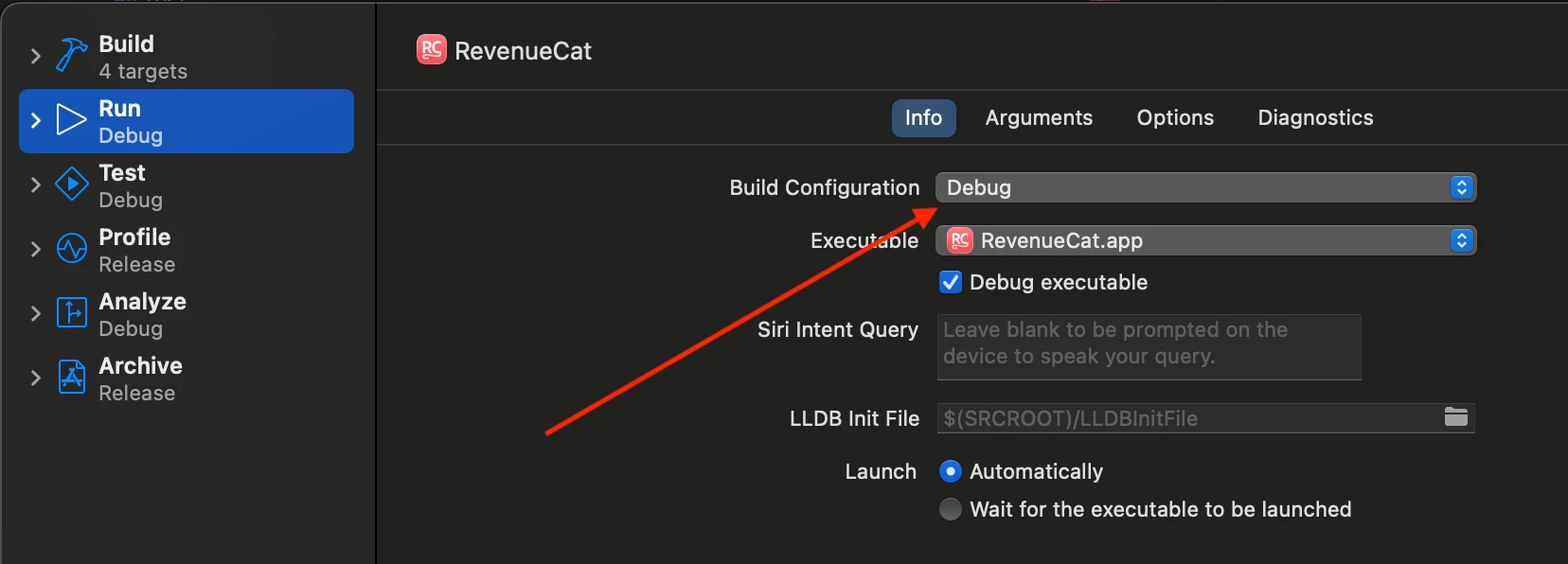
Rather than the scheme used, what’s relevant in this case is the Build Configuration configured in your scheme.
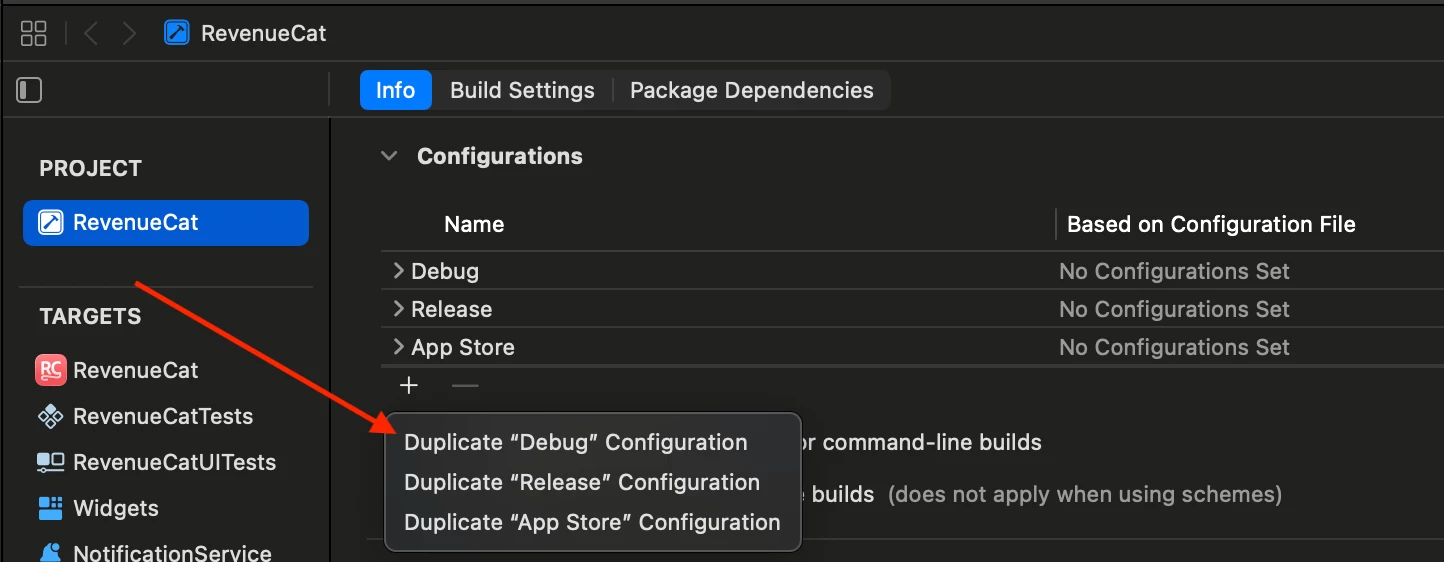
The Test Store can only work when apps run using the “Debug” Build Configuration or any other custom Build Configuration that was created by duplicating the “Debug” Build Configuration.
Probably your Staging scheme is either using the “Release” build configuration or a custom build configuration that was created by duplicating the “Release” build configuration and not the “Debug” one.
Could you try a Test API key when running the app with a scheme that uses the “Debug” build configuration? Does the fatal error disappear?
Rather than the scheme used, what’s relevant in this case is the Build Configuration configured in your scheme.
The Test Store can only work when apps run using the “Debug” Build Configuration or any other custom Build Configuration that was created by duplicating the “Debug” Build Configuration.
Probably your Staging scheme is either using the “Release” build configuration or a custom build configuration that was created by duplicating the “Release” build configuration and not the “Debug” one.
Could you try a Test API key when running the app with a scheme that uses the “Debug” build configuration? Does the fatal error disappear?
My project has a “Dev” and “Release” configuration - no “Debug”. I renamed “Dev” to “Debug” and no longer received the crash at launch. Not sure if this broke anything else. 😬
I’m not totally happy with this solution. A library shouldn’t really care about the name of my Xcode build configuration. (I’m guessing Xcode does some extra configuration if the build setting is the magic string “Debug”?) Anyways, you might want to consider a runtime way to enable/disable this safety check. This was a frustrating initial experience with RevenueCat.