Hi!
I’m seeing a visual/state bug with the Offered Package component in the new Paywall Editor testing on iOS.
What I’m doing
• Using the Paywall Editor with the Offered Package component.
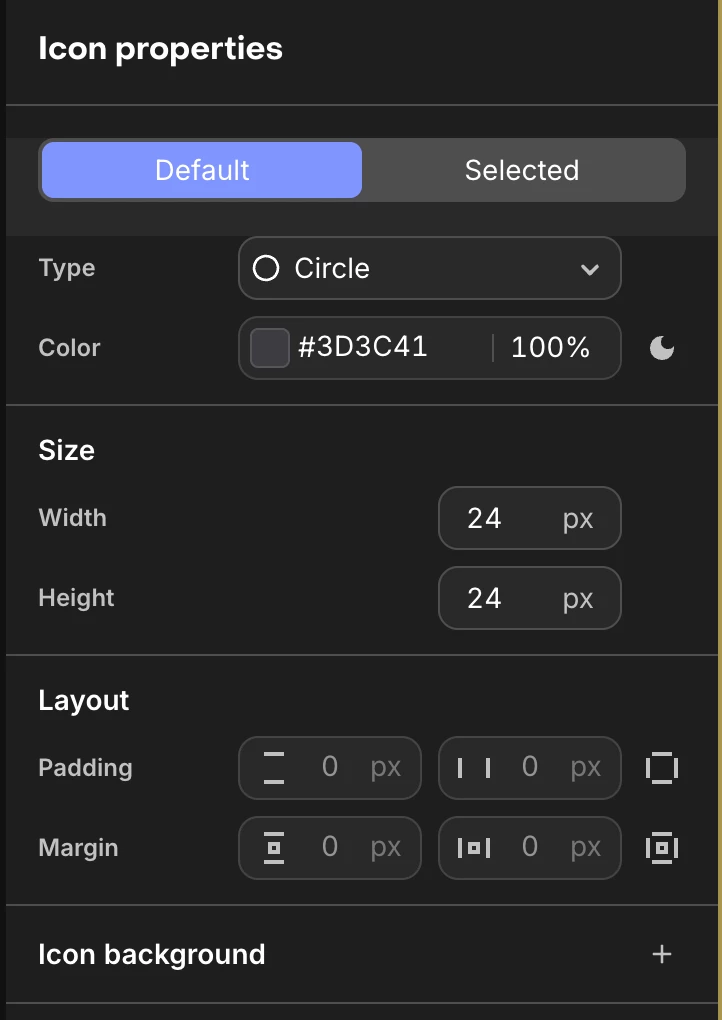
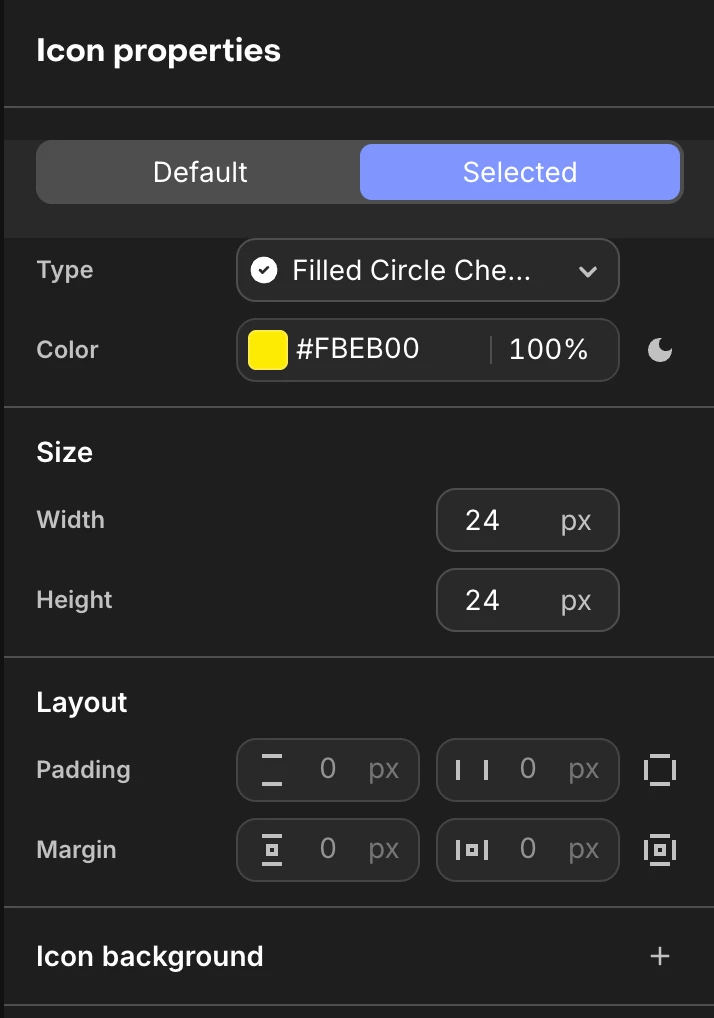
• I configured the icon states like this:
• Default: Circle, color #3D3C41, 24×24
• Selected: Filled Circle Check, color #FBEB00, 24×24
• In the editor preview everything looks fine.
Issue:
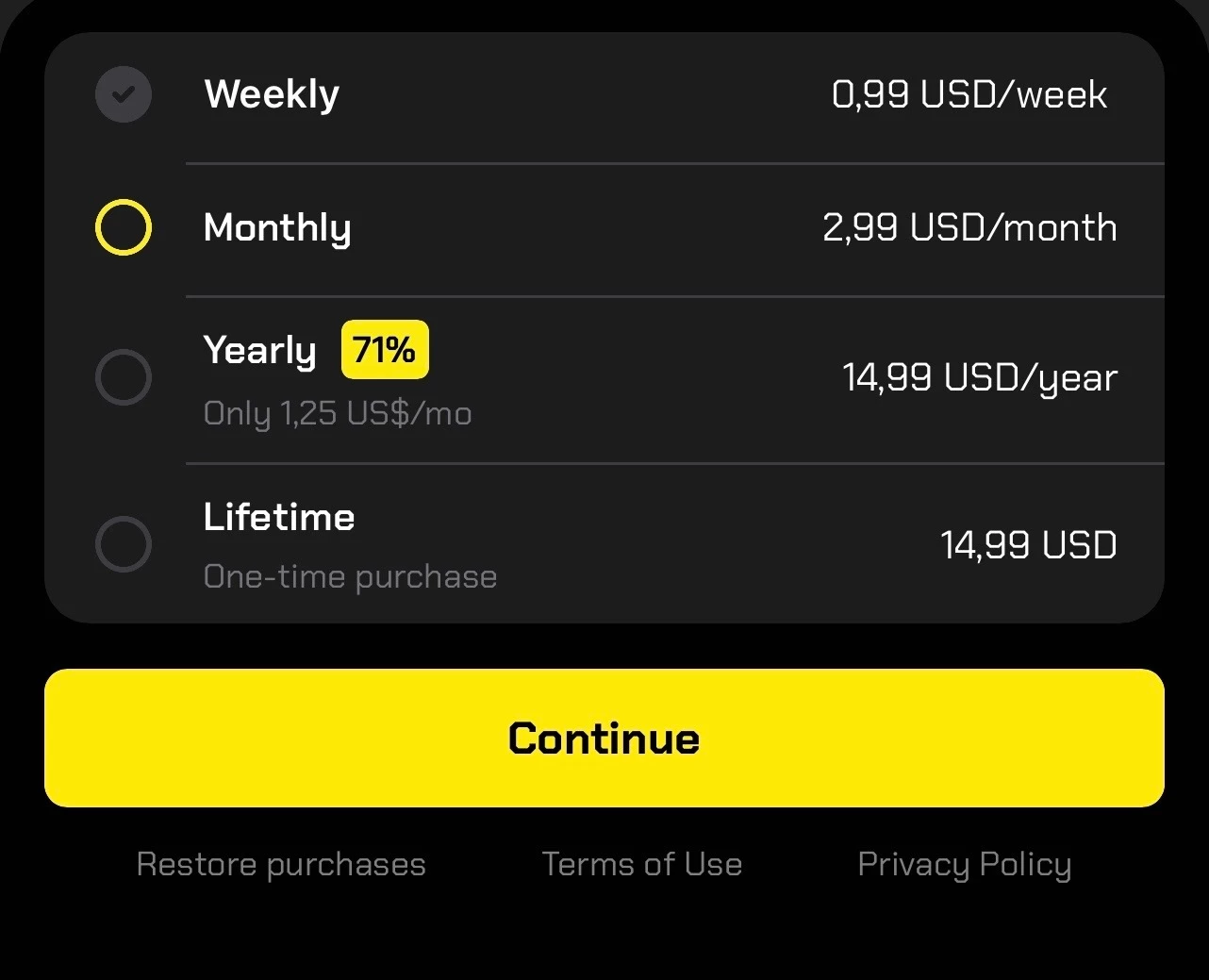
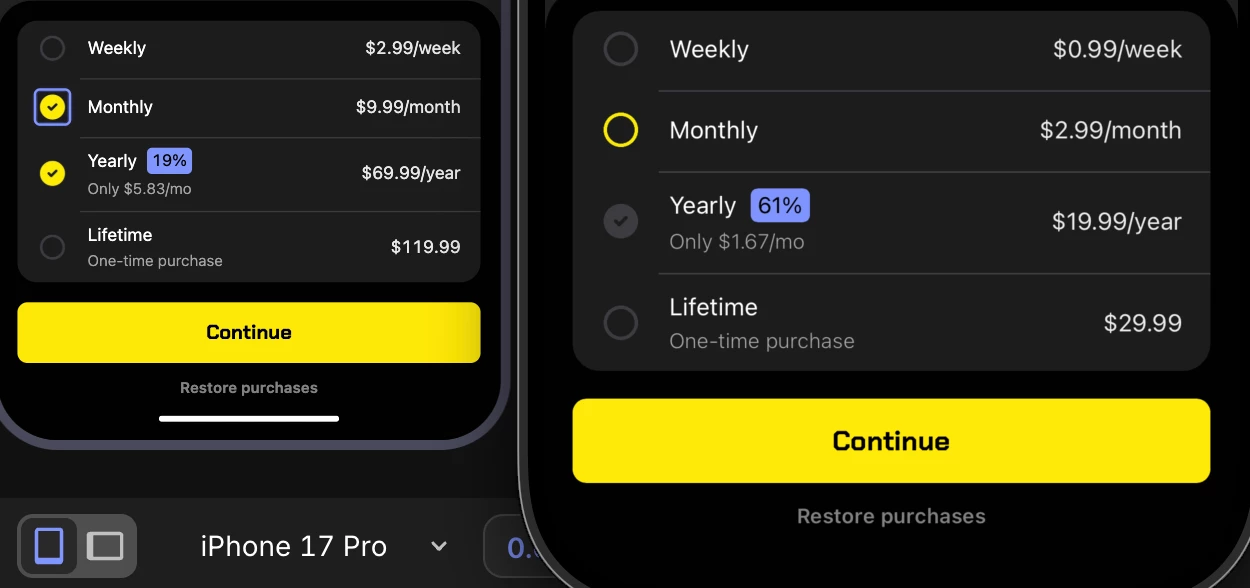
On the iOS simulator, when I open the paywall and tap on a different package than the one selected by default:
• The newly tapped product becomes selected
• But the icon on the left does not switch to the “Selected” icon for the newly chosen package.
• Instead, the originally selected package keeps the “Selected” icon, and only its color changes when I tap on other products.
So effectively, icon state and actual selection go out of sync: the default product keeps the filled check icon, while another product is actually selected.
(See attached screenshots – first image is how it looks in the simulator when switching between “Monthly” and “Yearly”.)
Expected behavior:
When the user taps a different package:
• The newly selected package should get the Selected icon (Filled Circle Check, yellow).
• The previously selected package should revert to the Default icon (outline circle, grey).
Environment:
• Platform: iOS Simulator (iPhone 17 Pro)
• Paywall: Using the new Paywall Editor with the Offered Package component
• SDK: purchases_flutter & purchases_ui_flutter – ^9.9.8
• Tested in debug build