Question

KMP: There is no singleton instance. Make sure you configure Purchases before trying to get the default instance.

  • October 8, 2025
  • 9 replies
  • 128 views

Forum|alt.badge.img+2

I’ve seen this issue reported already, but there’s specific context which seems to justify opening a new one.

It appears on Sentry (Android, Kotlin Multiplatform) and it seems always triggered by Google Play’s automated testing (note however that the app is not live yet, so reports in general are limited).

I’m not using `PaywallActivity` in the app. I’m not using a pre-configured paywall, but my own views + SDK functions.

RevenueCat is initialized early in app’s lifecycle, as instructed.

# I: There is no singleton instance. Make sure you configure Purchases before trying to get the default instance. More info here: https://errors.rev.cat/configuring-sdk

**Issue ID:** 69094325
**Project:** pivot
**Date:** 08/10/2025, 14:03:31
## Issue Summary
Purchases SDK not configured before use in PaywallActivity
**What's wrong:** The **Purchases SDK** is not configured before use. This occurs in **PaywallActivity**.
**In the trace:** The issue occurs after the app enters the foreground and **PaywallActivity** is resumed.
**Possible cause:** The **Purchases SDK** initialization may be happening too late in the application lifecycle, possibly after **PaywallActivity** attempts to access it.

## Tags

- **device:** A0001
- **device.class:** low
- **device.family:** A0001
- **environment:** production
- **handled:** no
- **installerStore:** com.android.vending
- **isSideLoaded:** false
- **level:** fatal
- **mechanism:** UncaughtExceptionHandler
- **os:** Android 11
- **os.name:** Android
- **os.rooted:** no
- **transaction:** PaywallActivity
- **user:** id:3f429b69bf6d45bf90d302c0b6d9a8bc

## Exception

### Exception 1
**Type:** I
**Value:** There is no singleton instance. Make sure you configure Purchases before trying to get the default instance. More info here: https://errors.rev.cat/configuring-sdk

#### Stacktrace

```
 getSharedInstance in SourceFile [Line 12] (Not in app)
 <init> in SourceFile [Line 4] (Not in app)
 <init> in SourceFile [Line 1] (Not in app)
 create in SourceFile [Line 23] (Not in app)
 create in SourceFile [Line 2] (Not in app)
 create in SourceFile [Line 3] (Not in app)
 a in SourceFile [Line 16] (Not in app)
 d in SourceFile [Line 75] (Not in app)
 c in SourceFile [Line 13] (Not in app)
 a in SourceFile [Line 48] (Not in app)
 a in unknown file [Line 1] (Not in app)
 b in SourceFile [Line 67] (Not in app)
 b in unknown file [Line 1] (Not in app)
 getPaywallViewModel in SourceFile [Line 131] (Not in app)
 InternalPaywall in SourceFile [Line 123] (Not in app)
 Paywall in SourceFile [Line 60] (Not in app)
```
 

There’s also this other crash, which occurs almost at the same time, possibly related:


# NullPointerException: Attempt to invoke virtual method 'android.content.IntentSender android.app.PendingIntent.getIntentSender()' on a null object reference

**Issue ID:** 69094411
**Project:** pivot
**Date:** 08/10/2025, 14:04:02
## Issue Summary
NullPointerException in ProxyBillingActivity due to null PendingIntent
**What's wrong:** A **NullPointerException** occurred in **ProxyBillingActivity** when trying to get an IntentSender from a null PendingIntent.
**Possible cause:** The **PendingIntent** was likely not properly initialized or was unexpectedly null before being used.

## Tags

- **device:** A0001
- **device.class:** low
- **device.family:** A0001
- **environment:** production
- **installerStore:** com.android.vending
- **isSideLoaded:** false
- **level:** fatal
- **mechanism:** chained
- **os:** Android 11
- **os.name:** Android
- **os.rooted:** no
- **transaction:** ProxyBillingActivity
- **user:** id:8ec78613fbf543f6b63c337598b8abb4

## Exceptions

### Exception 1
**Type:** RuntimeException
**Value:** Unable to start activity ComponentInfo{coach.mycompass/com.android.billingclient.api.ProxyBillingActivity}: java.lang.NullPointerException: Attempt to invoke virtual method 'android.content.IntentSender android.app.PendingIntent.getIntentSender()' on a null object reference

#### Stacktrace

```
 performLaunchActivity in ActivityThread.java [Line 3433] (Not in app)
------
 handleLaunchActivity in ActivityThread.java [Line 3607] (Not in app)
------
 execute in LaunchActivityItem.java [Line 85] (Not in app)
------
 executeCallbacks in TransactionExecutor.java [Line 135] (Not in app)
------
 execute in TransactionExecutor.java [Line 95] (Not in app)
------
 handleMessage in ActivityThread.java [Line 2068] (Not in app)
------
 dispatchMessage in Handler.java [Line 106] (Not in app)
------
 loop in Looper.java [Line 223] (Not in app)
------
 main in ActivityThread.java [Line 7680] (Not in app)
------
 invokeNative in Method.java [Line null] (Not in app)
------
 invoke in Method.java [Line 423] (Not in app)
------
 run in RuntimeInit.java [Line 592] (Not in app)
------
 main in ZygoteInit.java [Line 947] (Not in app)
------
```
### Exception 2
**Type:** NullPointerException
**Value:** Attempt to invoke virtual method 'android.content.IntentSender android.app.PendingIntent.getIntentSender()' on a null object reference

#### Stacktrace

```
 onCreate in SourceFile [Line 152] (Not in app)
 performCreate in Activity.java [Line 7994] (Not in app)
 performCreate in Activity.java [Line 7978] (Not in app)
 callActivityOnCreate in Instrumentation.java [Line 1548] (Not in app)
 performLaunchActivity in ActivityThread.java [Line 3406] (Not in app)
 handleLaunchActivity in ActivityThread.java [Line 3607] (Not in app)
 execute in LaunchActivityItem.java [Line 85] (Not in app)
 executeCallbacks in TransactionExecutor.java [Line 135] (Not in app)
 execute in TransactionExecutor.java [Line 95] (Not in app)
 handleMessage in ActivityThread.java [Line 2068] (Not in app)
 dispatchMessage in Handler.java [Line 106] (Not in app)
 loop in Looper.java [Line 223] (Not in app)
 main in ActivityThread.java [Line 7680] (Not in app)
 invokeNative in Method.java [Line null] (Not in app)
 invoke in Method.java [Line 423] (Not in app)
 run in RuntimeInit.java [Line 592] (Not in app)
```



This post has been closed for comments

9 replies

guilherme
RevenueCat Staff
Forum|alt.badge.img+6
  • RevenueCat Staff
  • October 10, 2025

Hey ​@user-0a9831 ,

This exceptions occurs when SDK methods/actions are called/started without the SDK being in a correct state of initialization.

Can you confirm that calling the configure() of the RevenueCat SDK is only happening once? Having it (without intention) called multiple times in an app’s lifecycle can show these symptoms - you can, before calling it, check if the isConfigure() returns true/false

 /**
* True if `configure` has been called and [sharedInstance] is set
*/
public val isConfigured: Boolean

More context here

Also, do you have any SDK Debug logs you can share? This helps in trying to see any specific SDK behavior (with the [Purchases] being the prefix that identify them) while your app is running.


Forum|alt.badge.img+2
  • Author
  • Active Member
  • October 21, 2025

Hi ​@guilherme, thanks!

I’m sending now `Purchases.isConfigured` to the error reporter and will see if it’s related. Also added some safeguards to ensure that my init service really runs only once.

Sentry doesn’t show any logs other than the error report, to my awareness, and I’ve not been able to reproduce this.


guilherme
RevenueCat Staff
Forum|alt.badge.img+6
  • RevenueCat Staff
  • October 23, 2025

Sure thing! Let me know when you have any updates here or if you are able to reproduce.


Forum|alt.badge.img+2
  • Helper
  • October 24, 2025

Hello, I received this error for one user from Google Play.

I’m on Unity and just released an update to 20% of userbase.
I’m sure I call configure function because it automatically called on bootstrap screen, then passes to the other screens. This is the snippet of my code:

purchases.SetLogLevel(LogLevel.Warn);
PurchasesConfiguration.Builder builder = PurchasesConfiguration.Builder
.Init(API_KEY)
.SetAppUserId(UserSettings.I.timeStamp.ToString());
purchases.Configure(builder.Build());

After finishing onboarding or when player taps premium features, I show paywall which causes the same problem shown in here.

          Caused by kotlin.UninitializedPropertyAccessException: There is no singleton instance. Make sure you configure Purchases before trying to get the default instance. More info here: https://errors.rev.cat/configuring-sdk
at com.revenuecat.purchases.Purchases$Companion.getSharedInstance(Purchases.kt:1032)
at com.revenuecat.purchases.ui.revenuecatui.helpers.HelperFunctionsKt.shouldDisplayPaywall(HelperFunctions.kt:48)
at com.revenuecat.purchases.ui.revenuecatui.activity.PaywallActivityLauncher.launchIfNeeded(PaywallActivityLauncher.kt:171)
at com.revenuecat.purchasesunity.ui.PaywallTrampolineActivity.launchPaywallIfNeeded(PaywallTrampolineActivity.java:63)
at com.revenuecat.purchasesunity.ui.PaywallTrampolineActivity.onCreate(PaywallTrampolineActivity.java:50)


guilherme
RevenueCat Staff
Forum|alt.badge.img+6
  • RevenueCat Staff
  • October 30, 2025

Hey ​@cihadturhan,

Thanks for sharing that error details! From what you've shared, it seems that this is happening because of a timing issue where the paywall is being displayed before the RevenueCat SDK has fully initialized on the native Android side.

Even though you're calling Configure() on your bootstrap screen, the configuration process is asynchronous on Android. When the user quickly navigates through onboarding or taps on premium features, the paywall tries to launch, but the native SDK singleton isn't ready yet, causing the UninitializedPropertyAccessException.

Could you try adding that check to ensure the SDK is fully configured before showing the paywall? Or are you doing it already? If so, could you share the code snippet of your implementation?

In case not, here's how:

// After calling Configure
purchases.SetLogLevel(LogLevel.Warn);
PurchasesConfiguration.Builder builder = PurchasesConfiguration.Builder
.Init(API_KEY)
.SetAppUserId(UserSettings.I.timeStamp.ToString());
purchases.Configure(builder.Build());

// Later, before showing the paywall
if (!purchases.IsConfigured())
{
// SDK isn't ready yet - wait or show a loading indicator
StartCoroutine(WaitForConfigurationAndShowPaywall());
}
else
{
// Safe to show paywall
ShowPaywall();
}

IEnumerator WaitForConfigurationAndShowPaywall()
{
while (!purchases.IsConfigured())
{
yield return null; // Wait one frame
}
ShowPaywall();
}

As mentioned, the IsConfigured() method will return true once the native SDK is fully initialized and should prevent the crash for those users who are hitting the paywall quickly.

Additionally, to minimize the chance of this happening, you could call Configure() even earlier in your app lifecycle (like in your very first scene's Awake() method) to give the SDK more time to initialize.

In case it helps too, a small delay (not super robust, but in case it helps) before showing the paywall or confirm the IsConfigured could help too.

Could you try that and see how it behaves for you?


Forum|alt.badge.img+2
  • Helper
  • October 30, 2025

@guilherme Thank you for the pointers.
I have exactly thought this could be problem and checked `IsConfigured` before showing a paywall and called configure again.

var configured = false;
try
{
configured = Purchaser.I.purchases.IsConfigured();
}
catch (Exception e)
{
Debug.LogError("[RevenueCatUI] Error checking Purchases configuration: " + e);
}

if (!configured)
{
Debug.Log("[RevenueCatUI] Configuring Purchaser before showing paywall.");
await UniTask.Yield();
Purchaser.I.Configure();
}

I will try your approach, because the solution I tried above didn't work either.

Another reason: some users may not have internet access during configure which may cause fails in configuration?


Forum|alt.badge.img+2
  • Helper
  • October 30, 2025

Ok, I sent an update. I’ll respond in a few days (hopefully with good news).
Thanks!


Forum|alt.badge.img+2
  • Helper
  • October 31, 2025

@guilherme 

I have updated the app based on your suggestion, but it still happens.

Some important bits:

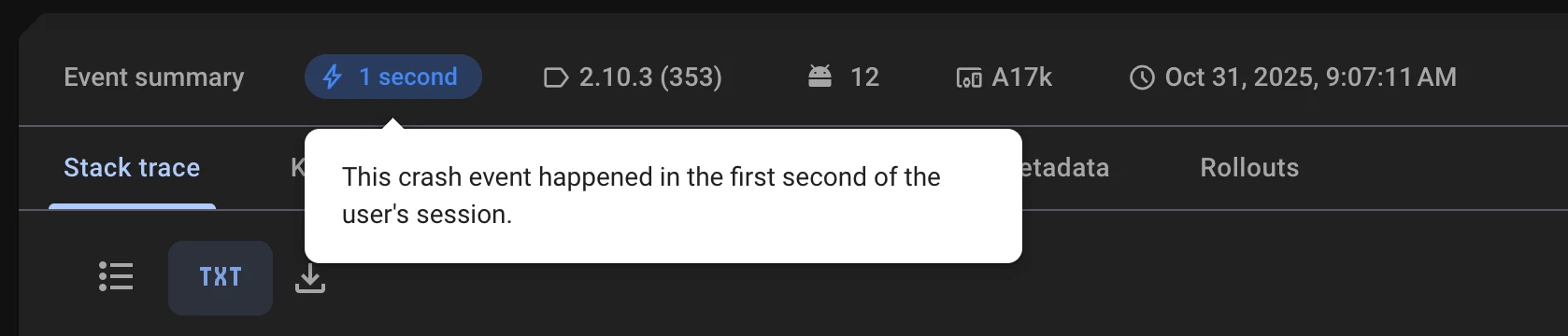
  • This happens very early. It’s generally happens in the first few seconds
  • However, I don’t show paywall on game start, so I’m just wondering if any of the android/unity code that automatically tries to show paywall on start.
  • Here is the full debug log:
 Caused by kotlin.UninitializedPropertyAccessException: There is no singleton instance. Make sure you configure Purchases before trying to get the default instance. More info here: https://errors.rev.cat/configuring-sdk
at com.revenuecat.purchases.Purchases$Companion.getSharedInstance(Purchases.kt:1055)
at com.revenuecat.purchases.ui.revenuecatui.helpers.HelperFunctionsKt.shouldDisplayPaywall(HelperFunctions.kt:48)
at com.revenuecat.purchases.ui.revenuecatui.activity.PaywallActivityLauncher.launchIfNeeded(PaywallActivityLauncher.kt:171)
at com.revenuecat.purchasesunity.ui.PaywallTrampolineActivity.launchPaywallIfNeeded(PaywallTrampolineActivity.java:63)
at com.revenuecat.purchasesunity.ui.PaywallTrampolineActivity.onCreate(PaywallTrampolineActivity.java:50)
at android.app.Activity.performCreate(Activity.java:8130)
at android.app.Activity.performCreate(Activity.java:8110)
at android.app.Instrumentation.callActivityOnCreate(Instrumentation.java:1343)
at android.app.ActivityThread.performLaunchActivity(ActivityThread.java:3781)
at android.app.ActivityThread.handleLaunchActivity(ActivityThread.java:3977)
at android.app.servertransaction.LaunchActivityItem.execute(LaunchActivityItem.java:109)
at android.app.servertransaction.TransactionExecutor.executeCallbacks(TransactionExecutor.java:135)
at android.app.servertransaction.TransactionExecutor.execute(TransactionExecutor.java:95)
at android.app.ActivityThread$H.handleMessage(ActivityThread.java:2374)
at android.os.Handler.dispatchMessage(Handler.java:106)
at android.os.Looper.loopOnce(Looper.java:233)
at android.os.Looper.loop(Looper.java:344)
at android.app.ActivityThread.main(ActivityThread.java:8249)
at java.lang.reflect.Method.invoke(Method.java)
at com.android.internal.os.RuntimeInit$MethodAndArgsCaller.run(RuntimeInit.java:589)
at com.android.internal.os.ZygoteInit.main(ZygoteInit.java:1071)


guilherme
RevenueCat Staff
Forum|alt.badge.img+6
  • RevenueCat Staff
  • November 6, 2025

Thanks for sharing those extra details/logs and for trying the suggested approaches.

This still seems to point to a timing issue - thinking here is that  PaywallTrampolineActivity is being launched before the SDK completes initialization on the native Android side. But could be tricky to be sure!

Since await UniTask.Yield() and the IsConfigured() checks haven't resolved it, could you try a significantly longer delay to help isolate whether this is purely timing-related? Something like:

if (!configured)
{
Debug.Log("[RevenueCatUI] Configuring Purchaser before showing paywall.");
Purchaser.I.Configure();
await Task.Delay(3000); // 3 second delay to test
}

This is just for testing purposes to see if the issue disappears with a longer wait. If it does, we can work on a more elegant solution from it, so it’s to try and go around it for now.

Also, a few questions to help narrow this down:

  1. are you seeing this across multiple devices, or mainly on specific ones? The initial report mentioned A0001, which is a OnePlus One from 2014 right?

  2. also, can you reproduce this locally at all, or does it only appear in production/Google Play testing?

  3. does this happen on devices with poor/no internet connectivity? You mentioned internet during configure, so that's a good point worth investigating.