Question

IOS rejection as IAP product page did not load its content

  • June 22, 2026
  • 6 replies
  • 19 views

Forum|alt.badge.img

Hi

I am getting this error and struck at the app submission. I have created the subscriptions in the appstore but they are not approved. When it try by using storekit in simulatot it’s working and to test it on my own iPhone via testflight it’s not working so app approval rejected: 
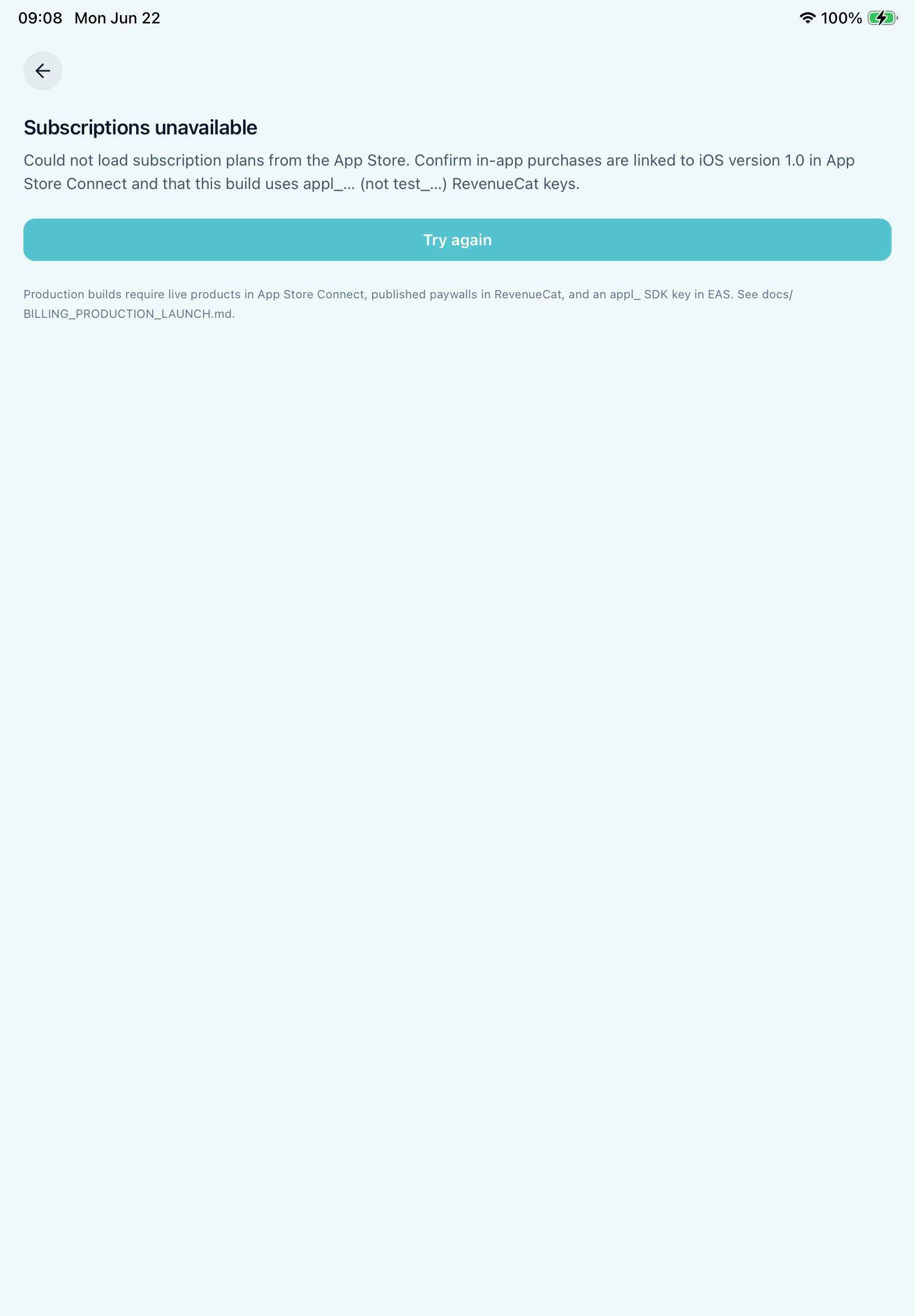


Issue Description

The In-App Purchase products in the app exhibited one or more bugs which create a poor user experience. Specifically, IAP product page did not load its content.. Review the details and resources below to troubleshoot this issue.

Review device details:
Hello,
Thank you for your resubmission. Upon further review, we identified additional issues that need your attention. See below for more information.
If you have any questions, we are here to help. Reply to this message in App Store Connect and let us know.

Review Environment

Review date: June 22, 2026
Review Device: iPad Air 11-inch (M3)

Guideline 2.1(b) - Performance - App Completeness

6 replies

Forum|alt.badge.img+3
  • June 22, 2026

Hey there! Try this:

  • Create new subscriptions and link them to your app instead of the current ones
  • Upload a new build
  • In app information, theres a section to select subscriptions that would be sent to review along with the build. Select the new subscriptions.
  • Send the build for review.

Let me know how it goes!


Forum|alt.badge.img
  • Author
  • New Member
  • June 22, 2026

Hey there! Try this:

  • Create new subscriptions and link them to your app instead of the current ones
  • Upload a new build
  • In app information, theres a section to select subscriptions that would be sent to review along with the build. Select the new subscriptions.
  • Send the build for review.

Let me know how it goes!

I didn’t see a section to select subscriptions in App information 


matt-heaney
RevenueCat Staff
Forum|alt.badge.img+4
  • RevenueCat Staff
  • June 23, 2026

Hey ​@Bala S Singh,


Thank you for the message. Matt from RevenueCat here!


This can happen when testing subscriptions if the subscription doesn't currently have the correct status in App Store Connect. To work in a TestFlight environment, subscriptions need to be in a "Ready to Submit" status or already in an "Approved" status. Any other status may result in your app being unable to retrieve product information from Apple, leading to this error.


Unfortunately, any subscriptions that have already been submitted to Apple and are therefore in a "Waiting for Review" status cannot be manually moved back to a "Ready to Submit" status before they are reviewed by Apple.


As mentioned by ​@Crudyg123, there is an area in the App Information section of App Store Connect for attaching subscriptions to builds so subscriptions are available for reviewers. This is the correct way to submit new subscriptions, and they should not be submitted separately. However, this section only appears when at least one subscription is in the "Ready to Submit" state, which is why it may not currently be visible.


If your subscriptions are in a "Waiting for Review" state after being submitted separately, they will need to wait for Apple to review them. This can, however, take some time. Many developers choose to create new subscriptions in App Store Connect to avoid this wait.


If helpful, we have a full guide on submitting subscriptions correctly, which can be found here: https://www.revenuecat.com/docs/test-and-launch/submitting-ios-subscription-app#submitting-your-app-and-subscriptions-to-apple


I hope this information helps! If there is anything else I can do to help, please let me know!


Forum|alt.badge.img+3
  • June 23, 2026

Hey ​@Bala S Singh ,

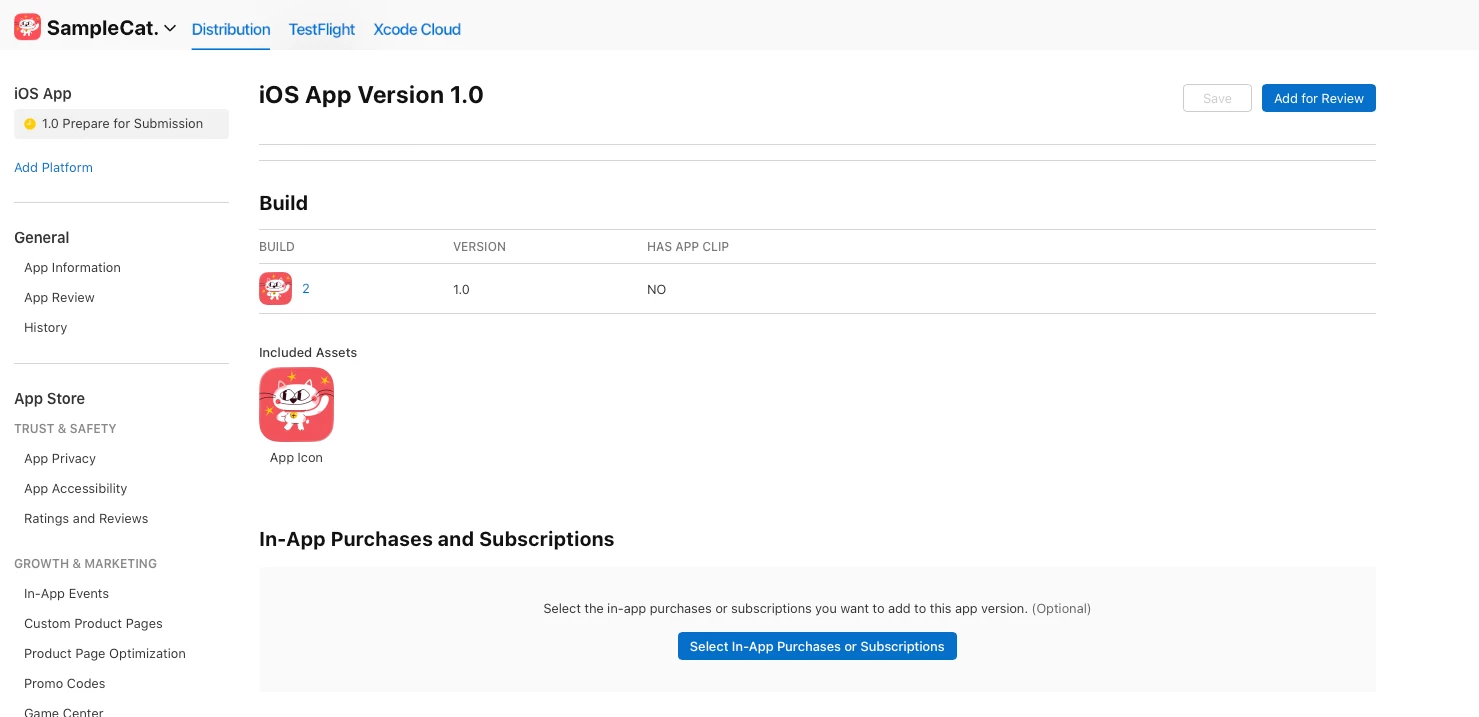
This where you can find it:


Once you create the new subscriptions, this option will appear for you!
I also recommend going through the guide shared by ​@matt-heaney.

Hopefully this should get you unblocked 😄​​​​​​​


Forum|alt.badge.img
  • Author
  • New Member
  • June 23, 2026

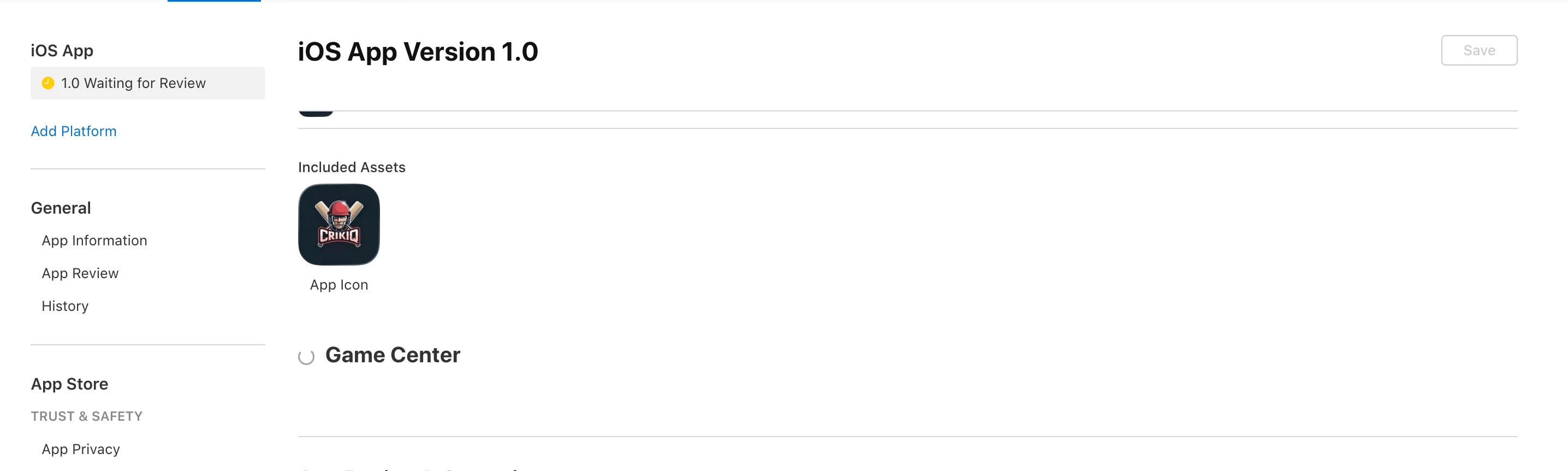
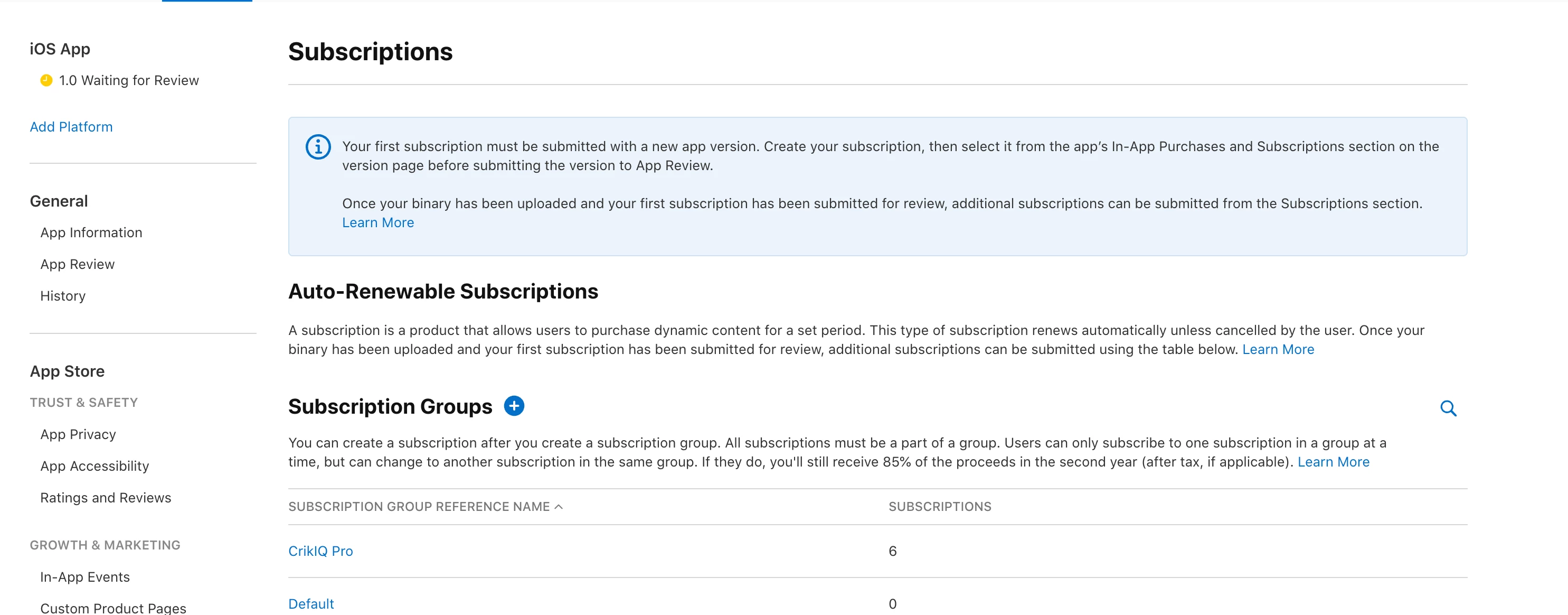
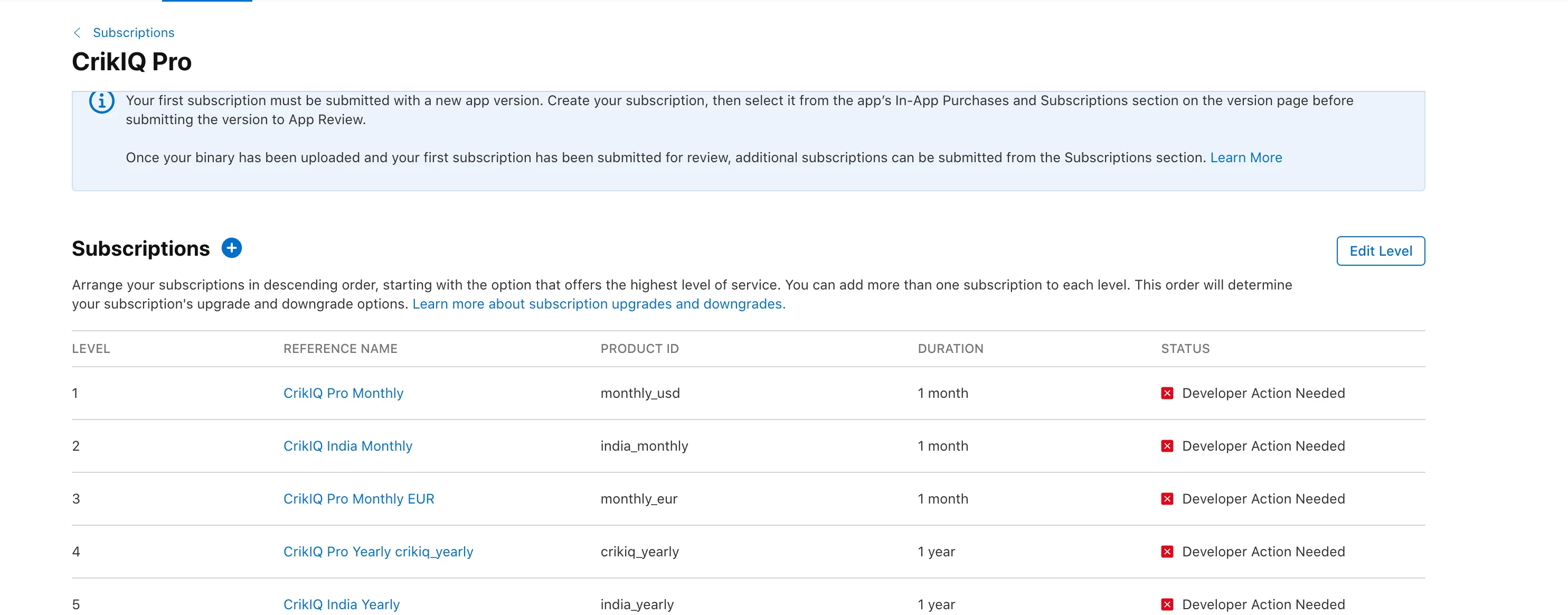
Here what I can see right now 


matt-heaney
RevenueCat Staff
Forum|alt.badge.img+4
  • RevenueCat Staff
  • June 23, 2026

Hey ​@Bala S Singh ,

This is happening because your items are in the "Developer Action Needed" status, as can be seen in your second screenshot.

This typically happens when subscriptions have been rejected during an App Store review.

If you click on each of these subscriptions in App Store Connect, you should be presented with information about why they were rejected. Addressing those issues will allow the subscriptions to move out of the "Developer Action Needed" status. From there, they can be moved into the "Ready to Submit" status, where they can be attached as discussed above.

If I can help with this, please let me know!

Thanks!