
Answer

iOS Paywall in SwiftUI document-based app has back navigation button

  • March 28, 2025
  • 4 replies
  • 94 views

Andy Dent
Forum|alt.badge.img+4

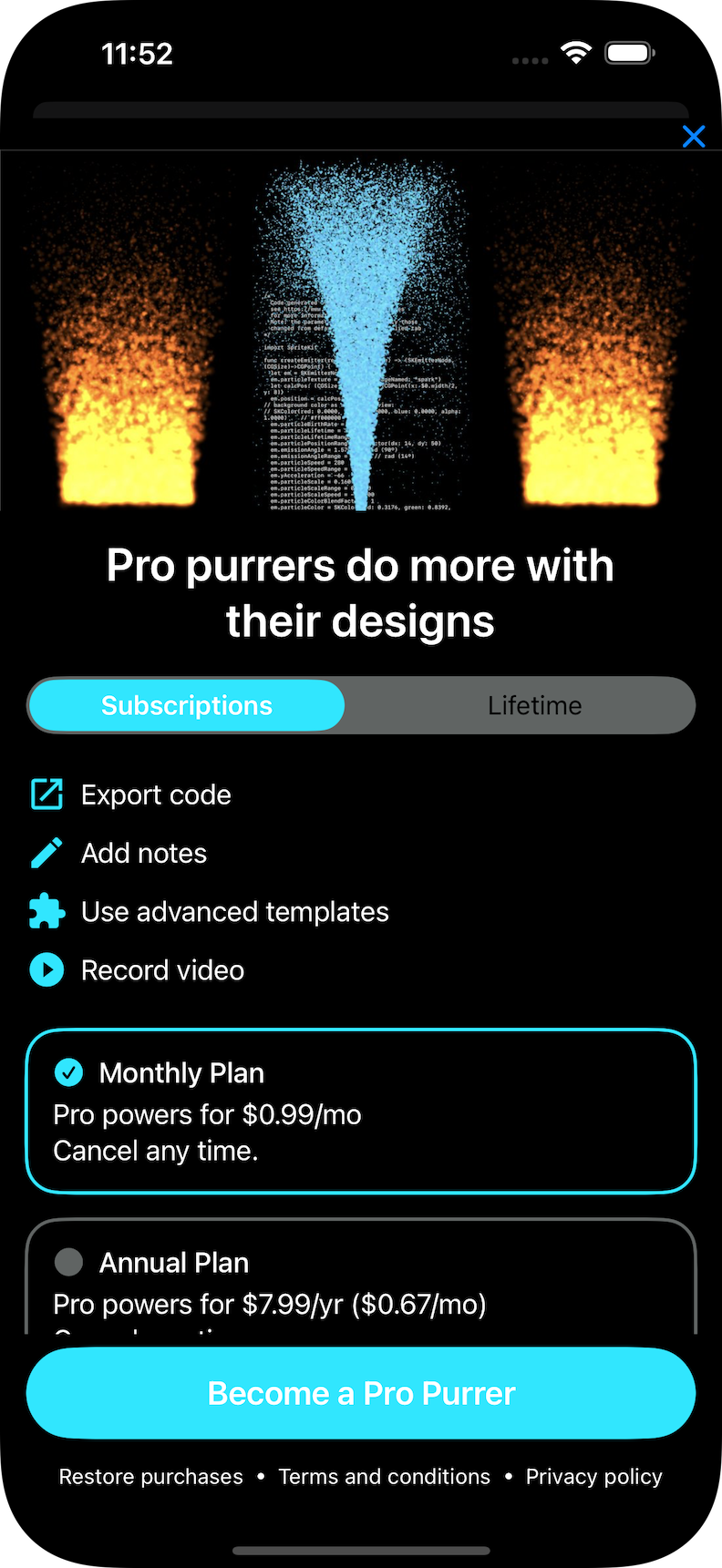
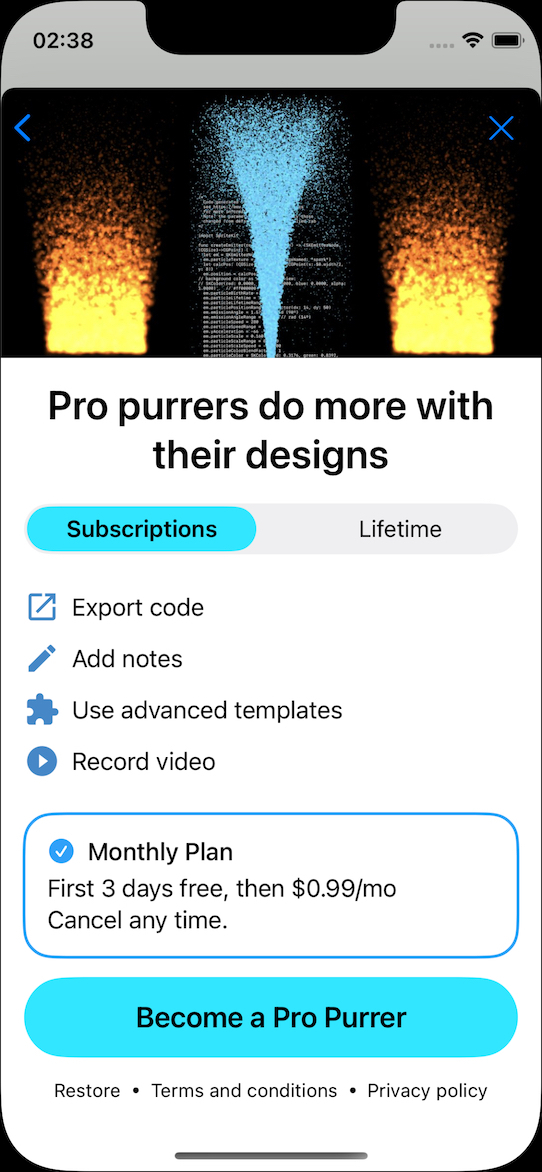
As you can see below, my paywall sheet comes up with a stubborn back-navigation chevron, which is non-functional.


I’m using SwiftUI and my app is a document-browser based app, which I have read causes a particularly sticky nav bar.


I have a hacky way to hide it, if I want to also hide the close button as well, that relies on my black-background in the hero image.

Any other ideas?


  .sheet(isPresented: $isShowingPaywall) {
PaywallView(displayCloseButton: true)
.tint(.black) // horrible hack to hide back chevron but loses dismiss button as well
}


Best answer by Andy Dent

I have a rather coarse but robust fix, sigh.

Yes, I’m relying on using a hero image with a solid background for the area where the nav back chevron appears, so I can hack with tint.

I have spent hours trying to change the document-based toolbar in different approaches from blogs and ChatGPT and it’s not helped other than to confirm this is not stuff you can change without horribly speculative hacks.
 

.sheet(isPresented: $showPaywallSheet) {
VStack (alignment: .center, spacing: 0.0) {
HStack{
Spacer()
Button("", systemImage: "xmark") {showPaywallSheet = false}
.buttonStyle(.borderless)
.font(.headline)
}
.background(.black)
PaywallView(displayCloseButton: false)
.tint(.black) // hide nav in hero image
}
}

I feel dirty but relieved, and my wife still thinks I’m a hopeless, chronic under-estimator.

This post has been closed for comments

4 replies

Andy Dent
Forum|alt.badge.img+4
  • Author
  • Helper
  • Answer
  • March 29, 2025

I have a rather coarse but robust fix, sigh.

Yes, I’m relying on using a hero image with a solid background for the area where the nav back chevron appears, so I can hack with tint.

I have spent hours trying to change the document-based toolbar in different approaches from blogs and ChatGPT and it’s not helped other than to confirm this is not stuff you can change without horribly speculative hacks.
 

.sheet(isPresented: $showPaywallSheet) {
VStack (alignment: .center, spacing: 0.0) {
HStack{
Spacer()
Button("", systemImage: "xmark") {showPaywallSheet = false}
.buttonStyle(.borderless)
.font(.headline)
}
.background(.black)
PaywallView(displayCloseButton: false)
.tint(.black) // hide nav in hero image
}
}

I feel dirty but relieved, and my wife still thinks I’m a hopeless, chronic under-estimator.


Andy Dent
Forum|alt.badge.img+4
  • Author
  • Helper
  • March 29, 2025

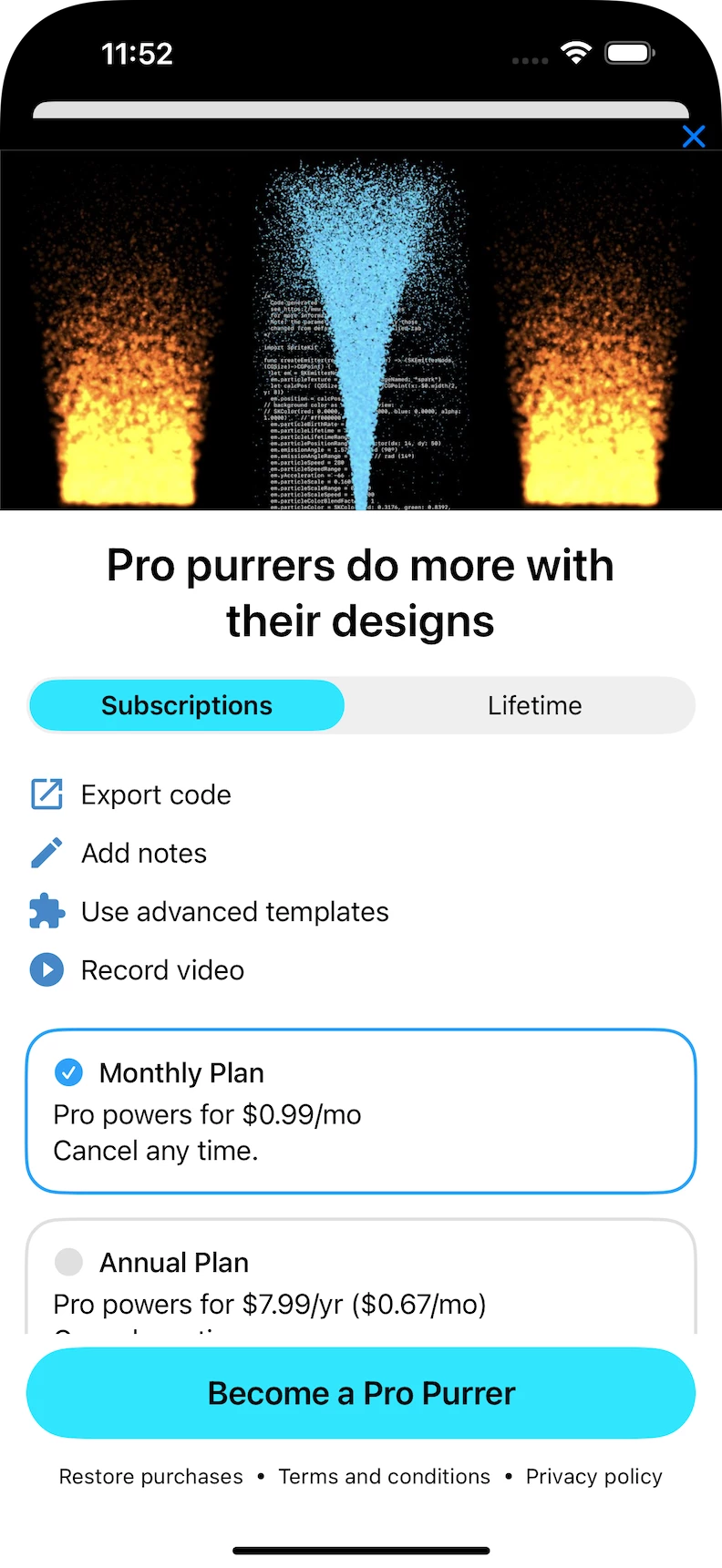
Further note from testing, the hack is a wee bit visible in light mode but think I can probably get away with it for a v1 app store review.


Andy Dent
Forum|alt.badge.img+4
  • Author
  • Helper
  • March 29, 2025

Huh, forum doesn’t like more than one pic?

light mode showing hacky X button


Andy Dent
Forum|alt.badge.img+4
  • Author
  • Helper
  • March 29, 2025

It’s a RevenueCat quirk/bug!

I just realised, as I’ve been playing a bit more trying to make the light appearance work better … 

the nav back chevron is only inside the RC PaywallView.

Putting my own button on top makes it obvious (eventually) - if the chevron toolbar was imposed by the doc-based app in the sheet, it would be on top of my topmost view instead of being inside the PaywallView.