Answer

ios capacitor purchase call never resolves, no errors, no payment sheet, nothing

  • May 10, 2025
  • 7 replies
  • 118 views

Forum|alt.badge.img+4

same as reported here and no solution is provided in that thread: 

 

Best answer by abc

okay turns out the issue was having purchases-js and purchases-capicator in the same svelte component, even if the actual calls were guarded by platform checks, splitting into platform specific components solved it!

This post has been closed for comments

7 replies

Forum|alt.badge.img+4
  • Author
  • Helper
  • May 10, 2025

Forum|alt.badge.img+4
  • Author
  • Helper
  • May 10, 2025

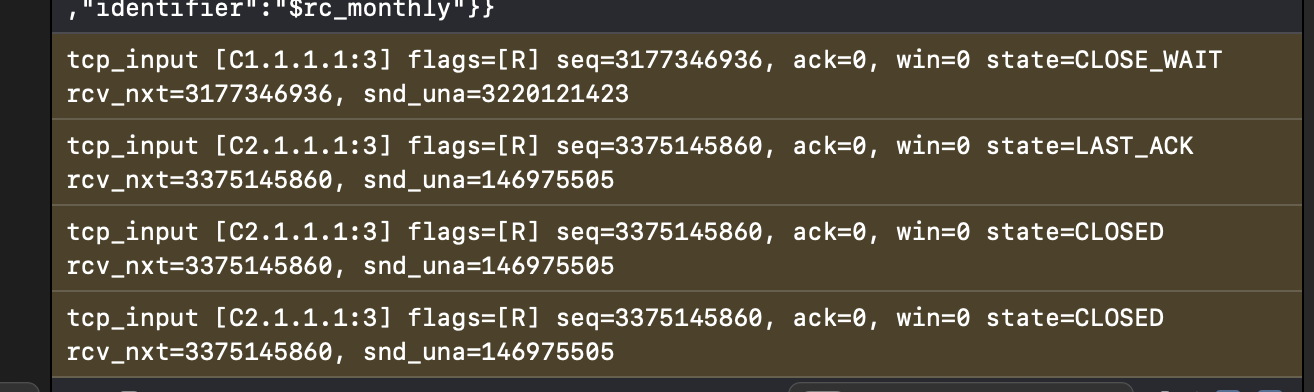
so this is what i can see in the xcode logs after purchase tap, not sure if its related


Forum|alt.badge.img+4
  • Author
  • Helper
  • Answer
  • May 10, 2025

okay turns out the issue was having purchases-js and purchases-capicator in the same svelte component, even if the actual calls were guarded by platform checks, splitting into platform specific components solved it!


@abc  ok waht do you mean by that (splitting into platform specific components), I am working on ionic/vue 
having the same exact issue, gets the offerings but freezes on the purchase (works on androind btw)

cant fix it yet


chris_perriam
RevenueCat Staff
Forum|alt.badge.img+6
  • RevenueCat Staff
  • May 28, 2025

@cookies-bis-eaa498 are you importing both ‘purchases-js’ and ‘purchases-capacitor’ within the same file? I believe that was causing the issue ​@abc was experiencing


Nope I wasnt, I did two things to have it fixed

1- excute on main thread

2- I used purchaseStoreProduct() for iOS instead of purchasePackage()


        if (isPlatform('ios')) {
var product = await Purchases.getProducts({ productIdentifiers: [ pkg.product.identifier ] })
await new Promise(resolve => setTimeout(resolve, 300))
result = await this.executeOnMainThread(async () => {
return await Purchases.purchaseStoreProduct({
product: product.products[0]
});
});
} else {
// Android flow
result = await Purchases.purchasePackage({
aPackage: pkg
});
}


chris_perriam
RevenueCat Staff
Forum|alt.badge.img+6
  • RevenueCat Staff
  • May 30, 2025

@cookies-bis-eaa498 your issue likely stems from passing a Vue Proxy-wrapped object (from Vue’s reactivity system) into a Capacitor-native bridge. These native bridges can’t serialize Proxy objects, so the call silently fails — it never resolves or rejects.

To confirm this is the case, you can check whether your product object is reactive like this:

import { isProxy } from 'vue';

console.log('Is proxy?', isProxy(pkg));

If it logs true, that means you’re passing a Proxy and need to unwrap it before passing it into purchasePackage.

To resolve the issue, you could do:

import { toRaw } from 'vue';

// …

let rawPackage = toRaw(pkg);
let result = await Purchases.purchasePackage({ aPackage: rawPackage });

This will strip away the Proxy wrapper and pass the raw object into the RevenueCat SDK.