

Question

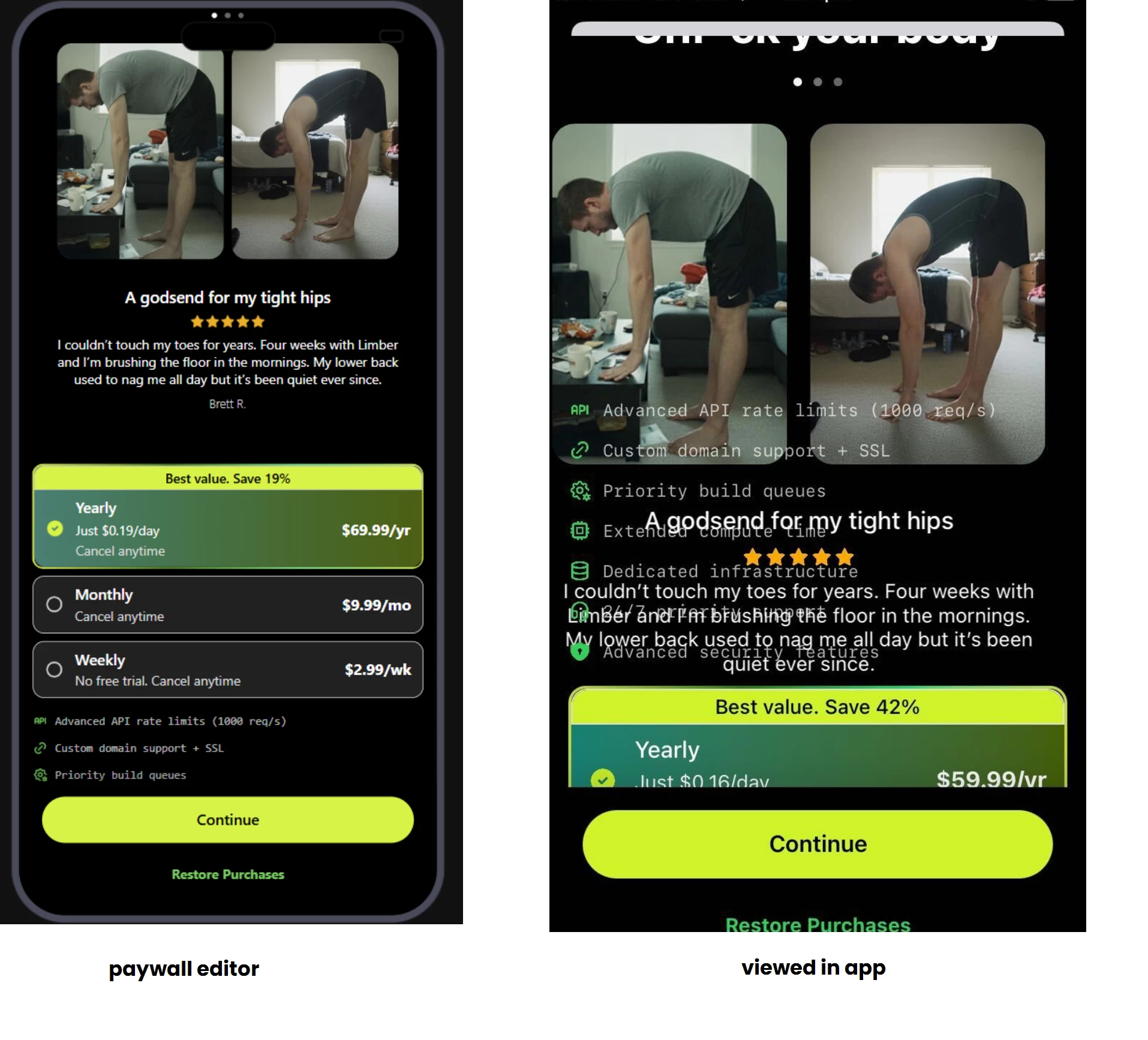
Why are my stack and carousel overlapping?

  • November 26, 2025
  • 3 replies
  • 57 views

Forum|alt.badge.img+4

My paywall looks fine when I am looking at it in the Revenuecat web browser (in the Paywall Editor section of the website).


But when I preview the paywall in the app, my stacks seem to overlap my carousel. Why do they overlap and how can I stop them from overlapping? As far as I can tell from the Paywall Editor, this shouldn't be happening.



This post has been closed for comments

3 replies

guilherme
RevenueCat Staff
Forum|alt.badge.img+6
  • RevenueCat Staff
  • December 3, 2025

Hey ​@andrew-tran-7cd075 thanks for reporting and sorry to hear this is happening.

To help in debugging here, could I ask in which SDK version and platform you are currently targeting?


Forum|alt.badge.img+4

hi there,

screenshot i showed is from the RC app. I am running the latest version of the app which is 1.8.2


guilherme
RevenueCat Staff
Forum|alt.badge.img+6
  • RevenueCat Staff
  • December 16, 2025

Hey ​@andrew-tran-7cd075 ,

Apologies for the delay here - this time of the year is a bit more busy and we are catching up on some requests still! 

While investigating this internally, I noticed that you’ve been in contact with Haley on a support ticket, so to not duplicate channels it might be best to continue through there as it has more context.

But for added visibility on the initial issue (as others can face the same), as of now the best approach will be to set each of your images in the carousel to "Fit mode: Fit" and then change the "Height" to "Fixed”.  A good "250px" looks good on the screen, but you can always update this as needed.

Best,


