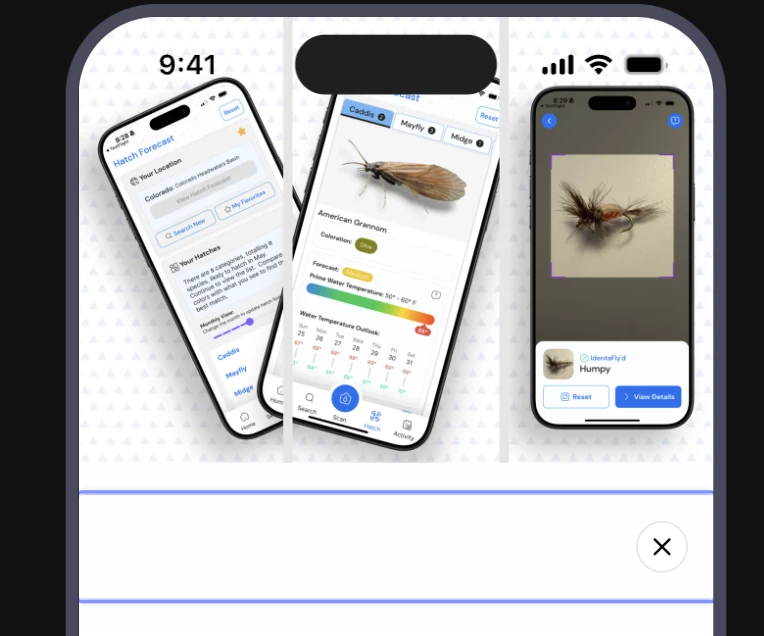
I am upgrading from Legacy to V2 paywall and am using the React Native Paywall UI component to display my paywall inside a route view. The docs suggest having an `option` Prop passed `displayCloseButton: true` in order to render the close button:
However, there is no close button visible in my UI anymore.
Any suggestions for debugging this?
Best answer by lucksp
I got an email response:
Yes, the displayCloseButton property was added for the Legacy Paywalls, as the close button couldn't be removed directly from the Dashboard. Adding it in the editor or removing it entirely would be enough for the newer version of Paywalls.
In order for the Close Button to be positioned in the corner of the Paywall, you need to configure it so that the close button is displayed on top of the image as follows:
Add your image to a Stack
Change the Axis of the Stack to be a z-axis
Change the Alignment of the Stack to be Top-Right corner
Add the Close Button to the same Stack
This is tricky!!! As a suggestion, Maybe a close button can have it be absolute positioned by default or make it easier to be designed without a stack & Axis?
Yes, the displayCloseButton property was added for the Legacy Paywalls, as the close button couldn't be removed directly from the Dashboard. Adding it in the editor or removing it entirely would be enough for the newer version of Paywalls.
In order for the Close Button to be positioned in the corner of the Paywall, you need to configure it so that the close button is displayed on top of the image as follows:
Add your image to a Stack
Change the Axis of the Stack to be a z-axis
Change the Alignment of the Stack to be Top-Right corner
Add the Close Button to the same Stack
This is tricky!!! As a suggestion, Maybe a close button can have it be absolute positioned by default or make it easier to be designed without a stack & Axis?
Yeah that’s right - we have it here in our docs but I understand that it is confusing. I’ll share your feedback with the paywalls team so they can prioritize it.