


Hi everyone,
I’m running into an issue where RevenueCat only shows iOS products on my paywall, while Android products don’t appear, even though they are already created and active in Google Play Console.
I’d appreciate help confirming whether I’m missing a configuration step or misunderstanding how RevenueCat handles cross-platform products.
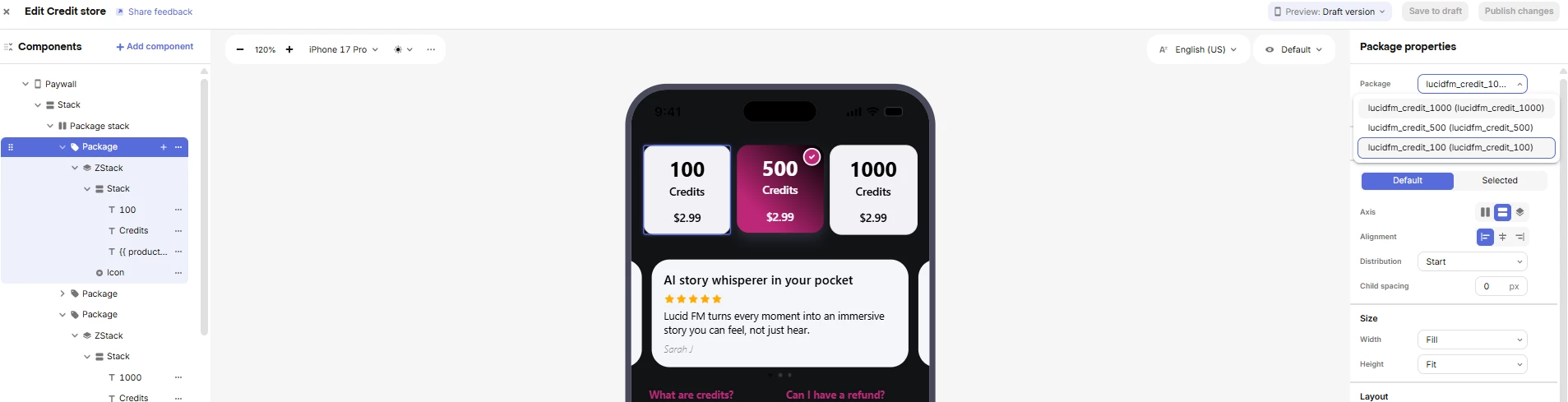
🔹 Context
-
App: Flutter (iOS + Android)
-
Monetization stack:
-
RevenueCat
-
Apple App Store (iOS)
-
Google Play Console (Android)
-
-
Using RevenueCat Paywall Editor
🔹 iOS setup (works correctly)
-
iOS subscriptions and consumables are created in App Store Connect
-
Products are imported into RevenueCat
-
Products appear correctly in:
-
Product catalog
-
Offerings
-
Paywall editor (iPhone preview)
-
🔹 Android setup (problem)
Google Play Console
-
Subscriptions are created with base plans:
-
lucid-fm-weekly -
lucid-fm-yearly
-
-
Consumable credit products:
-
lucid_fm_credits_100 -
lucid_fm_credits_500 -
lucid_fm_credits_1000
-
-
All products are Active
-
App is in Internal testing
RevenueCat
-
Google Play app is connected
-
Service Account credentials are valid
-
Products are imported and show as Published
-
Offerings are configured with Android products mapped
❓ The issue
-
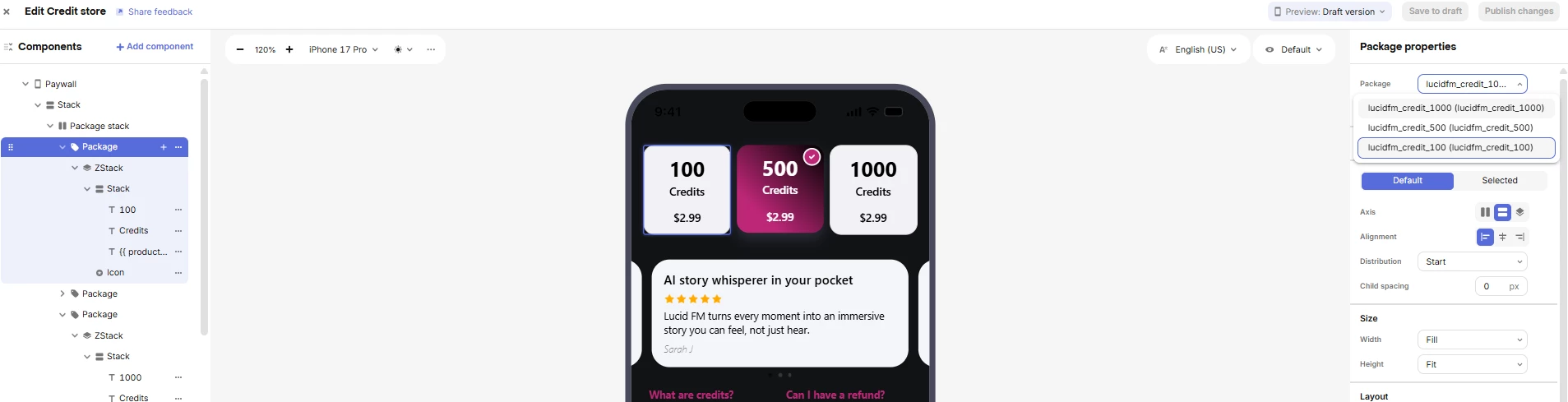
In RevenueCat Paywall Editor:
-
iOS products show normally
-
Switching preview device to Android (e.g. Galaxy S23) still shows only iOS packages
-
Android subscription / consumable packages are visible
-
❓ Questions
-
Is the Paywall Editor supposed to show Android products separately, or does it only display packages abstracted across platforms?
-
Are Android subscriptions with base plans handled differently than iOS subscriptions in paywalls?
-
Is there any additional step required for Android products to appear (e.g. compatibility mode, fallback products, SDK version requirement)?
-
Could this be related to:
-
Backwards compatibility
-
Offering configuration
-
Using iOS-first packages when creating the paywall?
-



