Question

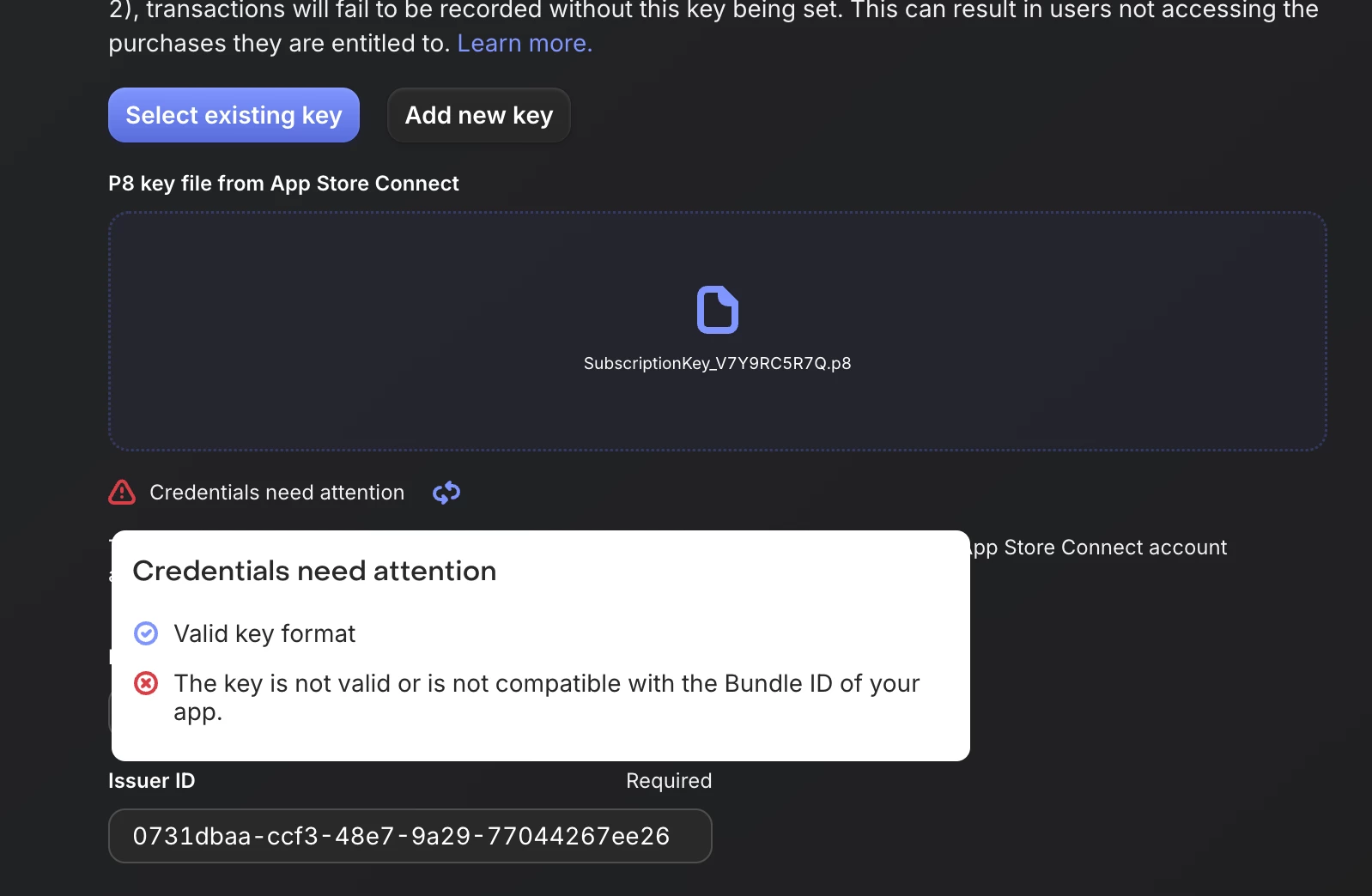
The key is not valid or is not compatible with the Bundle ID of your app.

  • April 5, 2026
  • 1 reply
  • 40 views

Forum|alt.badge.img

There’s other posts about this. Tried everything I have read up on - but I continue to get this error. Everything in the business section is filled out on app store connect. I have tried and regenerated this a few times. Any help? Thank you!


 

This post has been closed for comments

1 reply

Tarek
RevenueCat Staff
Forum|alt.badge.img+5
  • RevenueCat Staff
  • April 6, 2026

Hello there!


Tarek, from the support team here, happy to assist you.


I'm sorry you're going through this, it can be frustrating, but I'll help you find the cause and fix it.


The first line, "Valid key format" check passing means the key file itself is correctly formatted, but when we try to use it to call Apple's API with your app's Bundle ID, Apple rejects it with an authentication error.


Could you please check the following, as those are the most common cause for such an error:


  1. Make sure you're uploading an In-App Purchase key, not an App Store Connect API key. Both are .p8 files from the same page in App Store Connect, but they're under different tabs:
  • Go to Users and Access → Integrations → In-App Purchase — this is the correct one
  • The "App Store Connect API" tab nearby is for a different type of key (the second key on the same app config page you took the screenshot from)
  1. The Bundle ID configured in your RevenueCat app settings must exactly match the bundle identifier of your app in the App Store Connect account that issued the key. Bundle identifiers are case sensitive.
  2. Double-check the Issuer ID. You can find it under Users and Access → Integrations → In-App Purchase. Note this may differ from the App Store Connect API issuer ID shown on the other tab.
  3. Double-check that the Key ID entered in RevenueCat matches the one shown next to your key in App Store Connect.
  4. If the key was revoked in App Store Connect, it will still pass the format check but Apple will reject it. You can recreate another one.

Please also note that if your app is under a different App Store Connect team than the one where the key was generated, it won't work.


Let me know if that fixed it. If it's still not working could you please share some screenshots of all checks above, so I can see if I spot anything odd. (If they contain sensitive information, feel free to open a ticket and share privately).


Best regards,