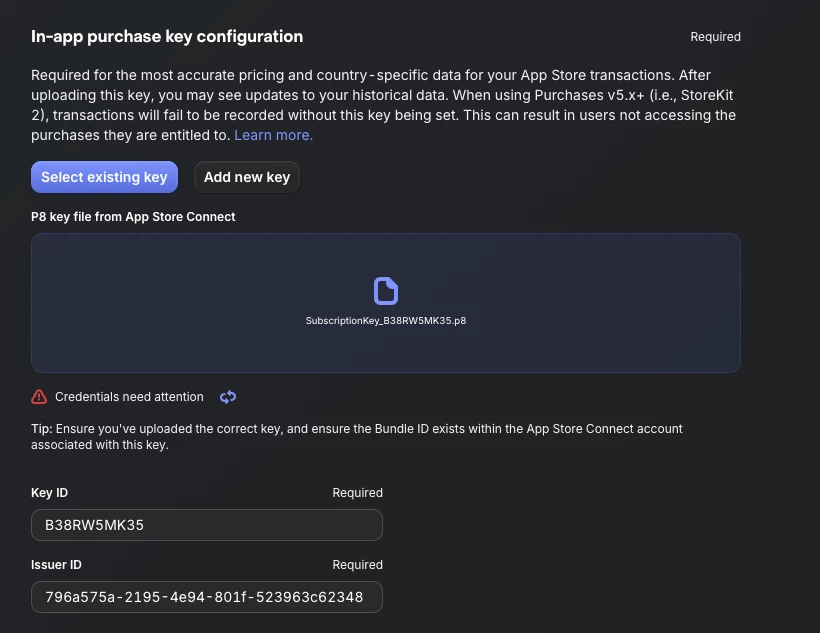
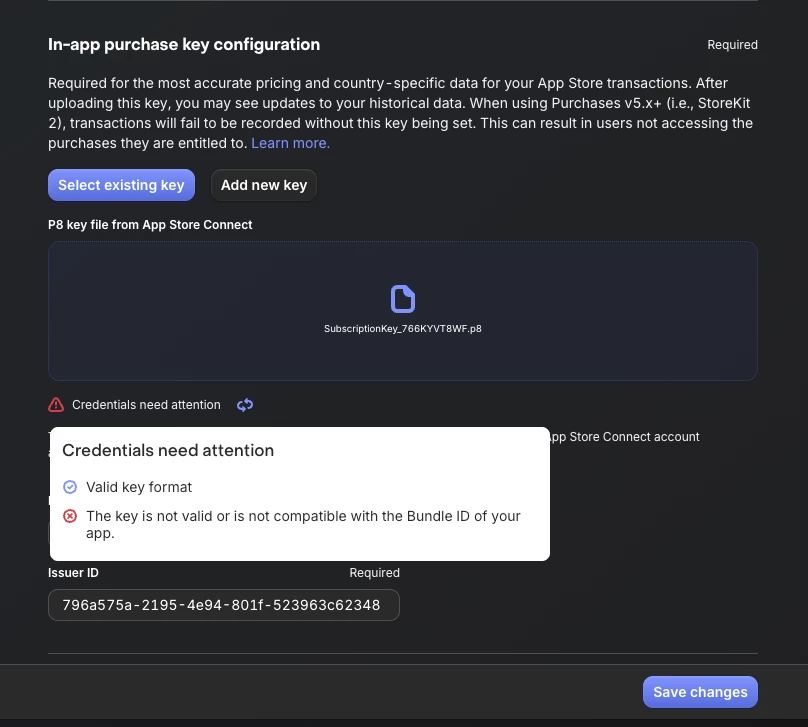
I have seen some other posts about this, and tried everything I have read up on - but I continue to get this error. Everything in the business section is filled out on app store connect. I have tried and regenerated this a few times.
Hey @garet-drouin-2effa6 ! Sorry to hear you’re facing this.
It seems that the validation could be stuck in an odd state - to try and see if that is the case, could you please try and replace the current .p8 file that you have added in the “In-app purchase key configuration” with a temporary (e.g a “fake” one, or a duplicate) one, just to be able to save the changes?
Then replace ir with the “real” one once more (and saving changes), to see if that helps in triggering the validation from the start.
Hey @zalor64-2938 @garet-drouin-2effa6 , sorry to hear this is still ongoing.
Could you open a support ticket via our form here: https://app.revenuecat.com/settings/support?tab=contact and attach screenshots (on the email thread it creates~) from the relevant App Store Connect pages and share sensitive details so we can have a look on our end (e.g your Business page, bundle ID, key ID, Issuer ID, etc).
Please do mention me on the form and reference this thread so we can keep everything in one place too, with all relevant context.