Question

Testing app through Testflight : Error message when I try to test subscriptions "Package Not Available"

  • December 5, 2025
  • 2 replies
  • 19 views

Forum|alt.badge.img

I’ve done everything I found online, I made sure all configurations are configured properly, checked app store connect etc. I even signed all the agreements on app store connect (saw this on another post). 

Still getting Package Not Available.

2 replies

joan-cardona
RevenueCat Staff
Forum|alt.badge.img+6
  • RevenueCat Staff
  • December 9, 2025

Hi ​@chi,

Are you using the right API key in Testflight? It should start with appl_XXXX.

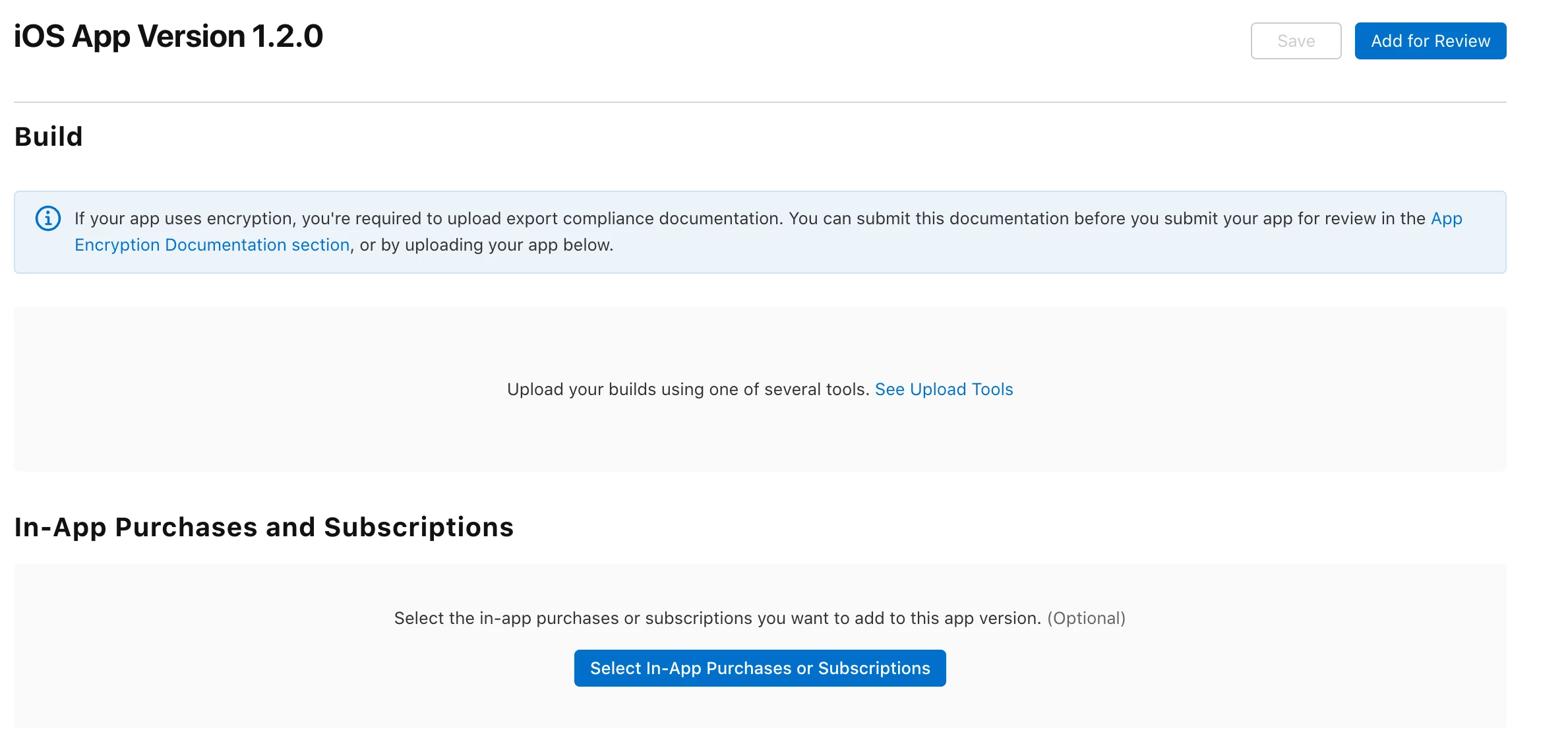
I’ve noticed that your subscriptions are in “Waiting for review” state - to test them they should be in “Ready to submit”. Apple requires that the first subscriptions you put in your app are sent together with your app for review. This means that they should always be in "Ready to submit" while you are testing it and when you send your app build for review, attach the subscription products so they all get reviewed together. There's this section under the app build where you can include your in-app purchases:

Let me know if this helps!


Forum|alt.badge.img
  • Author
  • New Member
  • December 13, 2025

hi, I started using another vibe code app to try to reset and do everything again.

app name : Stir AI - Recipe Scanner

Yes, I am using the right api key, it does start with appl_….

Ive done all I need to do on apple connect, agreements, made subscriptions, etc. everything is ‘Ready to submit”. Ive configured RC properly too, at least I think so. Ive made sure to import products from Apple connect, I've attached entitlements and added it to the offering that is set as the ‘Current’ offering. Ive also ensured the bundle id is matching and correct.

No clue why its not able to fetch the packages when im testing on TestFlight, its been a week and I still can't get this fixed