@onyaga
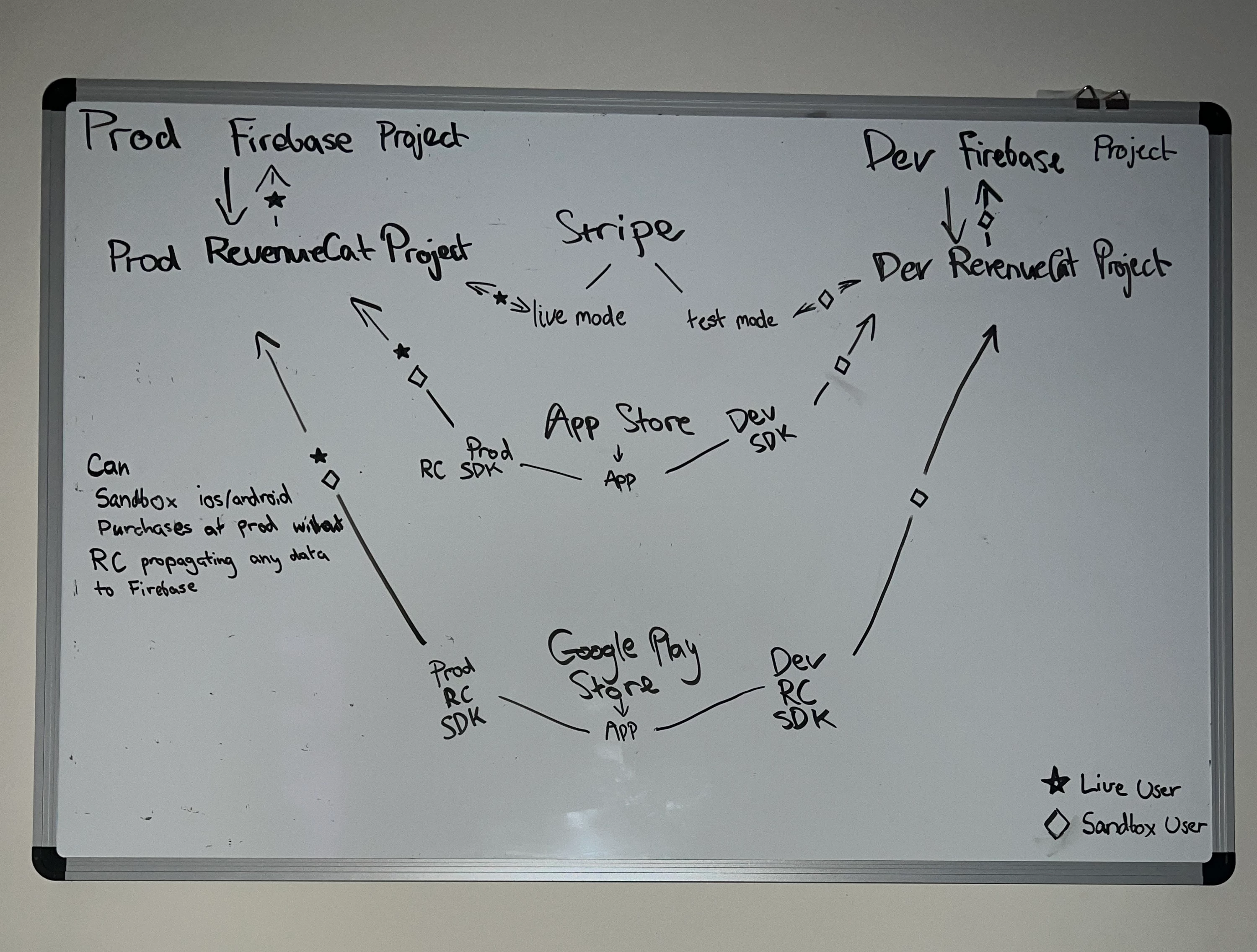
Generally speaking, transactions are received by RevenueCat via our SDK/receipt API or directly from the store via server notifications. Here’s a link to our guides for configuring server notifications for each store.
Regarding your comment:
Whereas I originally thought that Apple was the one first point of contact and would then send the data to RevenueCat and hence would not be able to recognise which project to choose from
This statement is true for server notifications (e.g. Apple can provide us the transaction directly via server notifications), but transactions can also be directly received from the SDK.
Enabling server notifications are highly recommended, as they allow us to receive subscription events that occur when the app is not open (such as renewals).
However, if you are not using server notifications, the configuration of your split environment would be easier. You’d just need to ensure that the correct SDK keys are used (e.g. using the Dev RC Project’s Google Play App SDK Key for sandbox play store purchases).
If you are using server notifications:
Stripe
Ensure that your Sandbox Stripe Account is configured to send webhooks to your Dev RevenueCat Project’s Stripe App.
Ensure that your Production Stripe Account is configured to send webhooks to your Prod RevenueCat Project’s Stripe App.
App Store
In App Store Connect, manually configure the Sandbox Server URL to the URL found in your Dev RevenueCat Project’s App Store App.
In App Store Connect, manually configure the Production Server URL to the URL found in your Prod RevenueCat Project’s App Store App.
Play Store
Unfortunately, I’m not aware of a way to split sandbox and production events to separate RevenueCat projects without creating a separate Play Store app.
--
An overall caveat to a split sandbox/production environment is that careful attention is needed to ensure that you carefully keep track of changes that are being applied to each environment, as they are not automatically kept in sync.