Question

My Paywall is not responsive on iOS

  • November 25, 2025
  • 4 replies
  • 105 views

Forum|alt.badge.img+2

I originally started developing my app on an iPhone 13 and the paywall showed up fine. But, when I switched to testing the paywall on smaller devices such as the iPhone 13 mini, the formatting and responsiveness were not correct. A part of the paywall was cut off horizontally.

In the RevenueCat editor itself, if I switch between device sizes, it works fine, but when I test locally on real physical devices, the responsiveness does not translate.

I’m not sure if this is an issue on my side (I did check all my formatting and none of the hardcoded values seem to interfere with the responsiveness) or with a RevenueCat setting?

Let me know if you need more information - I can upload screenshots if needed. Thanks

This post has been closed for comments

4 replies

joan-cardona
RevenueCat Staff
Forum|alt.badge.img+6
  • RevenueCat Staff
  • December 3, 2025

Hi ​@ryan-zheng-4ee70e,

Do you mind sharing a screen recording? I’ve checked your paywall and I run it with an iPhone SE and I could see the paywall correctly and working well. Happy to provide screenshots if you give me permission.

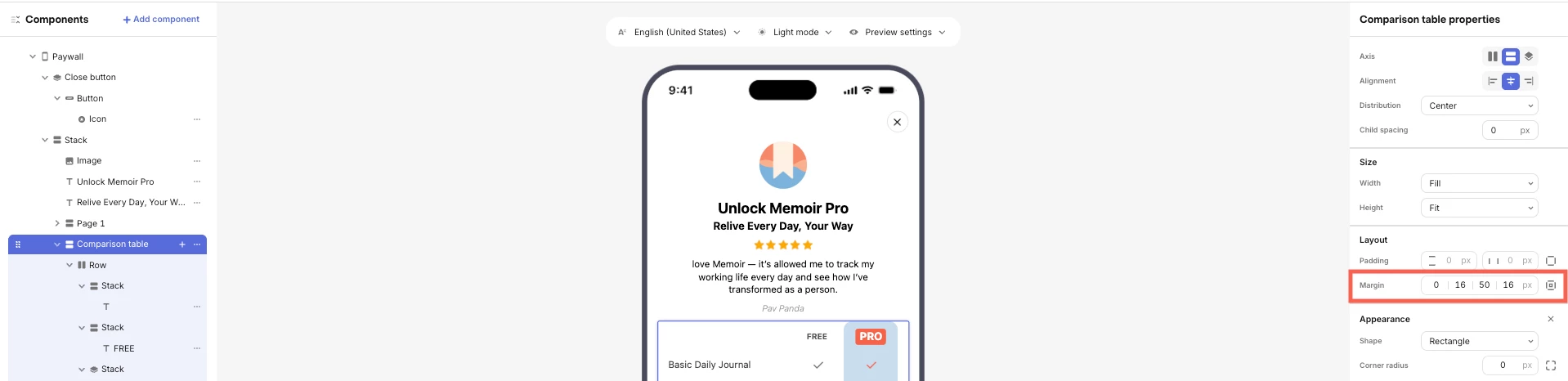
I did notice that the width of the comparison table could be an issue on really small devices since the total width is 372px fixed.


Best,


Forum|alt.badge.img+2

Hi, thanks for the reply! I am sharing a screen recording from a physical iPhone 13 mini. What’s weird is that in the paywall creator - the iPhone 13 mini formatting seems correct.

Also, yes, I would like to see the screenshots if possible - that’d be helpful!


Forum|alt.badge.img+3
  • New Member
  • December 8, 2025

Might be related to our issues we are having. Lots of users (on older ios versions, 17, 18, or older) are getting “App hang” errors reported in sentry when opening the paywall (built with the revenuecat builder).


This all seems to stem down to bugs in iOS for older version with decoding HEIC images. All the images seems to be served in HEIC format from revenuecat.
Ex. https://assets.pawwalls.com/xxx.heic

We are using react native sdk. And these errors are happening in native ios modules, which makes it in practice impossible to work around it.

We are basically forced to skip using the revenuecat paywalls from the builder, and build our custom paywalls instead. Unless revenuecat fixes this issue and start serving images in a better format.


alejandra-wetsch
RevenueCat Staff
Forum|alt.badge.img+6

Hey ​@ryan-zheng-4ee70e

Thank you for providing a screen recording of what you’re seeing on your app!

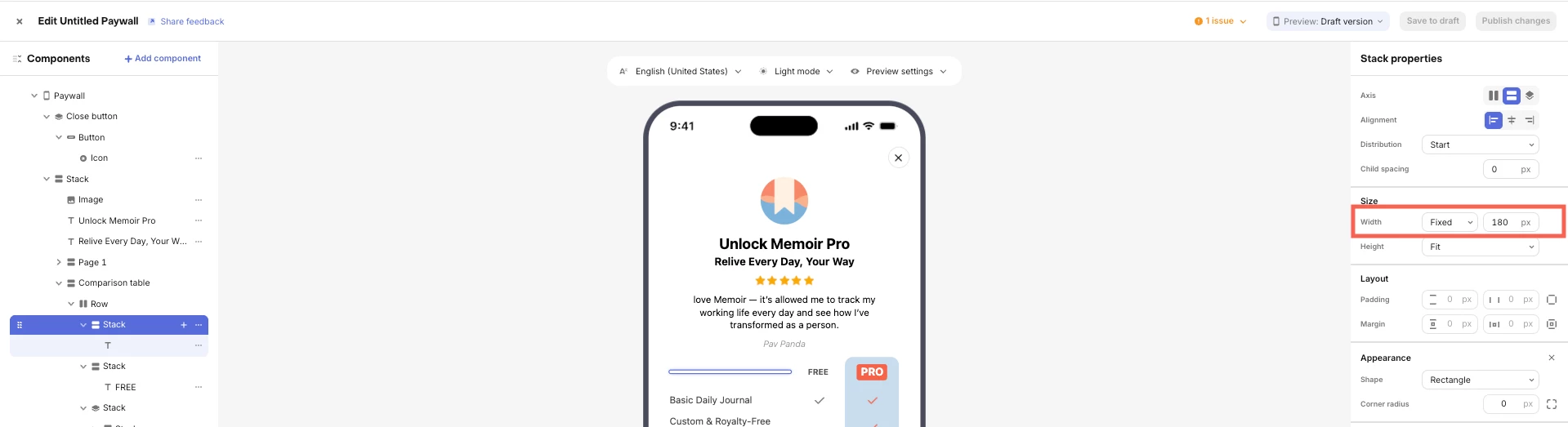
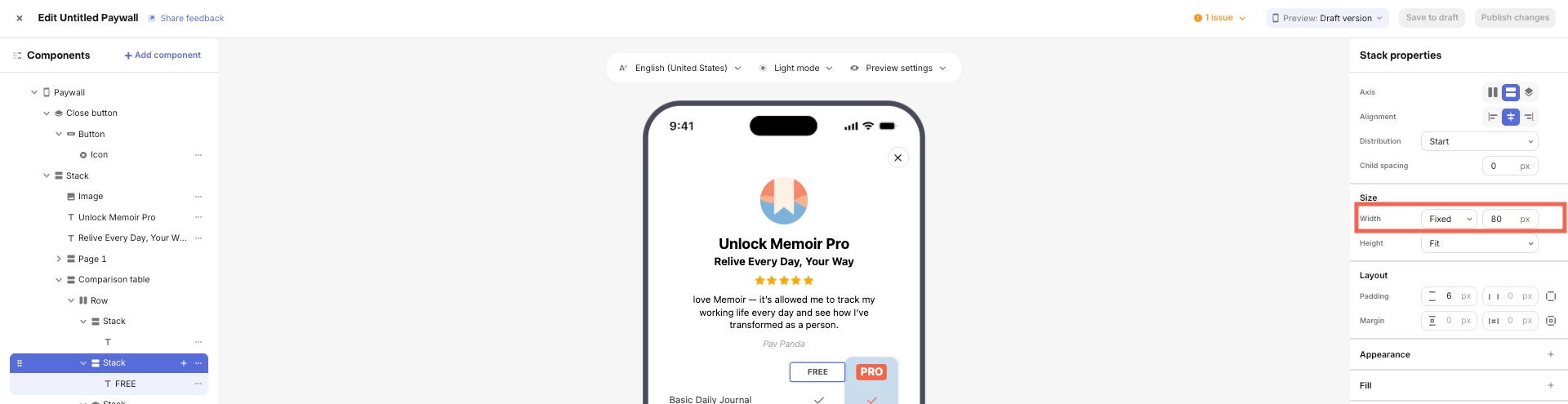
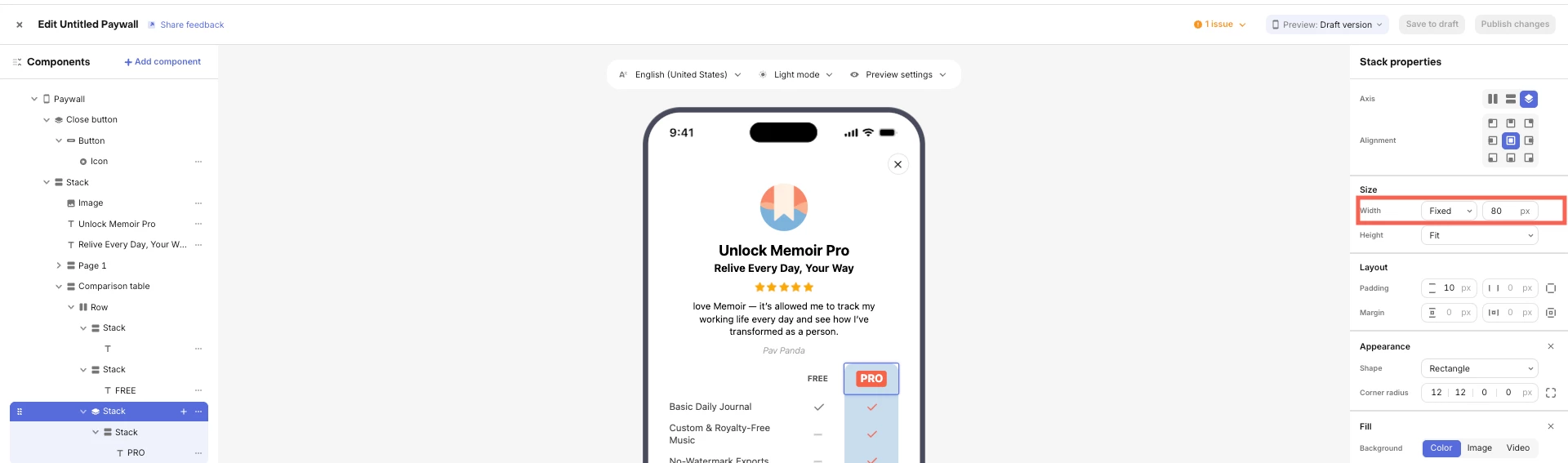
As Joan mentioned in his previous message, if components exceed the Width of the screen of the device, the Paywall may not look as it does in the editor, and will stretch out of bounds instead, making it look bad as you show in your video. Adjusting the widths and margins of your Comparison Table Stack to be slightly smaller should resolve the issue. Please check the screenshots below for reference.

The combination of all these sizes yields a total width of 372px.

I hope this helps!