My app has been rejected multiple times during the last few weeks because Apple reviewer is unable to complete the purchase on paywall. They gave this error message:
Guideline 2.1 - Performance - App Completeness
We were still unable to purchase the subscription successfully.
Review device details:
- Device type: iPad Air 11-inch (M2)
- OS version: iPadOS 26.1
Next Steps
When validating receipts on your server, your server needs to be able to handle a production-signed app getting its receipts from Apple’s test environment. The recommended approach is for your production server to always validate receipts against the production App Store first. If validation fails with the error code "Sandbox receipt used in production," you should validate against the test environment instead.
Resources
- Note that in-app purchases do not need to have been previously approved to confirm they function correctly in review.
- Note that the Account Holder must accept the Paid Apps Agreement in the Business section of App Store Connect before paid in-app purchases will function.
- Learn how to set up and test in-app purchase products in the sandbox environment.
- Learn more about validating receipts with the App Store.
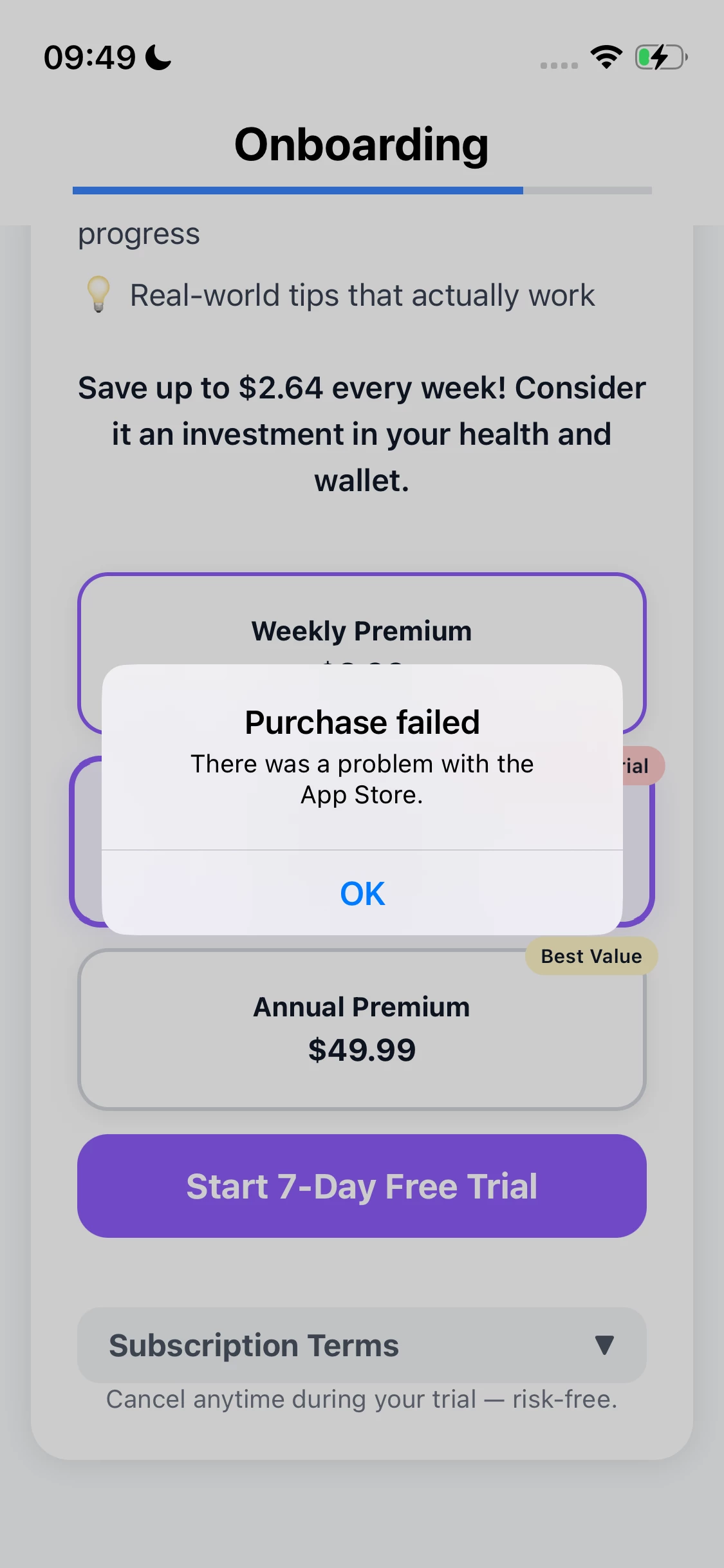
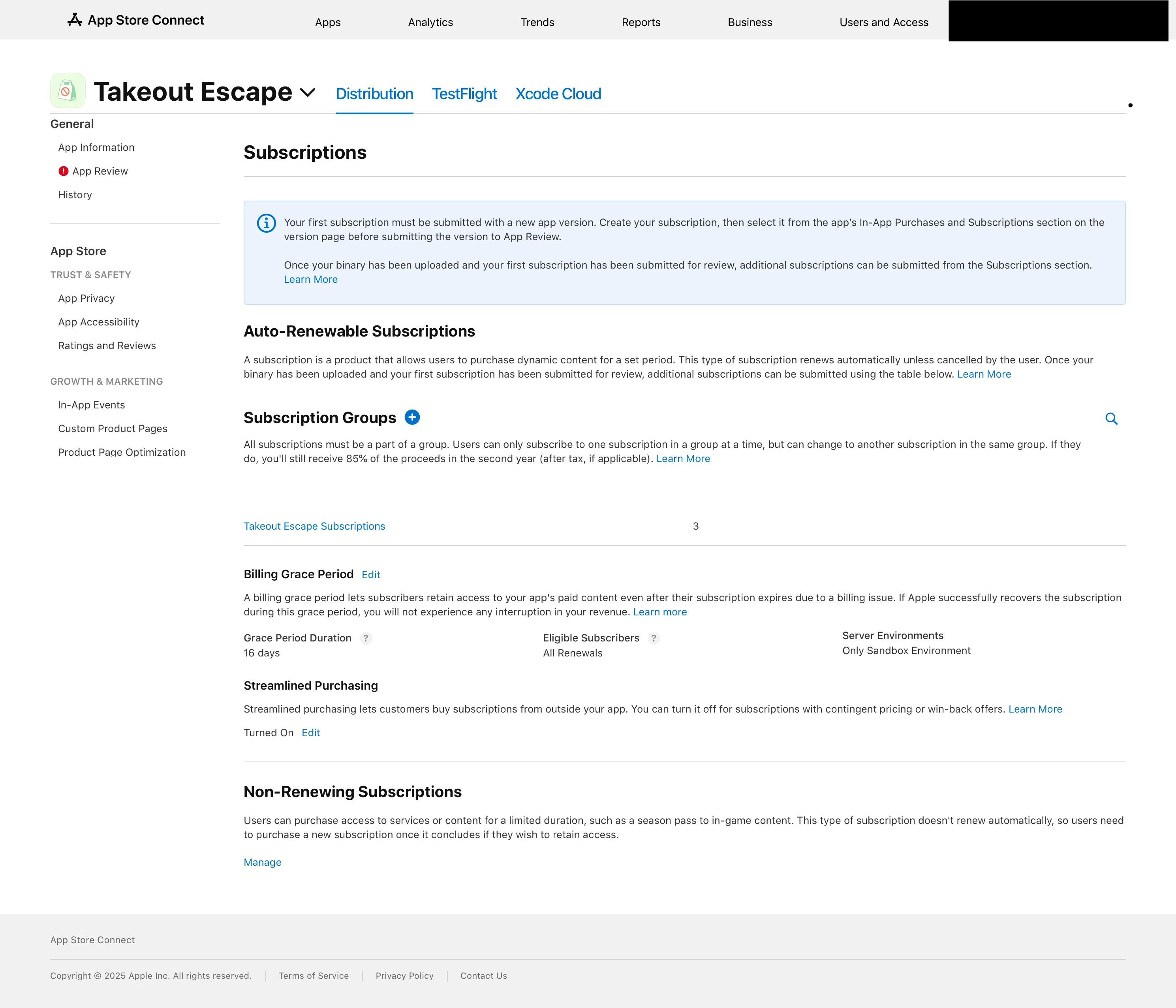
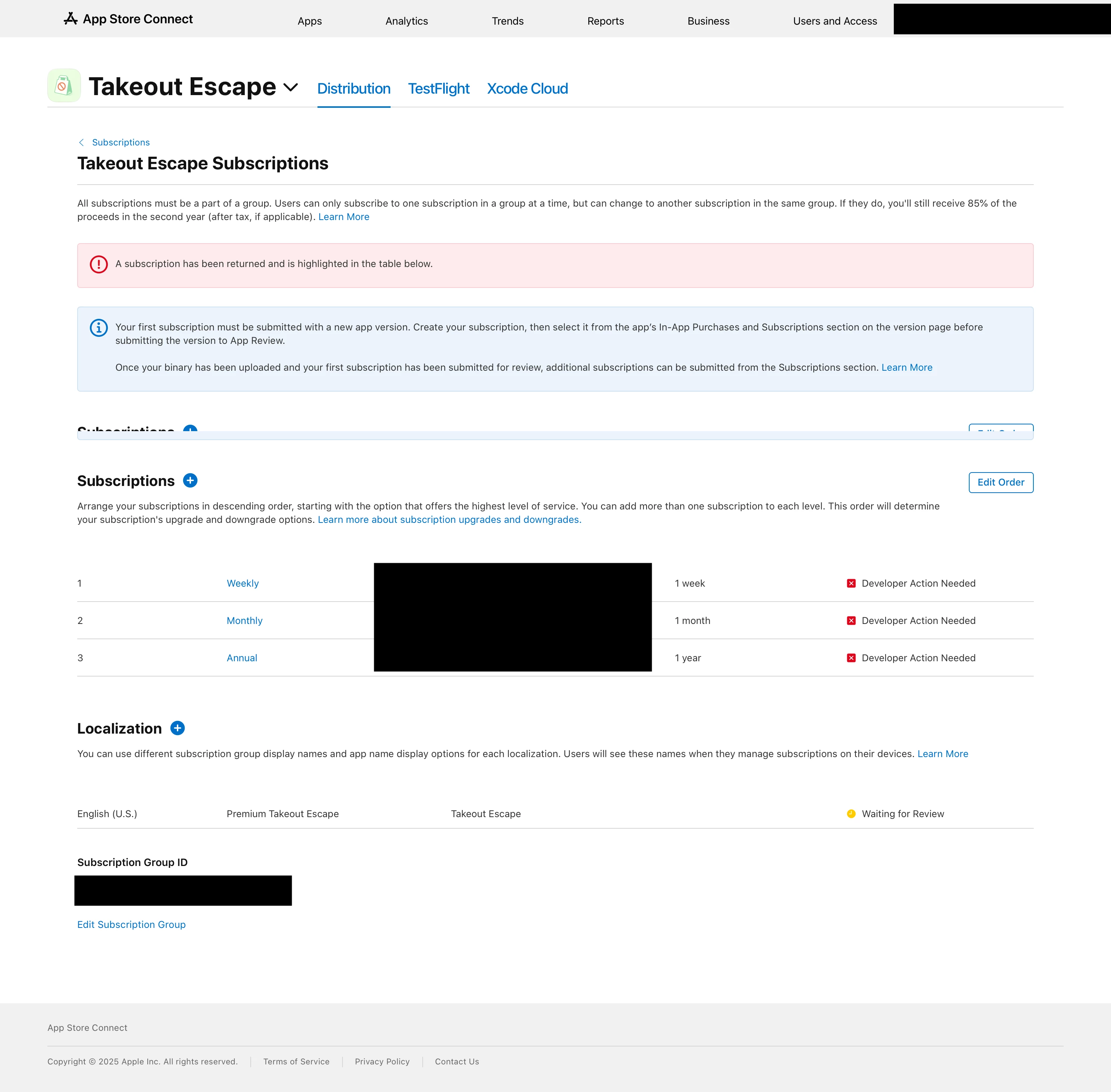
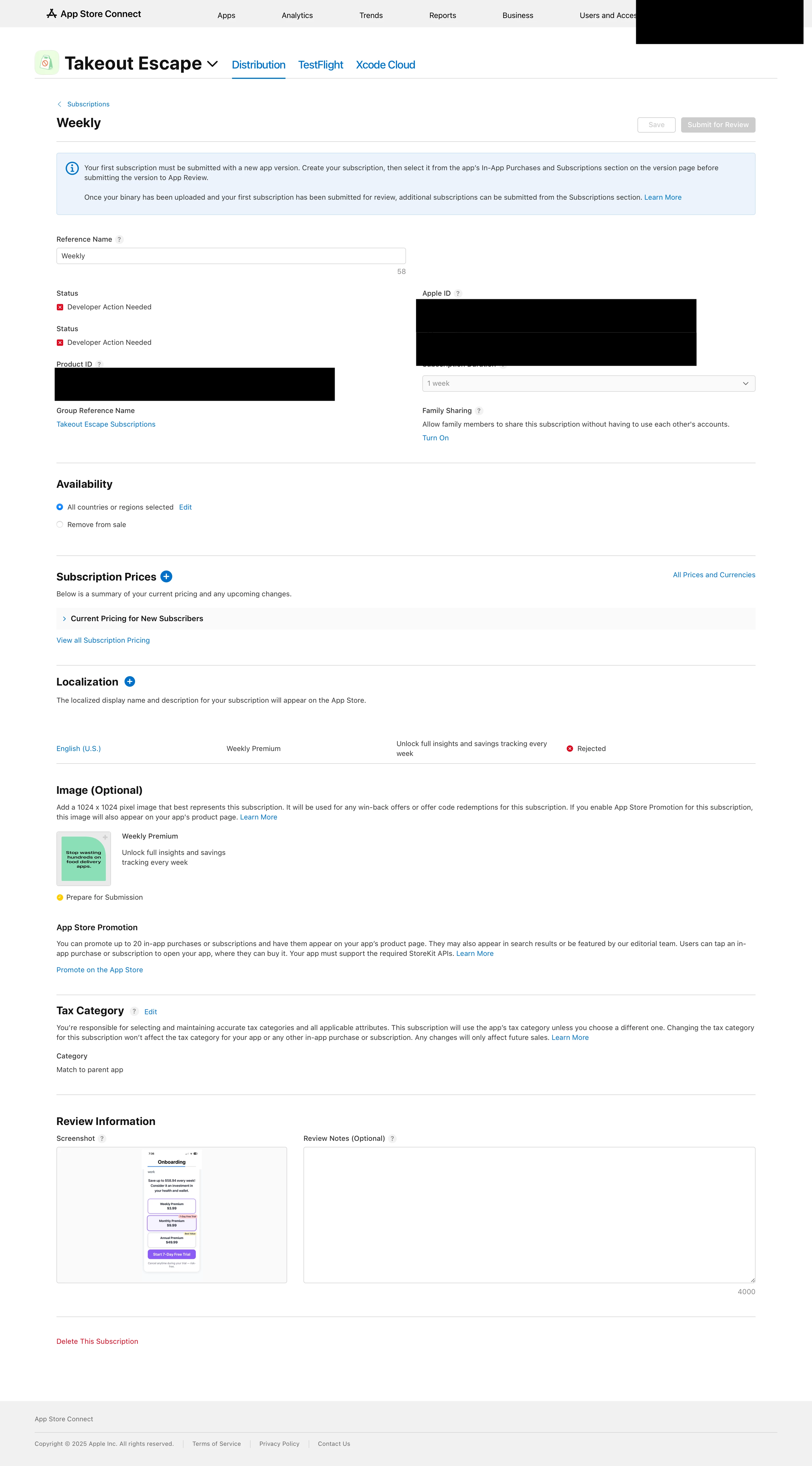
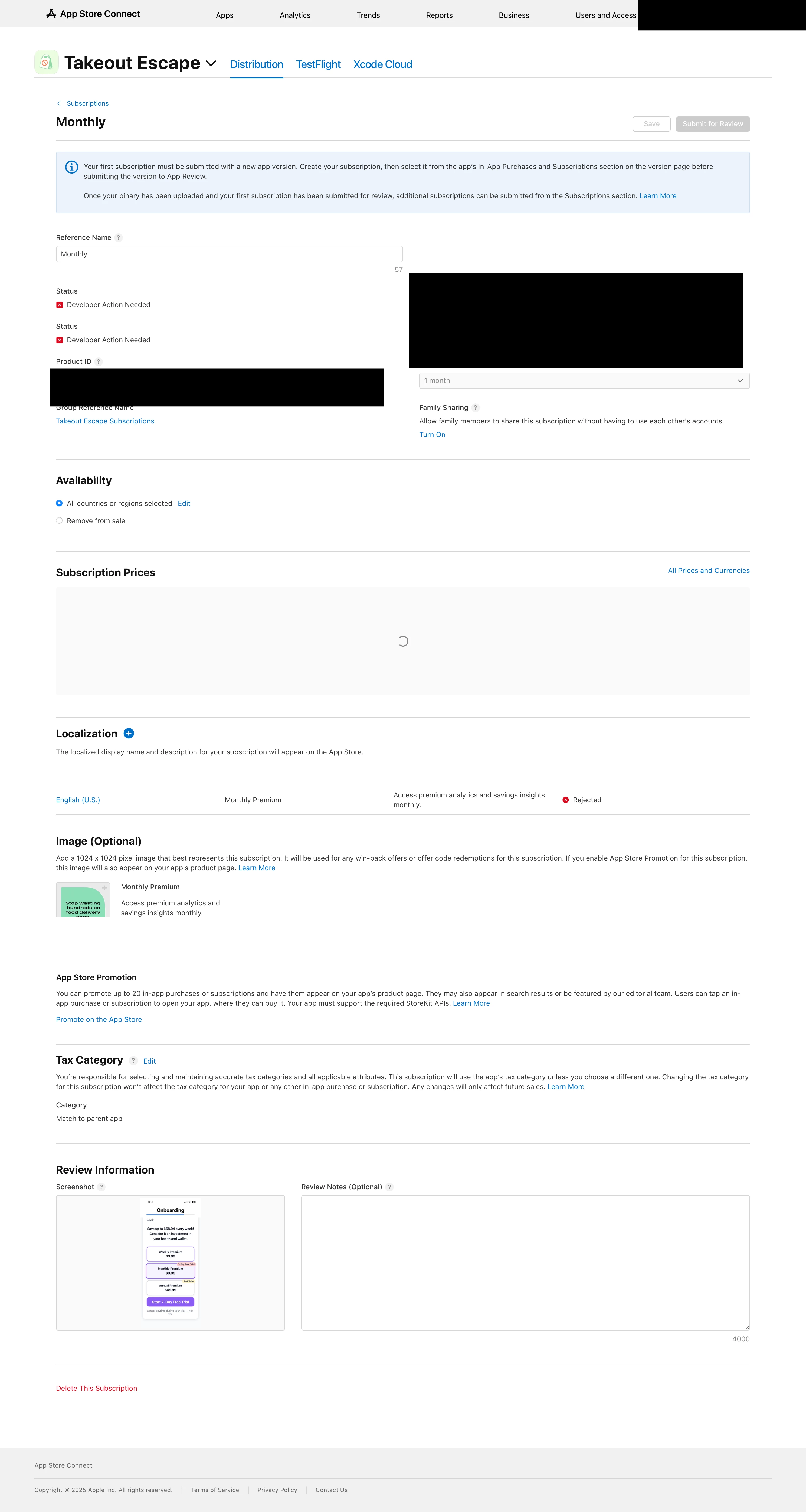
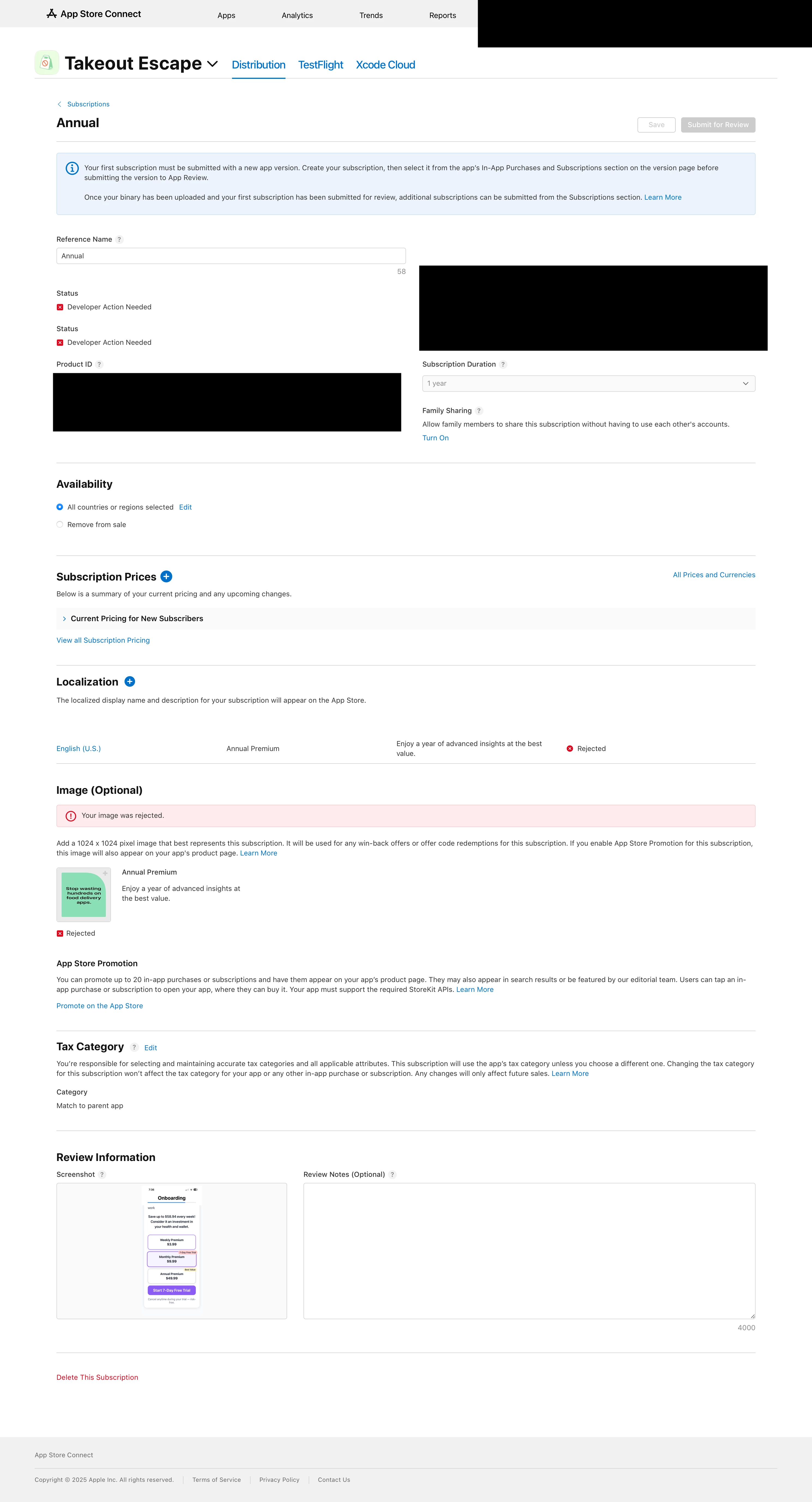
The offerings are fetched correctly but they are unable to complete the purchase. I tested on my physical iPhone with real account (not sandbox) and get the same exact error. I have provided screenshot of the paywall screen and my App Store Connect pages below.
I think issue might be because my subscriptions on App Store are not approved but I’m not sure. I heard you are supposed to submit them same time when you submit your build. I submitted both but Apple also rejected my subscriptions saying the images were duplicate. Now they say “developer action needed” First of all, it says the images are optional so why does it matter what they are? Second of all, what image am I supposed to provide there then?
Guideline 2.3.2 - Performance - Accurate Metadata
We noticed that your promotional image to be displayed on the App Store does not sufficiently represent the associated promoted in-app purchase and/or win back offer. Specifically, we found the following issue with your promotional image:
– You submitted duplicate or identical promotional images for different promoted in-app purchase products and/or win back offers.
Next Steps
To resolve this issue, please revise your promotional image to ensure it is unique and accurately represents the associated promoted in-app purchase and/or win back offer.
If you have no future plans on promoting this in-app purchase product, you can delete the associated promotional image in App Store Connect.
Resources
- Learn how to view and edit in-app purchase information in App Store Connect.
- Discover more best practices for promoting your in-app purchases on the App Store.
Support
- Reply to this message in your preferred language if you need assistance. If you need additional support, use the Contact Us module.
- Consult with fellow developers and Apple engineers on the Apple Developer Forums.
- Request an App Review Appointment at Meet with Apple to discuss your app's review. Appointments subject to availability during your local business hours on Tuesdays and Thursdays.
- Provide feedback on this message and your review experience by completing a short survey.