Question

I can't show my non-consumable offer (lifetime)

  • March 4, 2026
  • 3 replies
  • 62 views

Forum|alt.badge.img

I have read many posts about this but still don't know what's going on. I can't figure out why I can show my subscriptions but not the non-consumable product.


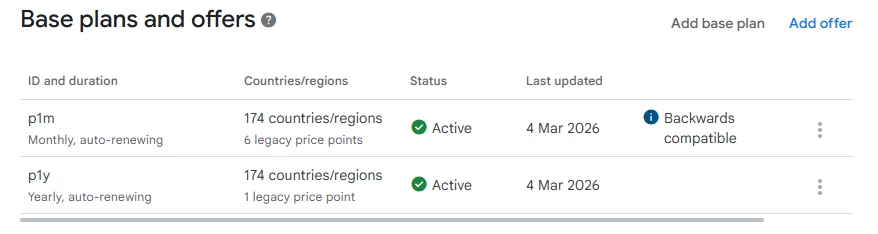
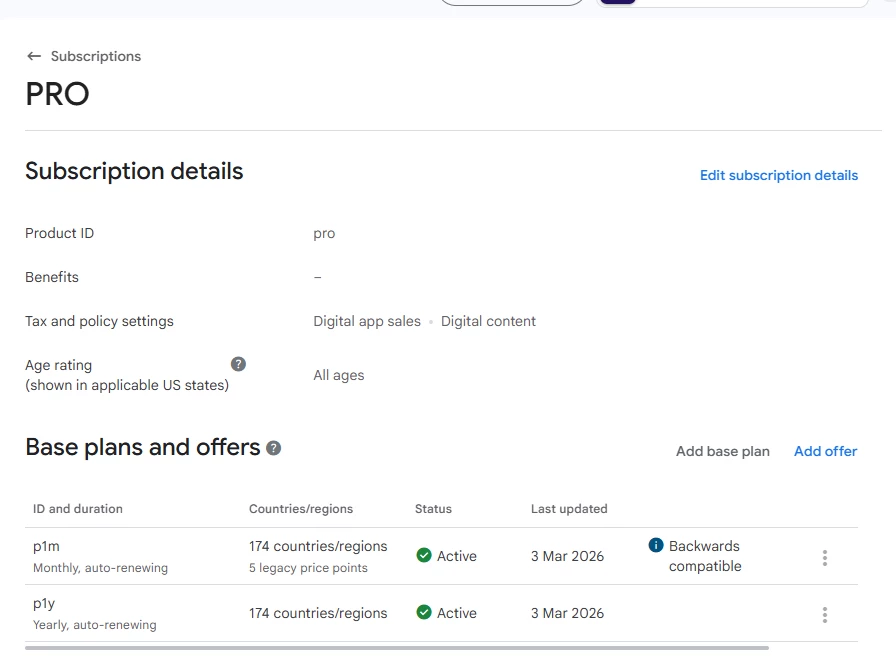
Starting from Google Play, these are my subscriptions (again, no problem with them):
The no-consumable product:
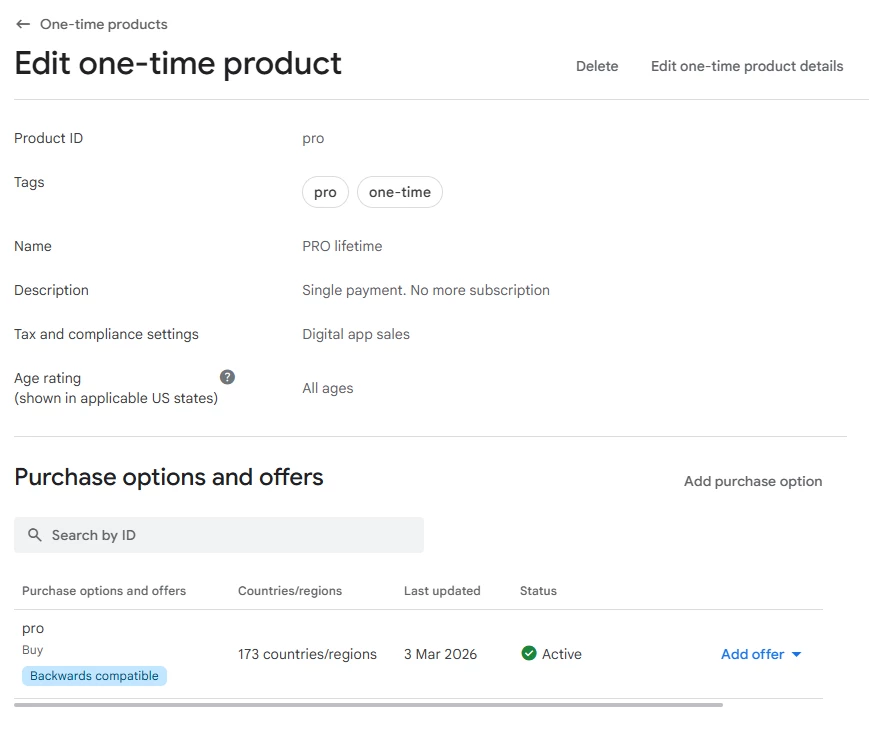
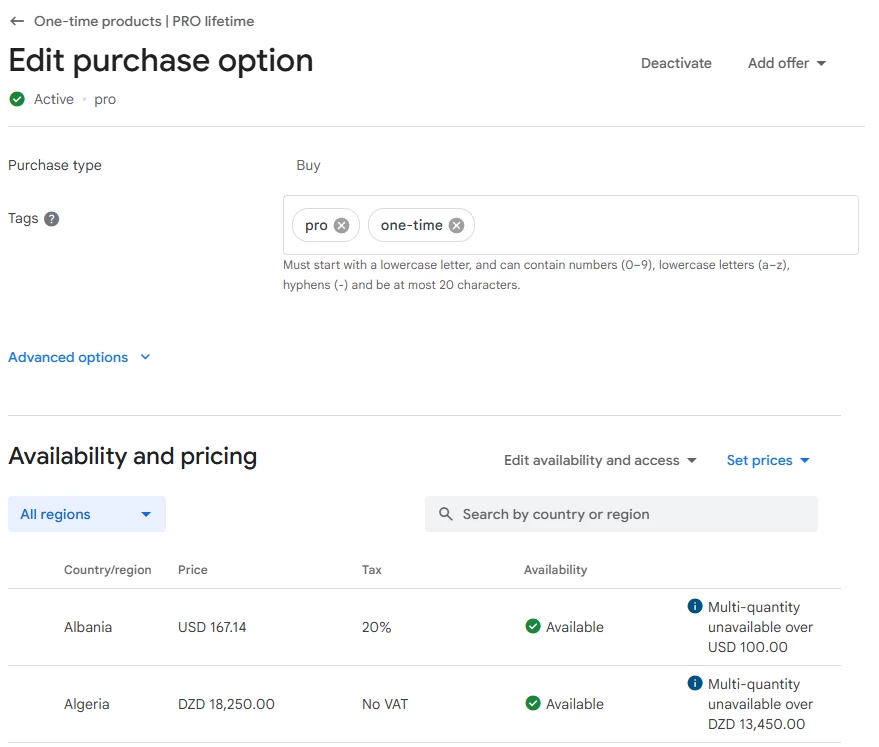
(no country restrictions, set price...)


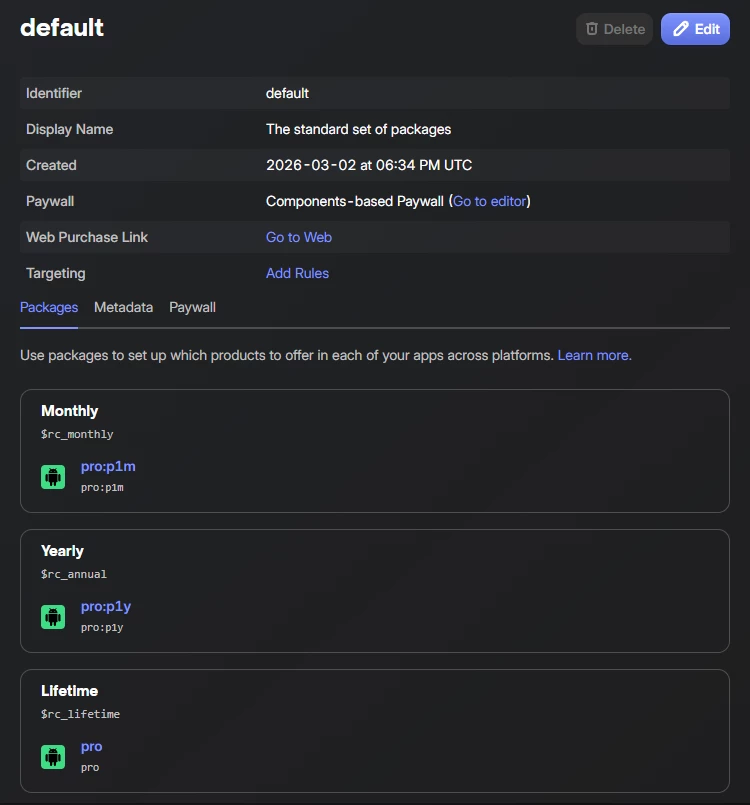
And now comes RC. This is my product catalog:

These package were imported from the Play Store. I did not create anything manually.

If we go inside lifetime option:
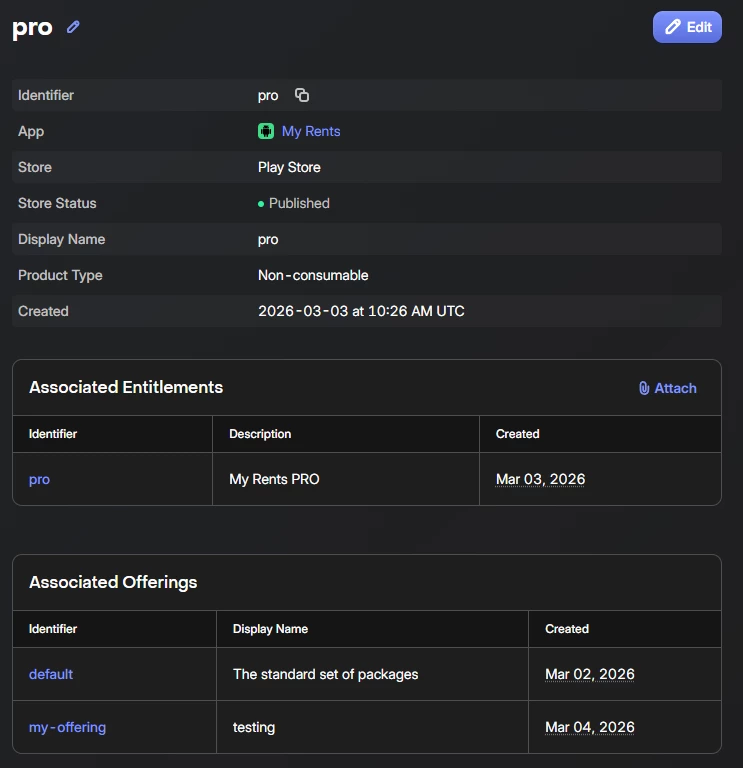
As we can see, it's published and IDs are fine (I'll explain later why I'm showing it from 2 offers).

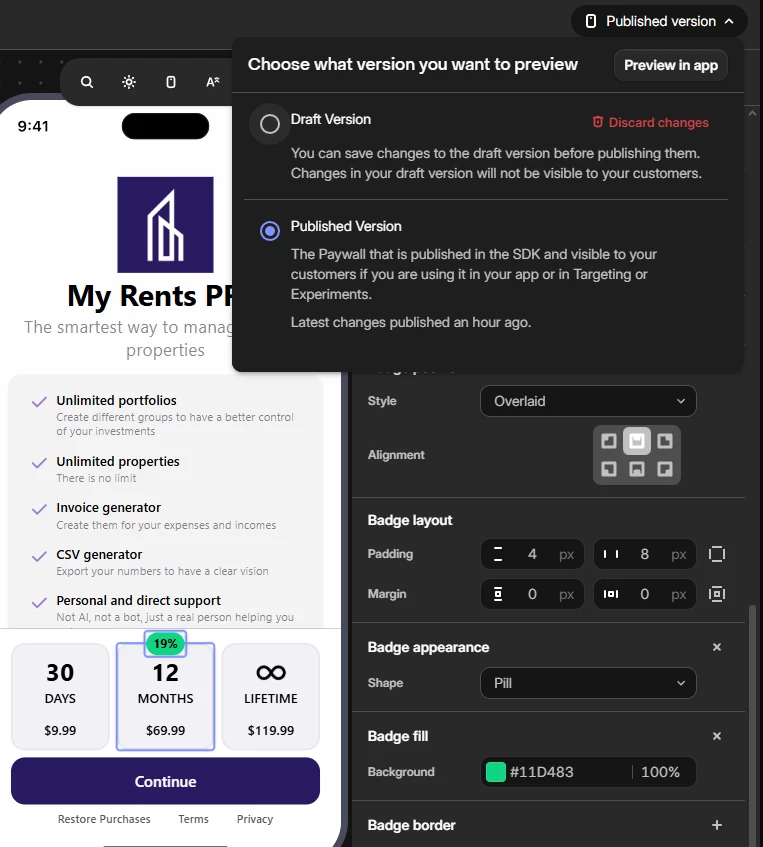
Now moving to the paywall, I'm showing the 3 offers correctly:
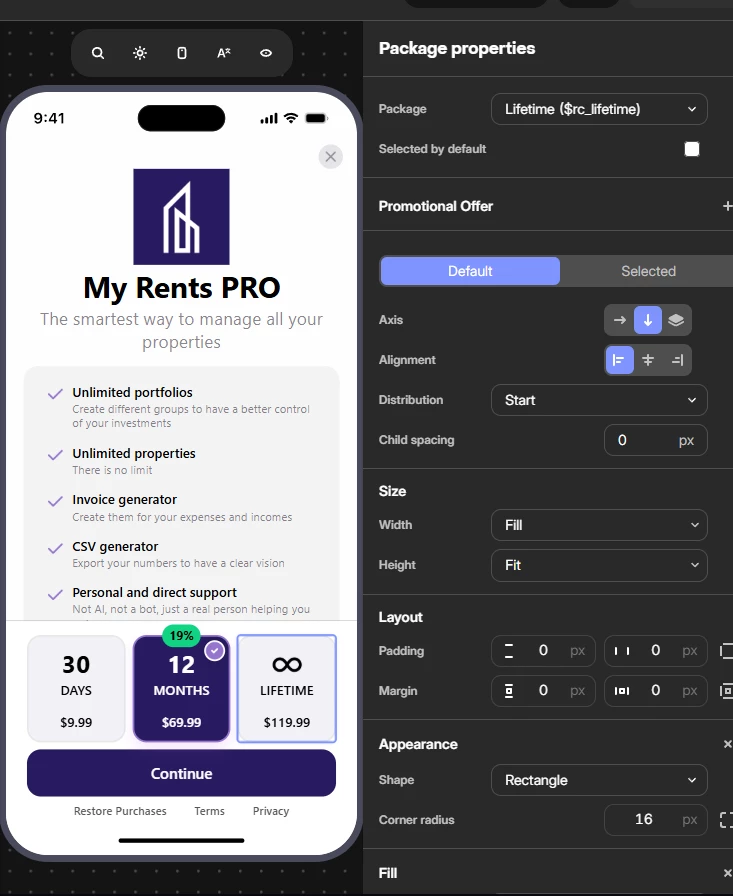
But when I show the paywall in my phone, the last option is not there, just showing the subscriptions. Inspecting the products I get, there are only the 2 subscriptions.
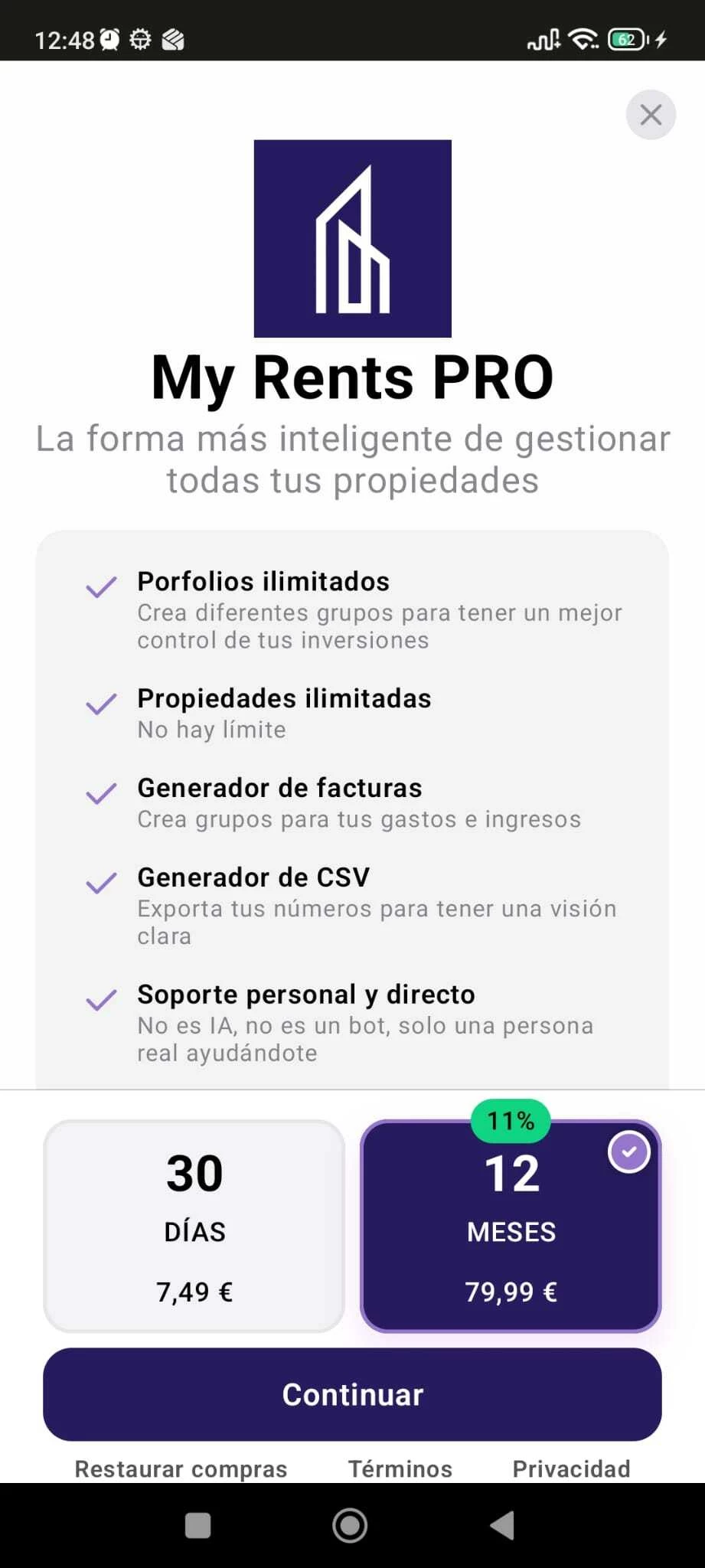
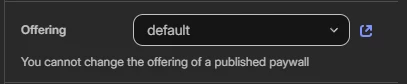
I tried to create a new paywall so I duplicated the offer with same products (that's why) and when showing the new paywall, the same problem happens.

I'm using Flutter and Android.

What am I doing wrong?
3 replies

Forum|alt.badge.img
  • Author
  • New Member
  • March 5, 2026

I read this but I couldn’t figure out what the problem is:

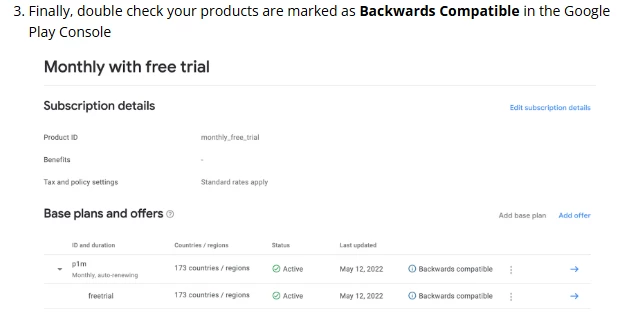
Something I have differently (but this is affecting the subscriptions and I have no problem there) is the backward compatibility:

In my case, if I mark the other one then the first one loses the compatibility:

but again, subscriptions are shown correctly.


Probably this is related?

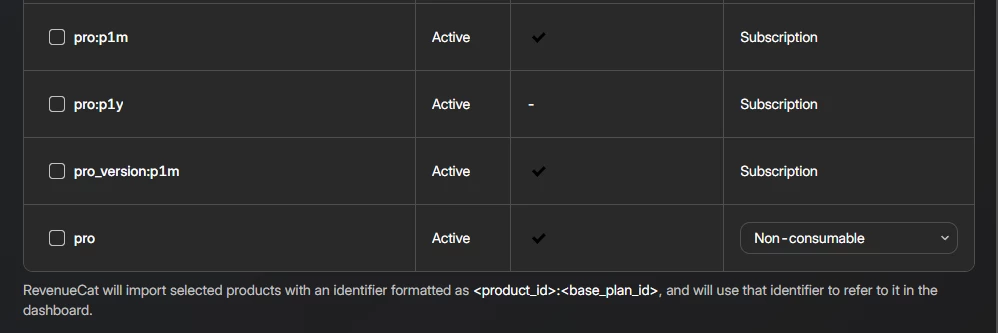
the non-consumable product is the only one without base_plan_id (but from Play Store I can’t create anything inside it)


Forum|alt.badge.img
  • Author
  • New Member
  • March 5, 2026

Also following this suggestion I removed all the products and started from scratch once again (before I just chose them in a new catalog) and same thing: only non-consumable missing.

Other comment mentions about waiting 24h for this to get through but I created this product in Play Store 3 days ago or so.
This other is about using a different method to get the lifetime option but only for non paywalls methods to display the offers. I guess that doesn’t apply to my case


guilherme
RevenueCat Staff
Forum|alt.badge.img+6
  • RevenueCat Staff
  • March 11, 2026

Hey ​@Xiwi

Thanks for flagging this and for the details on your setup!

So, looking at your configuration and seeing it’s logs, it seems your Lifetime package (from your default Offering) uses the product ID pro, but your subscriptions use pro:p1m and pro:p1y - meaning pro is also the base subscription ID.

On Android, the SDK needs to call two separate Google Play APIs:

  • one for subscriptions
  • one for one-time products 

It queries subscriptions first, and since pro matches as a subscription base ID, the SDK never queries it as a one-time product. That's why $rc_lifetime is missing from your Offering, as it silently gets skipped and doesn’t show on the Paywall. The logs should show something like this (using the SDK Debug Logs):

[Purchases]: The Paywall references a package with id '$your_package_id', but Offering 'YOUR_OFFERING_NAME' does not contain such a package.

It has these packages instead: [$package1, $package2, $package3]. Either add the missing package to the Offering or remove it from the Paywall.


The fix here is to rename your lifetime product in Google Play Console to something that doesn't collide with the subscription base ID. For example pro_lifetime instead of pro. Then update the product in RevenueCat and your offering accordingly. Once that's in place, all three packages should load as expected.

This is an Android-specific quirk due to how Google Play separates subscription and one-time product APIs. iOS doesn't have this limitation, so if you're also on iOS, it would only be the Android side that needs the rename.

We have some ongoing conversations happening around this to better handle these situations, but for the time being, this is the best workaround.

Let me know if that helps!