

Question

How can I add scroll wheel pickers for height and weight in a ready made Web Purchase Funnel?

  • Nov 9, 2026 1:54 PM UTC
  • 3 replies
  • 12 views

Forum|alt.badge.img

Hi everyone,

I'm using one of RevenueCat's pre-built Web Purchase Funnel templates and would like to customize the user input experience.

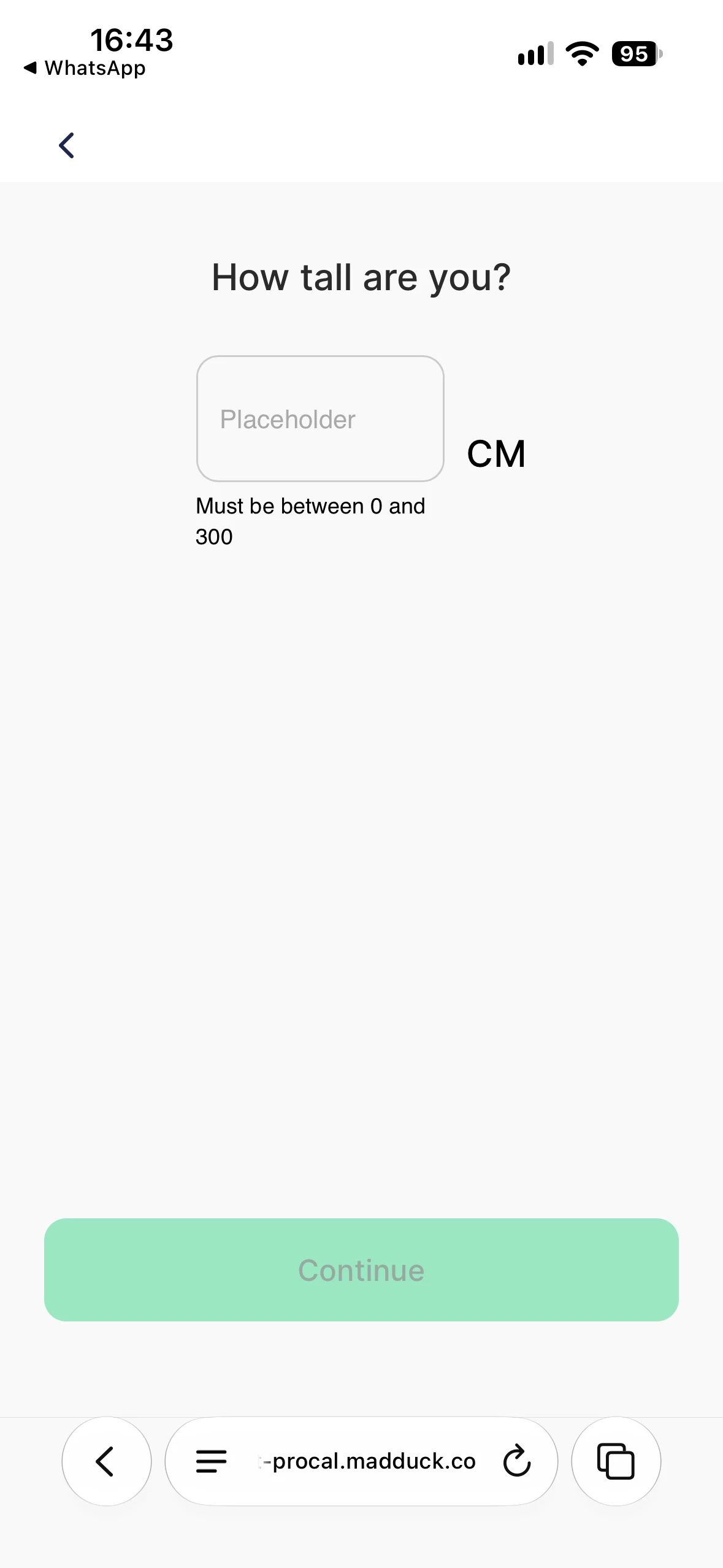
Instead of having users manually type in their height and weight, I'd like to display scroll wheel pickers (similar to the native iOS wheel picker), allowing users to scroll up and down to select their height and weight.

Is this type of input component supported in RevenueCat's Web Funnel templates? If so, how can I implement it?

I've attached a screenshot of the current height input step for reference.

Thanks in advance!
 

3 replies

Tarek
RevenueCat Staff
Forum|alt.badge.img+6
  • RevenueCat Staff
  • Nov 9, 2026 7:33 PM UTC

Hi ​@omer-homan-d4dc76 

I'm Tarek from RevenueCat Developer Support, thanks for reaching out and for the screenshot, happy to help!

I took a look. Web Funnels do not have a scroll wheel picker today. A funnel has three input types: Single Choice, Multiple Choice and Text Input. You can find them in our input components docs.

I can see why a wheel picker is a better fit for height and weight on a phone, and I shared your request with our Funnels team.

A Custom component can show your own HTML, CSS and JavaScript, so it can draw a wheel picker. But it cannot send a value back to the funnel. So the funnel does not save the selected value as a response, and later steps cannot use it. For this reason, I do not recommend a Custom component for this step.

For now, I have a few tips that make the height and weight steps easier on a phone:

  • You can set the Keyboard type of the Text Input to numeric. The phone then shows a number pad instead of the full keyboard. For a weight with decimals, you can use decimal. It's then much easier for the customer.
  • A numeric field checks the Valid range (Minimum and Maximum) in the Validation section, and it ignores the Pattern rule. If your 0 to 300 check uses a pattern today, I recommend that you move it to the Valid range.
  • You can replace the "Placeholder" text with an example value, such as 170. The placeholder text is localized, so you can change it in each language of your funnel.
  • If a range is enough for your use case, you can use a Single Choice input with options such as "150 to 159 cm". The user then selects an option with one tap.

Let me know if that makes sense and if there's anything else I can help with!

Have an excellent day.

Best regards,


Forum|alt.badge.img

Hi Tarek,

Thank you for the quick and detailed response!

We'll try using the Numeric Keyboard for height and the Decimal Keyboard for weight in our funnel.

Really appreciate your help!

Best,
Ömer


Tarek
RevenueCat Staff
Forum|alt.badge.img+6
  • RevenueCat Staff
  • Nov 10, 2026 10:00 AM UTC

Hi ​@omer-homan-d4dc76,


You're most welcome, the team is aware of this request, happy to help!


Best,