Question

Google Play Introductory Pricing Not Showing in RevenueCat Paywalls

  • April 29, 2026
  • 1 reply
  • 18 views

Forum|alt.badge.img

Hi team,

I’m using RevenueCat Paywalls with a Flutter app and Google Play subscriptions.

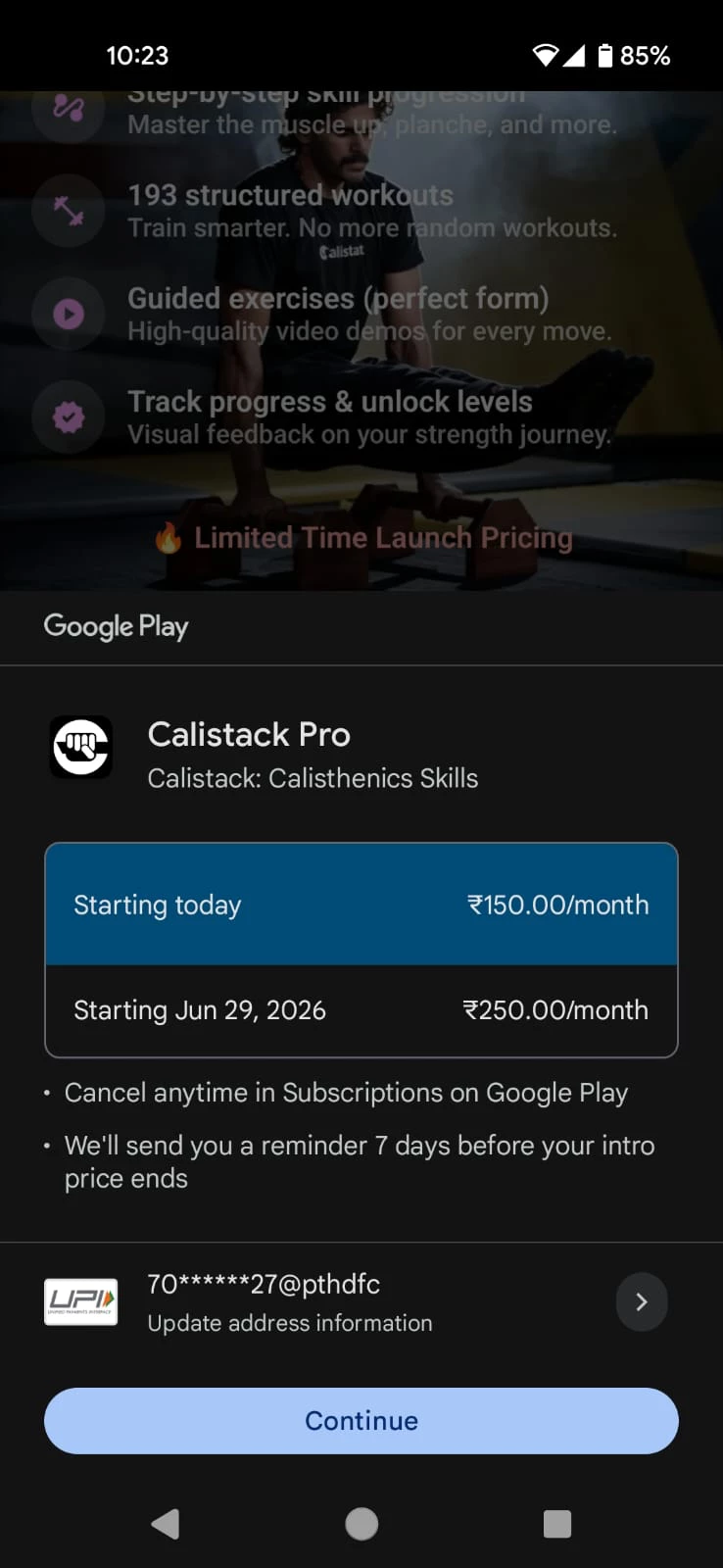
I have configured an introductory offer in the Play Console (₹150/month initially, then ₹250/month). This works correctly in the Google Play purchase screen.

Revenuecat always displays the base price (₹250/month), not the introductory price.

I cannot find any variables for:

  • intro price
  • discounted price
  • offer pricing

So currently my paywall shows ₹250/month, while Google Play shows ₹150/month for eligible users. This creates a mismatch and poor user experience.

Questions:

  1. Does RevenueCat Paywalls support displaying introductory pricing for Google Play subscriptions?
  2. If yes, which variable should be used to show the intro price?
  3. If not, is this a known limitation or planned feature?

Would appreciate clarification, as this directly impacts conversion and pricing transparency.

Thanks.



1 reply

guilherme
RevenueCat Staff
Forum|alt.badge.img+6
  • RevenueCat Staff
  • May 4, 2026

Hey ​@iam_riyas ! 

The RevenueCat Paywalls do support displaying intro pricing for Google Play (and App Store) subscriptions. What you need to use is the {{ product.offer_price }}, along with a few “siblings” like offer_period and offer_period_with_unit (they're listed under the "Offer" section here:

and you should use this through our Rules feature: 

The recommended pattern is to build a default paywall that always renders for everyone using base-price variables, and then layer Rules on top to swap text and visibility based on conditions like intro offer eligibility:

Rules allow you to change the visibility of certain components, in order to customise a single paywall to better fit a multitude of scenarios.

more context here

For your case, and from checking your Paywall project, it seems you’re already doing some part of this. Under the "Introductory offer" case, modify the price text layers (the monthly row's price text, the annual row's, etc.) to use:

  •  {{ product.offer_price }}/{{ product.offer_period }}

instead of the base-price variable {{product.price}} they currently render.

The eligibility is decided automatically by the SDK at the Paywall render time, so there isn’t any other step to get this enabled. When the customer is eligible (from checking with Google Play or App Store), the Rules fires and they see accurate price for the offer (e.g ₹150/month) and, when they aren't, the default text stays put and they see normal product price (e.g ₹250/month).

The fallback behavior on the offer variables themselves is what makes this pattern clean:

If a product has no active offer (no introductory offer, no promotional offer, or the customer is not eligible), offer_price and offer_price_per_* variables fall back to the regular product price (and its normalized equivalents). All other offer variables (offer_period*, offer_end_date) return an empty value.

more context here

One pitfall worth flagging is that the rule's modification has to actually change the rendered string. A rule that swaps a text layer to identical text (or only changes color, etc.) will fire correctly but produce no visible change, which is a frequent reason folks think the rule isn't working.

Also, worth mentioning, Google Play tracks intro-offer eligibility per Google account per base plan, so if your test device is signed into an account that already redeemed the offer, you'll always see (e.g ₹250 ) the default price even with everything wired up correctly. So it’s best to test with a fresh Google account that's never subscribed to this base plan.

Let me know how that goes!