
Answer

Errors showing in Revenue Cat

  • October 2, 2025
  • 4 replies
  • 144 views

Forum|alt.badge.img+3

I only recently updated Xcode to 26.0. While adding some features to my app, everything was running fine in the simulator. But when I tried to run it on an external device running iOS 26, I start getting this error:

Concurrency is only available in iOS 13.0.0 or newer
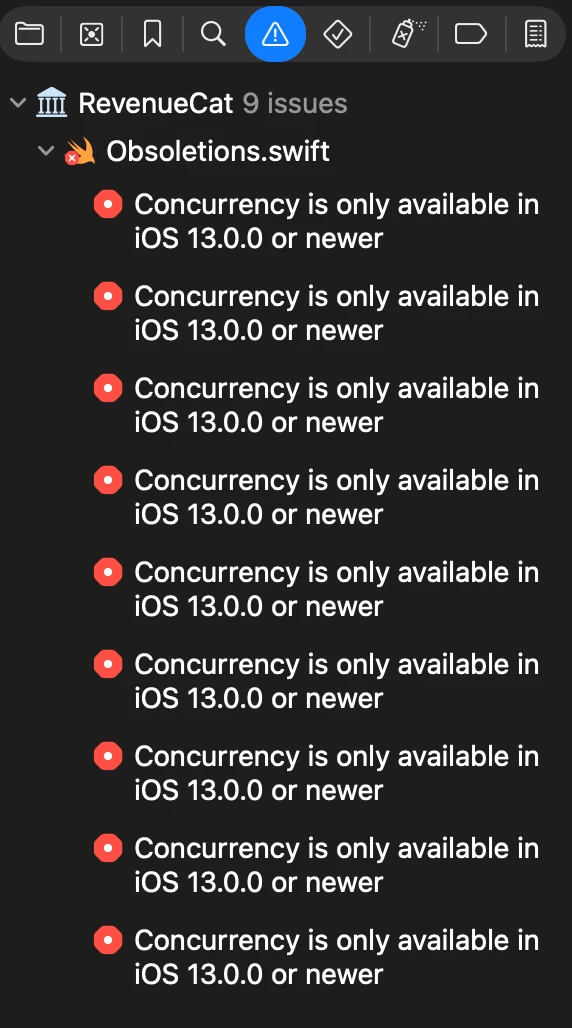
I’ve tried to Clean Build Folder to no avail.

Now when trying to run in simulator I’m getting this error.

Stored properties cannot be marked potentially unavailable with '@available'
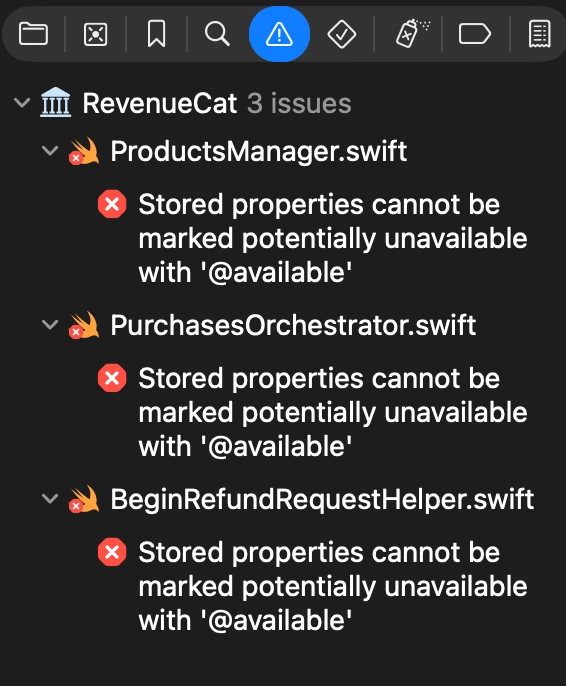
 

Any suggestions? 

Best answer by jacob-rakidzich

Have you tried updating the SDK. It’s now on version 5.41.0

This post has been closed for comments

4 replies

Forum|alt.badge.img+3
  • Author
  • New Member
  • October 2, 2025

I also just noticed this warning:


StoreKit Configuration file for scheme [AppName] can't be found at path "/path-to-xcode-project/[AppName].xcodeproj/SyncedProducts.storekit"
 

Any help in fixing this is appreciated.


jacob-rakidzich
RevenueCat Staff
Forum|alt.badge.img+2
  • RevenueCat Staff
  • Answer
  • October 3, 2025

Have you tried updating the SDK. It’s now on version 5.41.0


jacob-rakidzich
RevenueCat Staff
Forum|alt.badge.img+2

But since it was running fine in the simulator, it’s probably an Xcode 26 build artifacts issue. When this kind of thing has happened to me in the past, I’ve had to clean, quit Xcode, clear the derived data, and sometimes restart my computer. 

If that doesn’t work, let me know.


Forum|alt.badge.img+3
  • Author
  • New Member
  • October 3, 2025

Updated to version 5.41. Issues resolved. Thanks. I was on an OLD version. 


Thanks for the help!