Question

Confused with paywall

  • December 16, 2025
  • 3 replies
  • 64 views

Forum|alt.badge.img

Hello community,

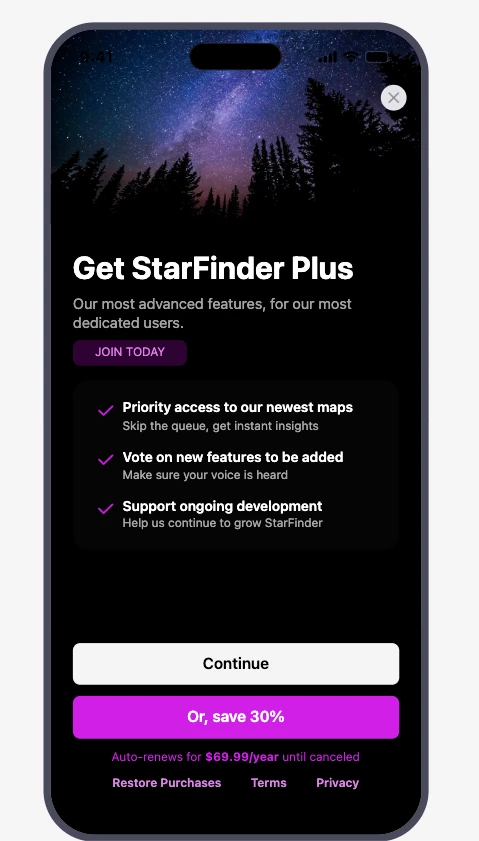
I have created a web paywall to redirect users from my ios app to web purchase like. The issue is it doesn’t show when I have web billing products in the offering and when I add an apple product the paywall shows with the paywall in the app with apple product information and when I navigate to the web purchase page it shows the web billing product as intended. My goal is to get rid of apple product here while keeping the paywall working. I’m not sure what I’m missing here.

Thanks
This post has been closed for comments

3 replies

Forum|alt.badge.img

My ios SDK version is 5.50.1


Forum|alt.badge.img

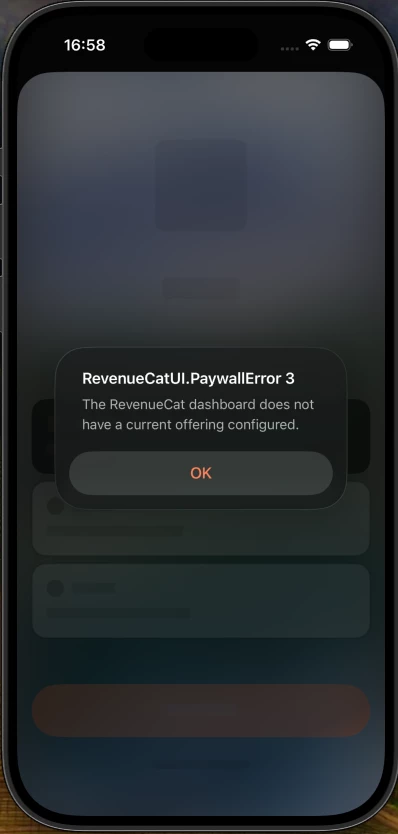
Sorry for multiple replies. This is what I see when I remove apple products from the offering and only keep web billing products


alejandra-wetsch
RevenueCat Staff
Forum|alt.badge.img+6

Hey ​@pooria-babaei-16dfc6

Thank you for reaching out and providing a screenshot of what you’re seeing.

After checking your Paywall configuration, I can see that your Paywall only has Web Billing Products. As a result, the SDK in your mobile application is unable to find available products compatible with iOS, and the Paywall cannot be rendered.

This setup is ideal for displaying the Paywall directly on the Web via Web Purchase Links or through the Web SDK directly from a Web application.

According to Apple guidelines, you must still offer users the option to make in-app purchases for an external purchase to be accepted. Just so you know, this feature is currently only available to users in the US; users from other regions are not allowed to purchase through external links. If you have users from different locations, Targeting may be of help.

If you want your iOS Paywall to redirect the user to the Web Flow and display the Paywall you have configured, I would recommend creating a separate Paywall that has both a Web Purchase Button (as shown here) and the in-app purchase product. The Web Purchase Button will then redirect to the Web Purchase Link, displaying the Paywall that you have currently configured.

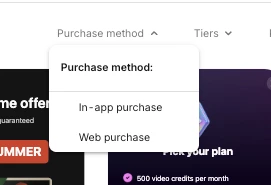
I understand that you prefer users to make purchases on the web instead of through in-app purchases. In that case, we have some interesting Paywall templates that could help you design it, so that users would prefer to purchase on the Web instead. Below you can find an example.

You can find those templates by filtering them by ‘Web Purchase’ Purchase Method.
 

I hope this helps!