Solved

Where/how to remove a promotional subscription?

  • May 14, 2024
  • 2 replies
  • 189 views

Forum|alt.badge.img+4

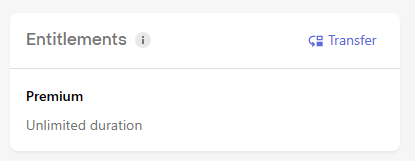
The documentation states what I copied below, but in fact there appears to be no control in the dashboard to remove a promotional entitlement:
 

Removing Promotional Subscriptions

Granted entitlements will automatically be removed after expiration. To remove access to an entitlement early, click the :fa-times-circle: icon next to the Granted Entitlement name.

(from this page)


The event data for the granting of this entitlement clearly indicates it was a promotional:
 

"price": 0,"price_in_purchased_currency": 0,"product_id": "rc_promo_Premium_lifetime","purchased_at_ms": 1712048102051,"store": "PROMOTIONAL","takehome_percentage": 1,"transaction_id": "07cfd55a01f61543a7e525bcf8bf9950"


Please tell me where/how to remove a promotional subscription from a customer.

Thank you.

Best answer by joan-cardona

Hi,


In the Entitlement section you see the state of that entitlement. To remove an specific one you’ve granted, go into the Customer page and scroll down to Promotionals and hover over the granted one. There you will be able to remove those that you already granted.


See the attached screenshot for an example:


I hope this helps!


This post has been closed for comments

2 replies

joan-cardona
RevenueCat Staff
Forum|alt.badge.img+6
  • RevenueCat Staff
  • Answer
  • May 16, 2024

Hi,


In the Entitlement section you see the state of that entitlement. To remove an specific one you’ve granted, go into the Customer page and scroll down to Promotionals and hover over the granted one. There you will be able to remove those that you already granted.


See the attached screenshot for an example:


I hope this helps!


Forum|alt.badge.img+4
  • Author
  • Dedicated Member
  • May 17, 2024

Wow, so simple, that’s what I needed to know, thank you.

You guys should really make that Remove link visible without hover, so that it is intuitive and easy to find and/or provide these simple instructions in your documentation. I’m a smart guy, but could not find this anywhere!

JR