Question

One-time products in Google Play Store not syncing with RevenueCat

  • September 16, 2025
  • 6 replies
  • 163 views

Forum|alt.badge.img+4

Hi team,

I’m trying to set up one-time products within the Android version of my app. I’ve set up the product (with a product id + purchase option in the Google Play Console), but the product simply will not import or show up as “Published” within my RevenueCat product catalog.

This worked just fine with iOS and I ran into no issues. Only seeing this for Android, could be related to some of the recent changes Android made with one-time products? 

I’m using RevenueCat with React Native using Expo.

This post has been closed for comments

6 replies

Forum|alt.badge.img+8
  • RevenueCat Staff
  • September 19, 2025

Hi ​@candle-app sorry to hear you are experiencing this! Looking at your server logs I can see a successful product import and no errors. When trying to import products is there an error you are getting on the dashboard? Could you please open a support ticket here with a screenshot of any errors you are getting as well as the output of the console in Google Chrome, you can get this via View->Developer->JavasScript Console?


Forum|alt.badge.img+4
  • Author
  • New Member
  • September 19, 2025

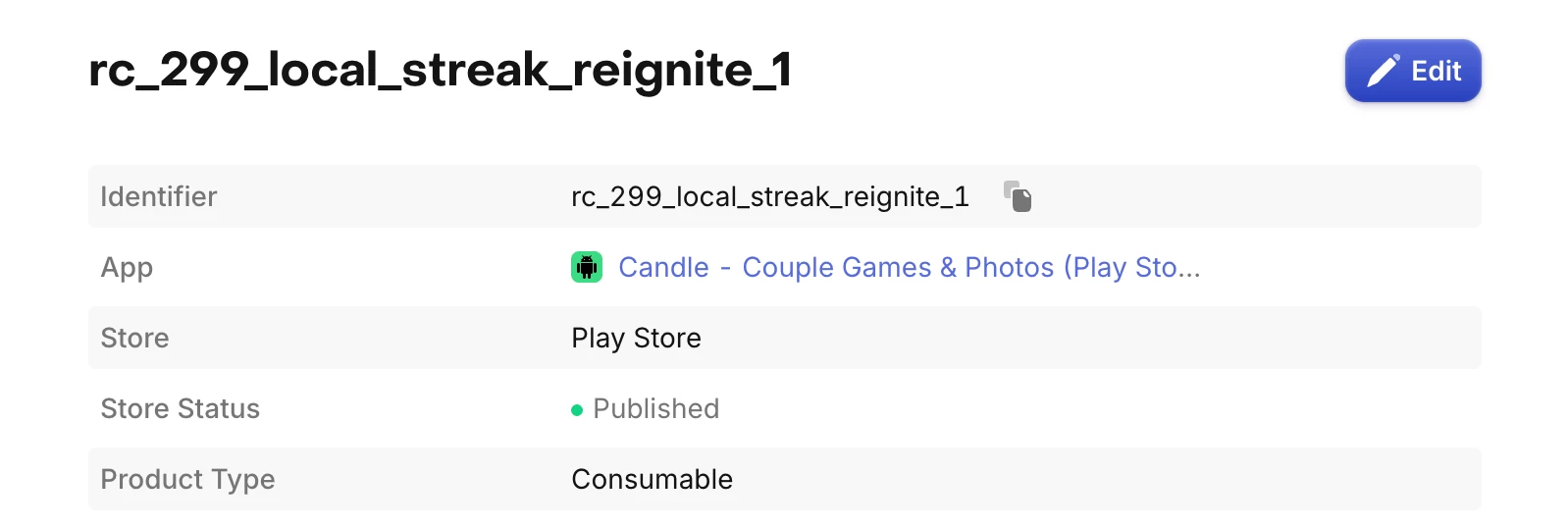
Hi ​@Haley Pace, here’s what I see in the product dashboard: 

This is defined and when I click into it, it says “Published”.


Also, in code, when I try to do something like this (which works fine for iOS), I get an error saying this product is not identified.

const streakReigniteProduct = await Purchases.getProducts([

    'rc_299_local_streak_reignite_1',

]);

const purchaseResult = await Purchases.purchaseStoreProduct(

    streakReigniteProduct[0]

);


Could you provide some guidance here?


Forum|alt.badge.img+8
  • RevenueCat Staff
  • September 23, 2025

Hi ​@candle-app thank you for this information! After checking on this with the team we do not currently support importing one time products on Android so for now you will need to manually add rc_299_local_streak_reignite_1. We plan to work on this but no ETA at this time.


Forum|alt.badge.img+8
  • RevenueCat Staff
  • September 24, 2025

Hi ​@candle-app the team actually shipped a fix for this, you should now see your rc_299_local_streak_reignite_1 product as published. 


Forum|alt.badge.img+4
  • Author
  • New Member
  • September 25, 2025

@Haley Pace Thank you! I’m still seeing this in my code though:

Getting the same issue where I'm seeing an empty product list when trying to fetch with this code for Android:
 

const streakReigniteProduct = await Purchases.getProducts([

"rc_299_local_streak_reignite_1",

PRODUCT_CATEGORY.NON_SUBSCRIPTION,

]);


Am I doing something wrong here? Would love any guidance! Let me know if there's any other information you need. Thanks so much.


Forum|alt.badge.img+8
  • RevenueCat Staff
  • September 26, 2025

Hi ​@candle-app sorry to hear you are still seeing this! Your code there looks good. To better investigate this could you please open a RevenueCat support ticket here with the following information:

  • Are you only having trouble fetching the one-time products, or can your other product types be fetched? If they cannot either, can you please share the code you are using to fetch those?
  • SDK and Expo versions
  • Full RevenueCat debug logs that reproduce what you are seeing with log level verbose, see our docs here
  • Can you share how you are running your app with React Native and Expo? Is it through an Expo development build or are you running on a physical device via a Closed Testing Track and licensed Google Play Tester?